

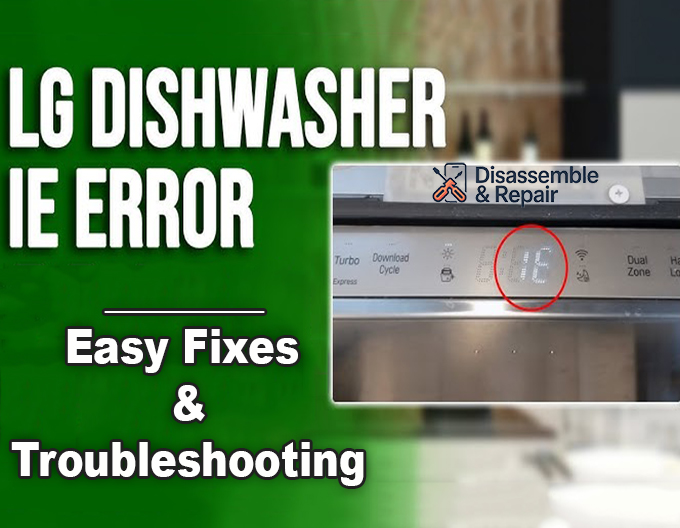
If you see the LG dishwasher IE error code flashing on your display, it indicates that the appliance is struggling to fill with water properly. This “Inlet Error” usually appears after the dishwasher has attempted to fill for a specific period but failed to reach the required water level. While this can be frustrating, the issue often stems from minor obstructions or external supply problems rather than a catastrophic machine failure.
This guide provides a professional, step-by-step approach to diagnosing and resolving the IE error. We will examine critical components such as the water inlet valve, pressure switch, and float assembly to help you restore your dishwasher’s functionality.
Understanding the LG Dishwasher IE Error Code
The “IE” code is essentially a timeout error. When you start a cycle, the control board sends a signal to open the water inlet valve and allow water to enter the tub. The dishwasher monitors this process using a pressure switch or flow meter. If the sensor does not detect the correct water level within a set timeframe (typically around 10 minutes), the system halts the cycle and triggers the alarm to prevent damage to the pump or heating element.
The root cause is almost always a restriction in water flow, a lack of water pressure, or a component failure that prevents the water from entering the unit.
Preliminary Checks: Water Supply and Hoses
Before disassembling the machine to check internal components, you must rule out external factors. These are the most common and easiest issues to fix.
1. Verify the Water Supply
Ensure that the home’s water supply valve leading to the dishwasher is fully open. This valve is typically located under the kitchen sink. If the valve was accidentally nudged or closed, the dishwasher will not receive any water.
- Turn the valve counter-clockwise to ensure it is fully open.
- Check other faucets in the kitchen to confirm the home has adequate water pressure. If pressure is low throughout the house, the dishwasher may simply be timing out because it fills too slowly.
2. Inspect the Inlet Hose
A kinked hose is a frequent culprit for the IE error. If the dishwasher was recently moved or installed, the heavy inlet hose connecting the water supply to the machine might have been pinched against the wall or cabinet.
- Use a flashlight to inspect the hose running from the sink plumbing to the dishwasher.
- Straighten any bends or kinks that could restrict the flow.
- If the hose is damaged or severely crimped, it should be replaced to prevent future leaks or flow restrictions.
3. Check for Drain Siphoning
Surprisingly, the drain hose can cause an IE error. If the drain hose is inserted too far into the standpipe or lacks a high loop (an air gap), water might siphon out of the dishwasher as fast as it fills.
- Ensure the end of the drain hose is not submerged in the standing water of your p-trap or garbage disposal.
- Verify the hose has a high loop secured under the counter to prevent gravity draining.
Inspecting and Cleaning the Mesh Filter
If the external supply is functioning correctly, the restriction is likely at the connection point. The water inlet valve on LG dishwashers is equipped with a small mesh filter designed to catch sediment and debris from your water pipes. Over time, calcium buildup or sediment can clog this screen, significantly reducing water flow.
Steps to Clean the Mesh Filter:
- Safety First: Unplug the dishwasher or flip the circuit breaker. Turn off the water supply valve under the sink.
- Access the Valve: Remove the lower kick plate (toe kick) at the bottom of the dishwasher. You may need a screwdriver to remove the retention screws.
- Disconnect the Hose: Locate where the inlet hose connects to the water inlet valve on the left side of the unit. Place a towel underneath to catch residual water, then unscrew the hose.
- Clean the Screen: Look inside the threaded port of the valve. You should see a small plastic or metal screen. Use needle-nose pliers to gently pull the filter out. Rinse it under warm running water and use a soft brush to remove any sediment.
- Reassemble: Reinsert the clean filter, reconnect the hose, and turn the water back on to check for leaks.
Diagnosing the Water Inlet Valve
If the filter was clean but the error persists, the water inlet valve itself may be faulty. This component uses a solenoid valve to open and close the water flow electronically. If the solenoid coil burns out or the mechanical valve gets stuck, water cannot enter the machine.
Testing the Solenoid Valve:
To confirm if the valve is the issue, you will need a multimeter.
- Access the Valve: With power still disconnected, locate the valve behind the kick plate.
- Inspect Wiring: Check the wiring harness connected to the valve. Ensure the connector is tight and wires are not frayed or damaged by rodents.
- Resistance Test: Set your multimeter to the Ohms (Ω) setting. Disconnect the wire harness from the solenoid terminals and touch the probes to the terminals. A functional LG water inlet valve typically reads between 800 to 1400 Ohms. If the reading is “OL” (Open Loop) or infinite, the solenoid is electrically dead, and the valve must be replaced.
- Voltage Test (Advanced): If you are comfortable working with live electricity, you can carefully check if the control board is sending 120V to the valve when the cycle starts. If voltage is present but the valve doesn’t open, the valve is mechanically stuck.
NOTE: You may also want to check out guides like ‘How to Reset the LG Dishwasher AE Error’ or ‘LG Dishwasher HE Error – Not Heating,’ as these are among the most common issues you’re likely to encounter when using your LG dishwasher.
Examining the Float Assembly and Pressure Switch
The dishwasher relies on sensors to tell it when to stop filling. If these sensors malfunction, they might send a false “full” signal to the control board immediately, preventing the fill cycle from starting.
1. The Float Assembly
Some LG models use a physical float located inside the tub, usually under a dome-shaped cover. This float assembly rises with the water level.
- Open the dishwasher door and locate the float dome.
- Lift the dome cover off (if applicable) and manually move the float up and down.
- It should move freely. If it is stuck in the “up” position due to debris or dried food, the machine will think the tub is already full and will not activate the water inlet valve. Clean the area thoroughly.
2. The Pressure Switch
The pressure switch (or water level sensor) detects water level via air pressure changes in a small tube connected to the sump.
- Locate the pressure sensor, often found on the side of the sump assembly underneath the unit.
- Check the small air hose connected to it. If this hose is clogged with “gunk” or has a hole, the sensor cannot read the pressure accurately.
- Disconnect the hose and blow through it to ensure it is clear.
- You can also test the switch for continuity with a multimeter, though replacing it is often the standard procedure if the hose is clear and the error persists.
Wiring and Control Board Issues
If the valve, water supply, and sensors all appear to be in working order, the issue may lie deeper in the electrical system. The wiring harness runs through the door and under the unit; constantly opening and closing the door can sometimes cause wires to fatigue and break.
Inspecting the Wiring:
- Visually inspect the wire bundle at the bottom of the door hinge. Look for any broken or pinched wires.
- Check the connections at the control board (usually located inside the door panel). Ensure all plugs are seated firmly.
If the wiring is intact and the valve is good, but no voltage is being sent to the valve during the fill cycle, the control board itself may have a failed relay. In this scenario, the entire board usually requires replacement.
Summary of Solutions
| Component | Potential Issue | Action Required |
|---|---|---|
| Water Supply | Valve closed or low water pressure. | Open valve fully; check home pressure. |
| Inlet Hose | Kinked hose or pinched line. | Straighten hose; remove obstructions. |
| Mesh Filter | Clogged with sediment. | Remove and clean screen. |
| Water Inlet Valve | Failed solenoid valve or mechanical jam. | Test resistance; replace valve if faulty. |
| Float Assembly | Stuck in “Full” position. | Clean float and ensure free movement. |
| Drain Hose | Siphoning water out. | Install high loop; check installation depth. |
Conclusion
The LG dishwasher IE error code is a clear signal that your appliance is water-starved. By systematically checking the water supply, clearing the mesh filter, and inspecting the water inlet valve and inlet hose, you can resolve the majority of these cases without professional help. However, if your diagnostic tests reveal a dead control board or complex electrical issues within the wiring harness, contacting a certified LG technician is the safest course of action to ensure your dishwasher returns to peak performance.
Frequently Asked Questions
What exactly does the IE error code mean on an LG dishwasher?
The IE code stands for “Inlet Error.” It is a timeout notification that occurs when the dishwasher fails to reach the required water level within a set period, typically around 10 minutes. It indicates that water is either not entering the machine at all or is entering too slowly to complete a cycle.
Can a clogged filter cause the IE error?
Yes, this is one of the most common causes. The water inlet valve features a small mesh screen designed to catch sediment and debris from your home’s plumbing. If this screen becomes blocked by mineral deposits or sand, it will significantly restrict water flow, triggering the IE code.
Why should I check my drain hose if I have a water inlet error?
If the drain hose is inserted too far into the standpipe or lacks a “high loop” under the sink, a siphoning effect can occur. This causes water to be pulled out of the dishwasher at the same time it is trying to fill. Because the unit never reaches the proper water level, the control board assumes there is an inlet problem and displays the IE error.
How do I know if my water inlet valve needs to be replaced?
If you have confirmed that your water supply is on and the mesh filter is clean, you can test the valve with a multimeter. A functional LG water inlet valve should have a resistance reading between 800 and 1400 Ohms. If the multimeter shows “OL” or infinite resistance, the solenoid has failed, and the valve must be replaced.
What should I do if the IE error persists after cleaning the filters and checking the hoses?
If the external components and filters are clear, the issue may be a stuck float assembly or a faulty pressure switch. Ensure the float inside the tub can move freely and isn’t stuck in the “up” position. If these sensors are functioning, the problem may be a failed relay on the main control board or damaged wiring in the door hinge.


