

If you are frustrated by your laundry appliance stopping mid-cycle, you are likely dealing with the Sharp washer E5 error. This specific error code typically signals a malfunction within the drainage system, preventing the machine from emptying water effectively. Understanding the root cause is essential to restoring your machine’s performance and avoiding costly professional repairs.
In this guide, we will explore the technical reasons behind this error, ranging from simple clogs to complex component failures, and provide a detailed troubleshooting path to resolve it.
Understanding the E5 Error Code
Modern washing machines rely on a sophisticated network of sensors and control boards to monitor every stage of the wash cycle. When the Control board detects that water is not being removed from the drum within a specific timeframe, it triggers the Sharp washer E5 error to prevent flooding or mechanical damage.
While the primary trigger is usually a drainage fault, the error can occasionally stem from water level detection issues. The machine halts operation to protect the internal components, requiring user intervention to reset and repair the underlying issue.
Common Causes of the E5 Code
Before diving into repairs, it is helpful to identify the likely culprits. The E5 code usually points to one of the following issues:
- Drain Hose Obstructions: Kinks, bends, or ice blocks in the hose can physically stop water flow.
- Filter Blockage: Coins, lint, buttons, or debris clogging the debris filter.
- Drain Pump Failure: The Pump motor may have burned out or become jammed by foreign objects.
- Sensor Malfunctions: A faulty Water level sensor or Pressure switch sending incorrect data to the main board.
- Wiring Issues: Loose connections between the pump and the control board.
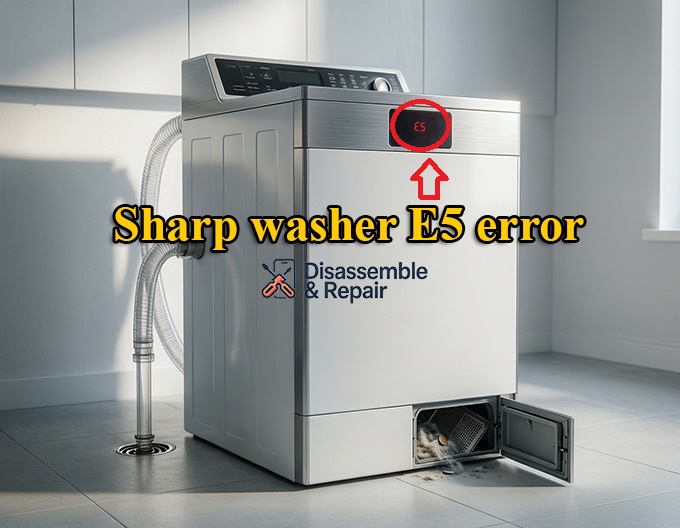
Troubleshooting Guide for Sharp Washer E5 Error
Follow these steps systematically to diagnose and fix the issue. Always ensure your safety by unplugging the machine from the power outlet before inspecting internal components.
1. Perform an Error Code Reset
Sometimes, the E5 code is a temporary glitch caused by a power surge or a momentary sensor error. Before taking the machine apart, attempt a system reset.
- Power Cycle: Unplug the washing machine and wait for at least 5 minutes.
- Discharge Power: Press and hold the Start/Pause button for 5 seconds while unplugged to discharge residual power.
- Restart: Plug the machine back in and run a “Spin” or “Drain” cycle to see if the code clears.
2. Inspect the Drain Hose
The Drain hose is the most common and easiest point of failure to fix.
- Positioning: Ensure the hose is not laid too high. For many models, if the drain hose is positioned higher than 1 meter from the floor, the pump may struggle to push water out, triggering the error. Conversely, if it is too low, water may siphon out prematurely.
- Kinks and Bends: Check the entire length of the hose behind the washer. Straighten any twists that might be restricting flow.
- Clogs: Remove the hose from the drain pipe and inspect it for blockages. You can run water through it with a garden hose to clear built-up gunk.
3. Clear Filter Blockage
A Filter blockage is a frequent cause of drainage issues, especially in a Front-load washing machine. The debris filter captures lint and small objects to protect the pump.
- Locate the Filter: On front-loaders, this is usually behind a small door at the bottom right front of the machine.
- Drain Residual Water: Place a shallow tray or towel under the filter cap. Unscrew it slowly to release trapped water.
- Clean the Filter: Remove the filter and rinse it under warm water. Remove any coins, hair, or lint.
- Check the Housing: Shine a flashlight into the filter housing to ensure no debris is stuck near the impeller of the pump.
4. Check the Drain Pump and Pump Motor
If the hose and filter are clear, the issue may lie with the Drain pump itself. The pump is responsible for mechanically driving water out of the drum.
- Listen for Sound: When you set the machine to “Drain,” do you hear a humming or buzzing noise? Silence suggests the Pump motor is not receiving power or has failed. A loud grinding noise suggests broken bearings or a jammed impeller.
- Physical Inspection: You may need to access the pump (refer to your User manual for panel removal instructions). Disconnect the pump and check if the impeller spins freely. If it feels stiff or gritty, the pump motor likely needs replacement.
- Multimeter Test: If you are comfortable with electronics, check the resistance of the pump motor coils. an infinite reading indicates an open circuit (broken motor).
5. Test the Water Level Sensor and Pressure Switch
The Pressure switch (or Water level sensor) monitors the amount of water in the tub. If this sensor is stuck, it may “think” the tub is full of water even when it is empty, or vice versa, causing the control board to throw an error because the water level isn’t changing as expected during the drain cycle.
- Inspect the Air Tube: A small clear tube connects the pressure switch to the tub. Ensure this tube is not clogged with gunk, cracked, or disconnected. A blocked air tube is a very common reason for false sensor readings.
- Blow into the Tube: Disconnect the tube from the switch and blow gently into it towards the tub to clear any soap scum blockages.
6. Inspect the Control Board
If all mechanical components are functioning correctly, the fault might lie within the Control board. This is the brain of the washer.
- Visual Check: Look for signs of burn marks, swollen capacitors, or loose wire harnesses connecting to the drainage system.
- Professional Repair: diagnosing board failures often requires advanced equipment. If the board is suspected, it is usually best to consult a professional technician.
NOTE: You might also want to check out how to fix the Sharp washing machine’s E3 error code—it’s one of the most common issues you’ll likely run into while using your machine.
Specific Tips for Front-Load Washing Machines
While the Sharp washer E5 error appears on both top and front loaders, a Front-load washing machine has a unique drainage setup.
- Door Lock Interaction: In some front-load models, the machine will not drain if the door lock sensor is faulty, as it considers it unsafe to operate the pump with an open door. Ensure the door latches firmly.
- Suds Lock: Front loaders are sensitive to excess suds. Using non-HE (High Efficiency) detergent can create a “suds lock” where bubbles prevent the water sensor from reading correctly, mimicking a drainage failure. Run a maintenance wash to clear excess soap.
Preventive Maintenance
To prevent the E5 error from recurring, incorporate these habits into your laundry routine:
- Regular Filter Cleaning: Clean the drain filter once a month to prevent Filter blockage.
- Check Pockets: Always empty pockets of coins and tissues before washing to protect the Drain pump.
- Descaling: Use a washing machine cleaner periodically to remove limescale from the Drainage system and sensors.
- Correct Installation: Ensure the Drain hose is installed according to the height specifications in the User manual.
Conclusion
The Sharp washer E5 error is a protective mechanism indicating that your machine is struggling to drain. By methodically checking the Drain hose, clearing Filter blockages, and inspecting the Drain pump, you can often resolve the issue without needing a service call. However, if the problem persists after troubleshooting the Pressure switch and Pump motor, it may be time to contact Sharp support or a professional technician to examine the Control board. Regular maintenance is the key to ensuring your appliance runs smoothly for years to come.
Frequently Asked Questions
What does the E5 error code mean on a Sharp washing machine?
The E5 error code indicates a drainage malfunction. It means the control board has detected that water is not being removed from the drum within the required timeframe. This is a protective measure designed to prevent mechanical damage or potential flooding.
How can I reset my Sharp washer to clear the E5 code?
To perform a system reset, unplug the washing machine from the power outlet and wait for approximately 5 minutes. While it is unplugged, press and hold the Start/Pause button for 5 seconds to discharge any residual power. Plug the machine back in and attempt to run a “Spin” or “Drain” cycle to see if the error persists.
Where is the drain filter located, and how do I clean it?
On most front-load Sharp washers, the debris filter is located behind a small access door at the bottom right front of the machine. To clean it, place a towel down, slowly unscrew the filter cap to release trapped water, remove any debris like coins or lint, and rinse the filter under warm water before reinstalling it.
Can using too much detergent cause an E5 error?
Yes, specifically in front-load models. Using non-HE (High Efficiency) detergent or excessive amounts of soap can lead to a “suds lock.” The resulting excess bubbles can interfere with the water level sensor’s ability to provide an accurate reading, which the machine may interpret as a drainage failure.
What should I check if the drain hose and filter are both clear?
If the external components are clean, the issue may be the drain pump motor, a clogged pressure switch air tube, or a faulty water level sensor. Listen for a humming or grinding noise when the machine attempts to drain; silence or unusual sounds often point to a mechanical failure in the pump that may require professional repair or replacement.


