

It is incredibly frustrating when you realize your Vacuum Cleaner Not Picking Up Dirt, turning a quick chore into a time-consuming headache. Instead of leaving your floors spotless, the machine simply pushes debris around, leaving you wondering if it is time for a replacement or a simple repair. Fortunately, in most cases, this issue is caused by minor maintenance oversights rather than a catastrophic motor failure. By understanding the mechanics of your appliance, you can often restore it to full functionality without spending a dime.
Why is your cacuum cleaner Not picking up dirt?
When a vacuum cleaner loses its effectiveness, the problem usually stems from a disruption in the airflow or a mechanical failure in the agitation system. The core principle of any vacuum is suction power, which relies on an unblocked path from the floor head to the exhaust. If your vacuum cleaner not picking up dirt, it is rarely because the machine is “broken” in the permanent sense; rather, it is likely suffering from airflow obstruction, a worn component, or improper settings.
The following sections will guide you through a systematic troubleshooting process to identify and resolve these common issues.
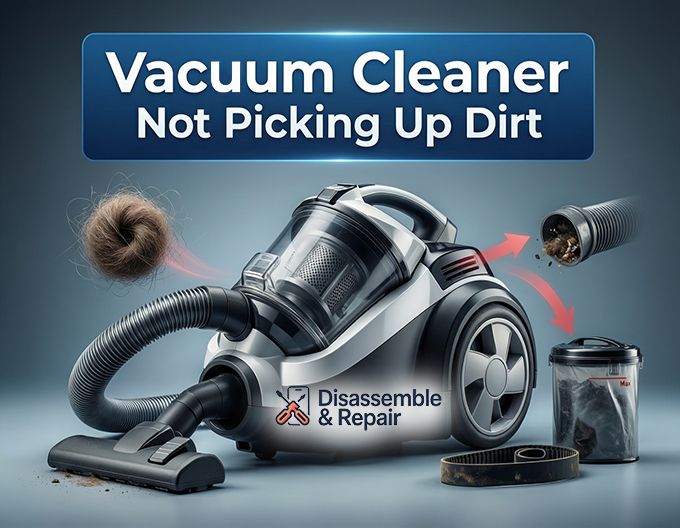
1. Check for airflow obstructions and clogs
The most common culprit for a loss of suction is a blockage somewhere in the system. Air must travel freely from the nozzle, through the vacuum hose, into the bag or canister, and out through the filters.
- Inspect the Vacuum Hose: Detach the hose from the main unit and drop a small coin through it. If the coin does not fall out the other end, you have a clog. Debris buildup—such as clumps of hair, paper scraps, or even a lost sock—can easily become wedged in the ridges of the hose. Use a broom handle or a long flexible brush to gently dislodge the obstruction.
- Check the Motor Intake: If the hose is clear, look at the port where the hose connects to the vacuum body. This area, often leading to the motor intake, can accumulate dust that restricts air from passing into the collection chamber.
- Examine the Wand and Nozzle: sometimes the blockage is not in the hose but in the rigid extension wand or the floor tool itself. Shine a flashlight through these parts to ensure they are completely clear.
2. Inspect the agitator brush and belt
For carpeted surfaces, suction alone is not enough. The agitator brush (also known as the brush roll) is responsible for beating dust and debris out of carpet fibers so the vacuum can inhale them.
- Clean the Brush Roll: Flip the vacuum over and inspect the brush. It is common to find it wrapped tightly with hair, threads, and string. This entanglement prevents the bristles from spinning effectively or digging into the carpet. Use a pair of scissors to carefully cut away any hair, ensuring you do not snip the bristles themselves.
- Check the Vacuum Belt: The vacuum belt is a rubber loop that connects the motor shaft to the brush roll. Over time, this belt can stretch, slip, or snap completely. If the belt is loose, the brush roll may not spin when it meets resistance from the carpet. A burnt rubber smell is a classic sign of a failing belt. If it feels slack or shows signs of cracking, replace it immediately to restore the agitation power needed for deep cleaning.
3. Service the filters and dust canister
Modern vacuums rely on sophisticated filtration systems to trap fine particles. However, if these filters are neglected, they become a solid wall that air cannot pass through, killing your suction.
- Empty the Dust Canister: It may seem obvious, but an overfilled dust canister drastically reduces performance. Cyclonic vacuums need space for the air to spin. If the bin is packed past the “Max” fill line, the air cannot circulate, and dirt will not be picked up. Empty the canister after every use to maintain optimal pressure.
- Clean or Replace Clogged Filters: Most vacuums have at least two filters: a pre-motor filter and a post-motor filter (often a HEPA filter). Clogged filters are a primary reason for gradual suction loss.
- Washable Filters: Rinse foam or felt filters under cold water until the water runs clear. Let them air dry completely (at least 24 hours) before reinserting them.
- HEPA Filters: A HEPA filter captures microscopic allergens and is often made of paper-like material that cannot be washed. If it appears grey or black, it must be replaced. Attempting to wash a non-washable HEPA filter can ruin its structure and damage your motor.
4. Adjust the height settings
Many users overlook the height adjustment dial on the base of their vacuum, but this setting is critical for proper airflow and cleaning efficiency.
- Carpet Settings: If the vacuum is set too low on a thick carpet, the nozzle acts like a seal against the floor, cutting off airflow completely. The vacuum needs a small gap to pull air (and dirt) in. If you find the vacuum hard to push, raise the height.
- Hard Floor Settings: Conversely, if the height is set too high for a bare floor, the suction will dissipate into the room rather than pulling dirt from the surface. Ensure the nozzle is low enough to create a seal without scratching the floor.
- Brush Roll Control: On hard floors, the spinning brush roll can sometimes scatter debris rather than collecting it. Some models allow you to turn off the agitator brush when cleaning hardwood or tile to prevent this “kicking” effect.
5. Check for air leaks
Even with a clean filter and a clear hose, your vacuum will struggle if air is entering the system from the wrong place.
- Inspect Seals and Gaskets: Check the rubber seals around the dust canister and the hose connections. If these seals are dried out, cracked, or misaligned, air will leak in, reducing the vacuum’s ability to pull dirt from the floor.
- Crack Detection: Examine the plastic casing and the ribbed vacuum hose for any cracks or splits. Even a small hairline fracture can significantly drop suction pressure. Duct tape can serve as a temporary fix, but replacing the damaged part is the only permanent solution.
Maintenance routine to prevent future issues
To ensure you never face the annoyance of a vacuum cleaner not picking up dirt again, establish a regular maintenance schedule. Prevention is always easier than troubleshooting a clogged or broken machine.
Monthly maintenance checklist
- Wash Filters: Make it a habit to wash your foam filters once a month. This keeps the motor intake clear and protects the engine from overheating.
- Cut Hair from the Brush: Do not wait for the agitator brush to stop spinning. spending two minutes cutting hair off the roll once a month prevents strain on the vacuum belt.
- Check the Belt: Give the belt a quick visual inspection. If it looks dry-rotted or stretched, order a spare before it snaps.
Annual maintenance
Once a year, consider replacing the HEPA filter and the vacuum belt, even if they look okay. Rubber degrades and filter pores clog with microscopic dust that washing cannot remove. A fresh belt and filter can make an old vacuum perform like a brand-new machine.
When to call a professional
If you have cleared every airflow obstruction, replaced the filters, installed a new belt, and confirmed the height adjustment is correct, but the machine still refuses to pick up dirt, the issue may be electrical.
- Motor Failure: If the vacuum sounds different—high-pitched whining or grinding noises—the motor bearings may be failing.
- Loss of Suction with No Blockage: If there is zero suction despite a clear path, the impeller fan inside the motor may be broken.
In these cases, if the vacuum is a high-end model, a professional repair might be worth the cost. For cheaper units, the cost of a motor replacement often exceeds the value of the vacuum, suggesting it might be time to invest in a new cleaner.
Conclusion
A vacuum cleaner not picking up dirt is rarely a sign of a dead appliance. More often than not, it is a cry for help asking for maintenance. By systematically checking the suction power, clearing the vacuum hose, cleaning the clogged filters, and maintaining the brush roll, you can tackle the problem head-on. Remember that your vacuum is a machine that breathes; if its airways are choked with debris buildup or its lungs (filters) are dirty, it cannot work. With a little care and attention to these key entities, you can keep your floors pristine and extend the life of your vacuum for years to come.
Frequently asked questions
Why does my vacuum have low suction even after I empty the dust canister?
Emptying the canister is only the first step. Low suction is often caused by clogged filters or a blockage in the vacuum hose or wand. Check your pre-motor and HEPA filters to see if they are coated in fine dust, and perform a “coin test” by dropping a small coin through the hose to ensure there are no physical obstructions like hair clumps or small objects.
How do I know if my vacuum belt needs to be replaced?
The most common sign of a failing belt is a spinning motor sound without the brush roll actually turning. You might also notice a distinct smell of burnt rubber or see that the vacuum is no longer “agitating” the carpet fibers. If the belt feels loose, shows visible cracks, or has snapped, it must be replaced to restored cleaning power.
Can I wash all types of vacuum filters?
No, you must distinguish between washable and non-washable filters. Foam and felt pre-motor filters are typically washable and should be rinsed until the water runs clear. However, many HEPA filters are made of a specialized paper material that will be ruined if it gets wet. If your HEPA filter is grey or black and is not labeled as “washable,” it needs to be replaced entirely.
Why is my vacuum pushing dirt around on hard floors instead of picking it up?
This often happens if the height setting is too high or if the agitator brush is spinning too fast and “kicking” debris away. Check your height adjustment dial and lower it for bare floors. If your vacuum has a “Brush Roll Off” setting, use it for hard surfaces to allow the suction to pull the dirt directly into the nozzle without the brush interfering.
How often should I perform maintenance on my vacuum cleaner?
For the best performance, you should empty the dust canister after every use. On a monthly basis, you should wash the foam filters and cut away any hair or string wrapped around the brush roll. On an annual basis, it is recommended to replace the HEPA filter and the vacuum belt to ensure the motor continues to run efficiently.


