

When your appliance display flashes the LG washing machine E1 error, it typically signals a disruption in the water supply system or a failure to detect the correct water level. This code often halts the washing cycle immediately, leaving your laundry damp and soap-filled, requiring prompt troubleshooting to restore normal function.
In many cases, users interpret the code as “E1” due to the digital display font, though on many LG models, this is technically the “IE” (Inlet Error) code. Regardless of whether your manual lists it as E1 or IE, the underlying causes usually involve the water supply, inlet hose, or internal sensor components. The following guide details how to diagnose and resolve this issue using professional troubleshooting methods.
Read more door not opening in lg washing machine
Understanding the LG Washing Machine E1 Error
The LG washing machine E1 error is a diagnostic alert triggered when the main control board detects that the washer has not filled with water to the target level within a specific timeframe. Modern front-load washers rely on precise timing and sensor readings; if the water flow is too slow or nonexistent, the system triggers this safety stop to prevent motor strain or cycle failure.
While predominantly a water intake issue, this error can sometimes be linked to a water level sensor malfunction or, in rare regional models, a water leakage detection. However, given the entities involved in your repair kit, focusing on the water supply chain is the most effective first step.
Common Causes of the E1 Error
- Restricted Water Supply: The most frequent culprit is simply a closed tap or low water pressure from the home’s plumbing.
- Clogged Inlet Filter: Debris and sediment from the pipes can block the mesh screens inside the water inlet.
- Kinked Inlet Hose: If the washer was pushed back too hard, the hoses might be pinched, restricting flow.
- Faulty Solenoid Valve: The electrical component that opens to let water in may have failed.
- Pressure Switch Malfunction: The component responsible for measuring the water level may be sending false data to the control board.
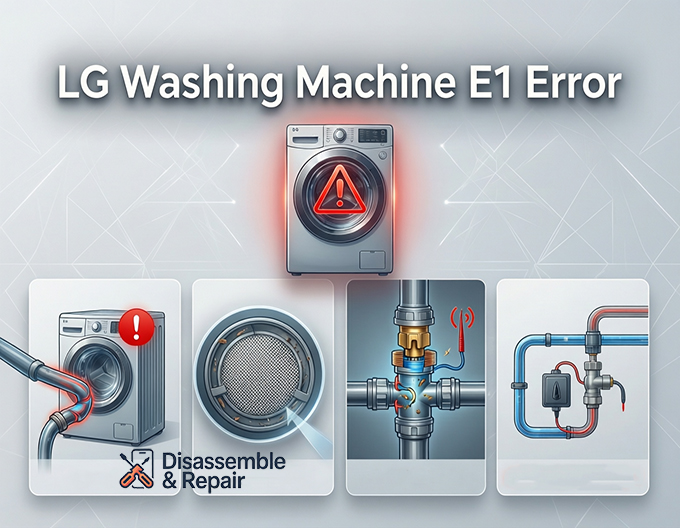
Step-by-Step Troubleshooting Guide
Follow these steps to systematically isolate the problem. Always ensure the machine is powered off and unplugged before handling internal components.
1. Verify Water Supply and Hoses
Before grabbing tools, check the basics. Ensure the water taps behind the washer are fully open. Inspect the inlet hose for any visible kinks, twists, or heavy objects resting on it. If the hose is clear, check your home’s water pressure by testing a nearby faucet. If the flow is weak elsewhere, the issue lies with your plumbing, not the machine.
2. Clean the Inlet Filter
Over time, minerals and sediment build up in the inlet filter screens located where the hoses connect to the washer.
- Turn off the water taps.
- Unscrew the inlet hoses from the back of the machine.
- Use needle-nose pliers to gently pull out the small mesh filters inside the water inlet valve ports.
- Rinse them under running water to remove debris.
- Reinsert the filters and reconnect the hoses securely.
3. Inspect the Water Inlet Valve
The water inlet valve (or solenoid valve) is the electromechanical gatekeeper for water entering the tub. If the filters are clean and water pressure is good, but no water enters, this valve may be defective. You can test the solenoids for continuity using a multimeter. If the resistance reading implies an open circuit (infinity), the valve assembly needs replacement.
Read more LG washer light blinking
4. Check the Pressure Switch and Air Chamber
The pressure switch (also known as the water level sensor) monitors how much water is in the drum. It operates via a small air tube connected to the tub.
- Inspect the Tube: Check the small tube connecting the pressure switch to the tub for cracks, blockages, or disconnections.
- Test the Switch: A faulty switch may fail to tell the control board that water is entering, causing the machine to “time out” and display the E1 error even if water is present.
5. Smart Diagnosis with LG ThinQ
If your model supports it, use the LG ThinQ app to run a smart diagnosis. This feature can communicate directly with the control board to pinpoint whether the issue is electrical (like a wiring harness failure) or mechanical. The app often provides specific codes that confirm if the E1 error is indeed related to the water inlet or a different sensor anomaly.
Preventing Future Errors
To avoid recurring LG washing machine E1 error codes, perform regular maintenance on your front-load washer.
- Clean the inlet filters every 6 months, especially if you live in an area with hard water.
- Inspect hoses annually for wear or bulging.
- Ensure the machine is level to prevent vibration damage to internal wiring and sensors.
By systematically checking the water supply, filters, and internal sensors, you can often resolve the E1 error without the need for an expensive service call. However, if the problem persists after checking the inlet valve and pressure switch, the issue may lie within the main control board, requiring professional repair.
Frequently Asked Questions
What exactly does the E1 error code mean on my LG washing machine?
The E1 error, which is often displayed as “IE” (Inlet Error) on many LG models, indicates that the washing machine is not filling with water properly. This happens when the control board fails to detect that the water has reached the required level within a specific timeframe, usually due to a restricted water supply or a sensor malfunction.
Is there a difference between the E1 and IE error codes?
On most LG washing machines, these codes are the same. Because of the digital font used on the display, the “IE” (Inlet Error) is frequently misread by users as “E1.” Both codes point to the same troubleshooting steps regarding the water supply, hoses, and inlet valves.
How can I prevent the E1 error from occurring in the future?
To avoid this error, you should perform regular maintenance such as cleaning the mesh inlet filters every six months to prevent sediment buildup. Additionally, inspect your inlet hoses once a year for kinks or damage and ensure your machine is level to prevent excess vibration from affecting internal sensors.
What should I check if my water taps are fully open but the error persists?
If the water supply is active but the error remains, you should inspect the mesh filters inside the water inlet valve for clogs. If those are clean, the issue may be a faulty solenoid valve (which can be tested for continuity with a multimeter) or a blocked air tube leading to the pressure switch, which prevents the machine from sensing the water level.


