

Learning how to reset LG washing machine Smart diagnosis functions is essential when your appliance is unresponsive or stuck displaying an error code. Whether you are dealing with connectivity issues in the LG ThinQ app or need to clear a persistent fault alert, a proper reset can often restore functionality without requiring a service technician.
Understanding the “Reset” in Smart Diagnosis
It is important to clarify that “Smart Diagnosis” is a troubleshooting feature, not a cycle that runs continuously. When users ask to “reset” it, they typically need to do one of three things:
- Clear the error code that prompted the diagnosis.
- Reset the internal computer (Control Board) to stop a glitch.
- Reset the Wi-Fi connection if the LG ThinQ app cannot communicate with the washer.
Below are the specific methods to address each of these needs.
Read more LG washer locked and won’t turn on
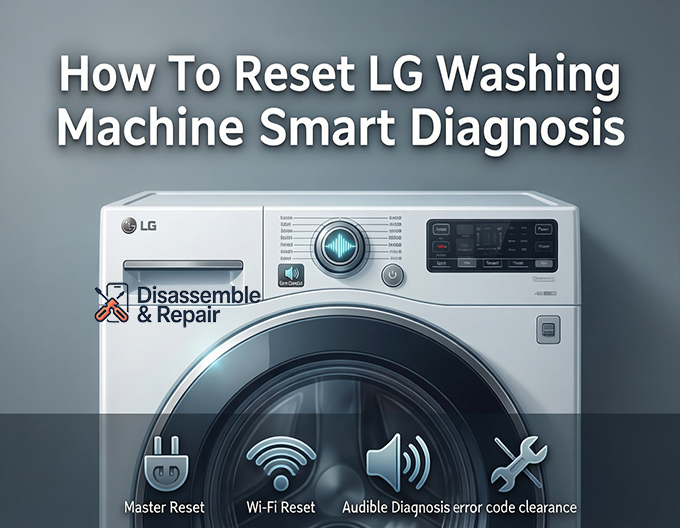
How to reset LG washing machine Smart diagnosis (Master Reset)
The most effective way to clear the system and prepare it for a fresh diagnosis is a “Master Reset” or power cycle. This discharges residual electricity from the capacitors on the control panel.
Read more LG washing machine rusting
- Power Off: Press the Power button to turn off the washer.
- Disconnect Power: Unplug the power cord from the wall outlet. If the plug is inaccessible, flip the circuit breaker to the “OFF” position.
- Discharge Power: With the machine unplugged, press and hold the Start/Pause button for exactly 5 seconds. This step is critical as it drains any electricity stored in the main board, effectively wiping temporary memory and glitches.
- Restore Power: Plug the washer back in or flip the circuit breaker back on.
- Test: Turn the machine on and attempt to start a cycle. If the error persists, you can now run a fresh Smart Diagnosis to get accurate data.
Resetting Wi-Fi for ThinQ App Diagnosis
If you are using the Smart Diagnosis feature via the LG ThinQ app and it fails to connect, you likely need to reset the Wi-Fi module on the washer.
- Turn on the washing machine.
- Locate the Wi-Fi button on the control panel. On some models, this may be a secondary function of the “Delay Wash” or “Spin” button, marked with a Wi-Fi symbol (*).
- Press and hold the Wi-Fi button for 3 seconds until the Wi-Fi icon starts blinking or you hear an audible chime.
- Open the LG ThinQ app on your smartphone, go to settings, and follow the prompts to reconnect your washer to your home network.
- Once reconnected, navigate to the “Smart Diagnosis” section in the app to retry the scan.
performing an Audible Smart Diagnosis (Sound-Based)
If Wi-Fi connectivity is unavailable, you can “reset” the diagnosis process by using the audible tones method. This relies on sound transmission rather than the internet.
- Open the LG ThinQ app or call LG customer support.
- Power on the washer, but do not press Start.
- Hold your smartphone’s microphone near the Smart Diagnosis logo (usually located near the Power button).
- Press and hold the button labeled Temp or Water Temp (specific buttons vary by model; look for the text “Smart Diagnosis” connected to a button) for 3 seconds.
- The washer will emit a series of fax-like tones. Keep the phone steady until the tones stop.
- The app (or the support agent) will analyze the sound and provide an instant troubleshooting guide.
Clearing Common Error Codes
Sometimes, a “reset” is simply about clearing a specific error code that Smart Diagnosis has identified. Common codes include:
- OE (Output Error): Indicates a drain issue. Check the drain pump filter for blockages and ensure the drain hose is not kinked.
- IE (Input Error): Water supply issue. Verify water taps are fully open and inlet hoses are not frozen or clogged.
- UE (Unbalanced Error): The load is uneven. Redistribute laundry manually and restart the Spin cycle.
- dE (Door Error): The door is not locking. Push the door firmly closed or check for obstructions in the latch.
Once the physical issue is resolved, perform the Master Reset (Method 1) to clear the code from the display.
Read more LG washing machine sound problem
When to Contact LG Customer Support
If you have performed the power cycle, reset the Wi-Fi, and cleared visible blockages, but the Smart Diagnosis feature still reports a critical failure (like a motor or circuit board error), it is time to contact professional help.
Provide the support team with the specific error codes generated by the app. This information helps them prepare the correct parts before they arrive, saving time and money.
Quick Summary Checklist
- Glitchy Display? Perform a Power Cycle (unplug + hold Start button).
- App Won’t Connect? Reset Wi-Fi (hold Wi-Fi button for 3 seconds).
- Error Code Stuck? Fix the physical issue (drain/water), then Power Cycle.
- No Wi-Fi? Use Audible Smart Diagnosis via the phone mouthpiece.
Frequently Asked Questions
How do I perform a Master Reset on my LG washing machine?
To perform a Master Reset, power off the machine and unplug it from the wall. While it is unplugged, press and hold the Start/Pause button for 5 seconds to discharge any remaining electricity from the control board. Plug the machine back in and turn it on to see if the error code or glitch has been cleared.
What should I do if the LG ThinQ app cannot find my washer?
You likely need to reset the Wi-Fi module. Ensure the washer is on, then press and hold the Wi-Fi button (often a secondary function of the “Delay Wash” or “Spin” button) for 3 seconds. Once the Wi-Fi icon begins to blink, you can reconnect the appliance to your home network through the settings in the ThinQ app.
Can I still use Smart Diagnosis if my washer isn’t connected to Wi-Fi?
Yes, you can use the Audible Smart Diagnosis feature. Open the ThinQ app or call LG support, then hold your phone’s microphone near the Smart Diagnosis logo on the control panel. Press and hold the “Temp” button for 3 seconds, and the machine will emit a series of tones that the app or support agent can interpret to identify the issue.
Read more How to open LG washing machine door during cycle
Will resetting the machine fix error codes like OE or IE?
A reset (Power Cycle) will clear the error from the display, but it will return if the physical cause isn’t addressed. For an OE code, you must check for drain blockages; for an IE code, ensure the water supply is active. Once the physical issue is resolved, use the Master Reset method to clear the system memory.
When is a reset not enough to fix the problem?
If you have performed a Master Reset and cleared any visible obstructions (like clogged filters or kinked hoses), but the Smart Diagnosis still reports a critical hardware failure, you should contact LG customer support. A reset can fix software glitches, but it cannot repair broken motors or damaged circuit boards.


