

When your laundry routine is interrupted by an LG washer showing error but no code, it can be a baffling experience. Unlike standard error messages that point you directly to a fault (like “OE” for drain issues or “dE” for door errors), a silent failure or a dashboard of blinking lights requires a more investigative approach. This guide will walk you through professional troubleshooting steps to diagnose and resolve these cryptic issues, ranging from simple resets to advanced component testing.
Why Is My LG Washer Showing Error But No Code?
An LG washer showing error but no code typically indicates that the machine’s internal logic has detected a problem but cannot assign a specific digital alphanumeric code to it. This often happens due to:
- Transient Glitches: Power surges or software bugs in the Main PCB (Printed Circuit Board).
- Component failure during startup: The machine fails a safety check (like locking the door) before the cycle logic fully engages.
- User Interface Issues: The display itself may be malfunctioning, or the error is being communicated via blinking lights rather than text.
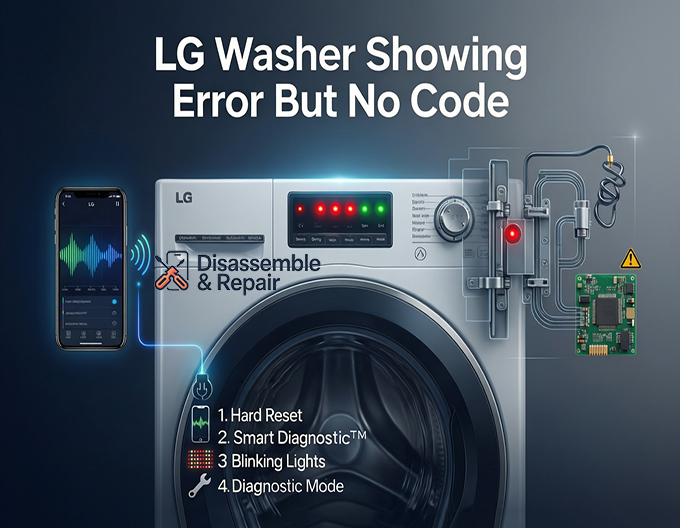
Step 1: Perform a Hard Reset (Power Cycle)
Before grabbing your toolbox, the first and most effective step is to clear the machine’s memory. This can often resolve temporary software glitches.
Read more LG washing machine PE error
- Power Down: Turn off the washer and unplug it from the wall outlet.
- Discharge Power: Press and hold the “Start/Pause” button for 5 seconds while the machine is unplugged. This dissipates residual static electricity from the control board.
- Wait: Leave the washer unplugged for at least 5 to 10 minutes.
- Restart: Plug the washer back in and attempt to start a cycle.
Step 2: Utilize LG Smart Diagnosis™
If the hard reset doesn’t work, you can use LG’s built-in diagnostic technology. Even without a visible code, the machine can communicate its status to the LG ThinQ app.
- Using the App: Open the LG ThinQ app on your smartphone and select your washer. Choose the Smart Diagnosis feature. Follow the on-screen prompts to hold your phone near the “Smart Diagnosis” logo (usually near the power button) while the machine emits a series of tones.
- Audible Diagnosis: The app analyzes these tones and provides a detailed report of the issue, effectively translating the “silence” into an actionable error code.
Step 3: Interpret Blinking Lights
On models without a digital display, or in cases of severe failure, the error is often displayed via specific patterns of blinking lights on the control panel.
- Sensing/Wash/Rinse Lights: If these lights flash simultaneously, it often indicates a motor or door latch assembly failure.
- Spin/End Lights: Flashing here frequently points to drainage issues. Check your drain pump filter for blockages.
- Temperature Lights: rapid blinking can indicate a heating element or thermistor issue.
- Note: Consult your specific model’s manual to decode the exact light pattern, as they vary by series.
Step 4: Enter Diagnostic Mode
For a deeper analysis, you can manually force the washer into diagnostic mode. This bypasses standard sensors and tests individual components.
- How to Enter:
- Turn the washer off.
- Press and hold Soil Level and Spin Speed (or Temp and Spin on some models) simultaneously.
- While holding the buttons, press the Power button. The unit should beep and light up all LEDs.
- Testing: Press the “Start/Pause” button to cycle through test stages. Listen for the door to lock, the drum to spin, and the water valves to open. If the machine stalls or fails at a specific stage (e.g., the drum doesn’t spin), you have identified the faulty component (likely the motor or wiring harness).
Step 5: Check Physical Components
If the digital diagnostics yield no results, physically inspect these critical areas:
Door Latch Assembly
If the cycle starts but immediately stops without a code, the door latch is a prime suspect. The washer must verify the door is locked before filling with water.
- Test: Wiggle the door handle gently. If it feels loose or doesn’t “click” firmly, the latch mechanism or the switch inside may be broken.
Water Inlet and Pressure Sensor
If the washer hums but doesn’t fill, or fills indefinitely, the issue may lie with the water supply.
- Pressure Sensor: This small device tells the control board how much water is in the drum. A clogged pressure tube can cause the washer to “hang” without generating a code because it thinks it is still filling. Remove the top panel and ensure the small rubber tube connected to the sensor is not pinched or clogged.
Main PCB and Wiring Harness
If the washer is completely erratic—lights flickering, random beeping, or shutting off mid-cycle—the Main PCB (motherboard) may be failing.
Read more LG washer water not covering clothes
- Visual Inspection: Unplug the washer and remove the top panel to access the control board. Look for burnt marks, swollen capacitors, or loose connections on the wiring harness. Vibration during the spin cycle can sometimes jostle these connectors loose.
Summary of Solutions
| Symptom | Potential Cause | Recommended Action |
|---|---|---|
| Washer won’t start, no sound | Power / Main PCB | Check outlet; Inspect Control Board for damage. |
| Lights blink, no start | Door Latch / Motor | Check Door Latch Assembly; Enter Diagnostic Mode. |
| Cycle pauses mid-wash | Drain Pump / Sensor | Clean drain filter; Check Pressure Sensor tube. |
| Erratic behavior | Wiring Harness | Secure all internal wiring connections. |
By systematically moving from a power cycle to advanced Smart Diagnosis, you can isolate the cause of an LG washer showing error but no code. If these steps identify a failed Main PCB or motor, it may be time to contact a professional technician for a part replacement.
Frequently Asked Questions
Why does my LG washer behave like there’s an error without showing a specific code?
This typically occurs when the machine’s internal logic detects a fault it cannot categorize with a standard alphanumeric code. It can be caused by transient software glitches, power surges, or hardware failures—such as a faulty door latch—that prevent the cycle from starting. On some models, errors are communicated through specific patterns of blinking lights rather than digital text.
How do I perform a hard reset to clear a “silent” error?
To reset the washer’s memory and clear temporary glitches, turn the unit off and unplug it from the wall. Press and hold the “Start/Pause” button for approximately 5 seconds to dissipate residual static electricity from the control board. Wait at least 5 to 10 minutes before plugging the machine back in and attempting to restart the cycle.
Can the LG ThinQ app help if the display is blank or confusing?
Yes. You can use the LG Smart Diagnosis™ feature within the LG ThinQ app. By holding your smartphone near the “Smart Diagnosis” logo on the washer while the machine emits a series of tones, the app can analyze the data and provide a detailed report. This effectively translates the machine’s silence into an actionable error code.
What should I check if the washer won’t start and shows no code?
The door latch assembly is a primary suspect; if the washer cannot confirm the door is securely locked, it will not initiate the cycle. You should also check the water pressure sensor tube for clogs or pinches. If the sensor cannot accurately detect the water level, the machine may “hang” indefinitely without generating a specific error.
What do blinking lights on the control panel indicate?
On models without a digital display, blinking lights serve as diagnostic signals. For instance, simultaneously flashing Sensing, Wash, and Rinse lights often point to a motor or door latch issue. Flashing Spin and End lights typically indicate a drainage problem, suggesting you should check the drain pump filter for blockages.
Read more LG washing machine UE error


