

If you are standing in front of your laundry machine wondering why is your LG washer light blinking, you are likely dealing with a specific error code or a status alert. This blinking is your appliance’s way of communicating a problem, ranging from a simple door latch issue to a more complex drainage fault.
Why Is My LG Washer Light Blinking?
The most common reason for an LG washer light blinking is that the machine has paused the cycle due to an error it cannot resolve on its own. While digital models display two-letter codes (like OE or LE), non-digital models rely on specific patterns of flashing LED lights on the Control panel to signal the issue.
Below is a breakdown of what these light patterns mean and how to fix them.
Read more LG washing machine CE error
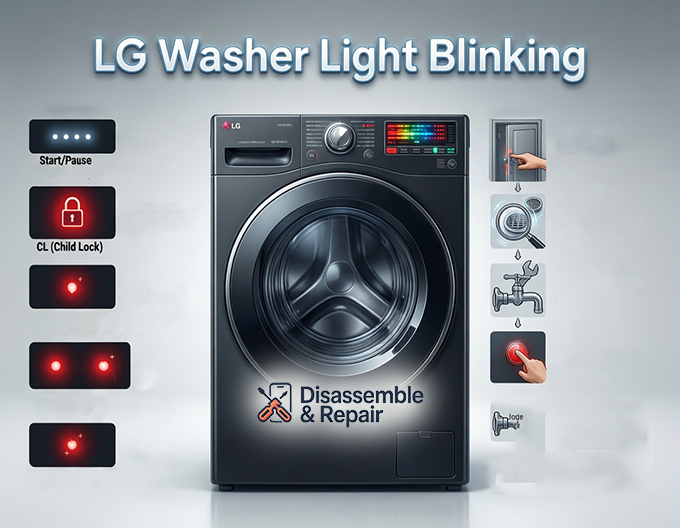
1. The “Start/Pause” Light is Blinking
If only the Start/Pause button is blinking, this is often normal operation.
Read more LG washing machine E7 error
- Meaning: The washer is waiting for your input. If you paused the cycle to add clothes, the light will blink to remind you to resume.
- Fix: Press the Start/Pause button to continue.
- Note: If the door is locked and the machine won’t start, check the Door latch assembly (see section below).
2. The “Child Lock” (CL) Indicator
If a lock icon or the letters “CL” are blinking on your display, this is not a malfunction but a safety feature.
- Symptoms: Buttons on the control panel are unresponsive, and a red lock light may be lit.
- Fix: To deactivate Child lock, locate the button(s) marked with a lock symbol (often
Pre-wash+Crease CareorTub Clean). Press and hold them simultaneously for 3 to 5 seconds until the light stops blinking.
3. “Wash,” “Rinse,” and “Spin” Lights Blinking (Digital & Non-Digital)
On models without a screen, the status LEDs double as error codes.
- Spin Speed Lights Flashing (800, 500, No Spin): This indicates a Drain pump error (OE). The washer cannot empty water.
- Pre-Wash + Main Wash Lights Flashing: This signals a Water inlet valve error (IE). The machine is not filling with water.
- Temperature Lights Flashing: This usually points to a heating or thermistor issue (TE).
Troubleshooting by Component
Once you have identified the pattern, follow these specific troubleshooting steps for the affected components.
Door Latch Assembly Issues (dE Error)
If the “Door Lock” light is blinking or you see a dE code, the washer believes the door is open.
- Check Obstructions: Ensure no clothes are stuck between the door glass and the rubber seal.
- Clean the Latch: Wipe down the lock mechanism to remove detergent buildup.
- Push Firmly: Close the door with a firm push to engage the latch.
- Hardware Failure: If the light continues blinking after a power cycle, the door latch assembly itself may be defective and need replacement.
Drain Pump and Filter (OE Error)
When the spin lights blink or OE appears, water is stuck in the drum.
- Locate the Filter: Open the small access panel at the bottom front of the washer.
- Drain Manually: Use the small emergency drain hose to empty the water into a shallow bucket.
- Clean the Filter: Twist the drain pump filter counter-clockwise to remove it. Clean out lint, coins, or debris.
- Check the Hose: Ensure the drain hose behind the washer is not kinked or clogged.
Water Inlet Valve (IE Error)
If the Pre-wash lights blink, your washer is “thirsty.”
- Check Taps: Ensure both hot and cold water faucets are fully turned on.
- Inspect Hoses: Straighten any kinked inlet hoses.
- Clean Mesh Filters: Unscrew the hoses from the back of the washer and clean the small mesh filters inside the Water inlet valve ports. Sediment buildup here often blocks water flow.
Main PCB and Motor (LE Error)
The LE code or specific motor-related light patterns often indicate an overloaded motor or a communication error with the Main PCB (Printed Circuit Board).
- Light Load: Remove heavy items (like wet towels) to reduce the strain.
- Cool Down: Let the motor rest for 30 minutes.
- Reset: Perform the reset procedure below.
How to Perform a Master Reset (Power Cycle)
If you cannot identify the specific error or if the lights continue blinking after a fix, perform a system reset. This clears the memory on the Main PCB and can resolve temporary glitches.
- Power Off: Press the Power button to turn the washer off.
- Unplug: Remove the power cord from the wall outlet completely.
- Discharge Power: Press and hold the Start/Pause button for 5 seconds while the machine is unplugged. This dissipates residual static electricity from the control board.
- Wait: Leave the washer unplugged for at least 5 minutes.
- Restart: Plug the washer back in, turn it on, and attempt a small wash cycle.
Summary of Light Patterns
| Blinking Lights | Likely Error Code | Component to Check |
|---|---|---|
| Start/Pause | N/A | Waiting for user input / Door not latched |
| Lock Icon / CL | CL | Child lock feature (deactivate) |
| Spin Speed Lights | OE | Drain pump / Drain filter |
| Pre-Wash + Main | IE | Water inlet valve / Water supply |
| Temp Lights | TE / PE | Heater / Pressure Sensor |
| Wash+Rinse+Spin | dE | Door latch assembly |
By understanding these signals, you can often fix an LG washer light blinking issue without calling a technician. Always start with the reset procedure, as it is the simplest and most effective first step for electronic glitches.
Frequently Asked Questions
Why is there a blinking “CL” code on my LG washer display?
A blinking “CL” indicates that the Child Lock safety feature is currently active, which disables the control panel buttons. To turn it off, locate the buttons marked with a lock symbol (such as Pre-wash and Crease Care) and press and hold them simultaneously for 3 to 5 seconds.
What should I do if the Start/Pause light is flashing?
In most cases, a blinking Start/Pause light means the washer is simply waiting for you to resume a paused cycle. Press the Start/Pause button to continue. If the machine refuses to start, check that the door is closed firmly so the latch can engage properly.
How do I fix blinking spin speed lights or an OE error?
Blinking spin lights signal that the washer is having trouble draining water. To resolve this, check the drain hose for kinks, manually drain the machine using the emergency hose at the bottom, and clean out any debris or lint from the drain pump filter.
How can I reset my LG washer if the lights won’t stop blinking?
To perform a master reset, power off and unplug the washer. Press and hold the Start/Pause button for 5 seconds to discharge any remaining power, then leave the machine unplugged for at least 5 minutes. Plug the unit back in and start a fresh cycle to see if the error has cleared.
Read more LG washing machine OL error
Why are the Pre-wash and Main Wash lights blinking together?
This specific light pattern indicates a water inlet (IE) error, meaning the machine isn’t filling properly. Ensure your water faucets are fully turned on, check the inlet hoses for kinks, and clean the small mesh filters located where the hoses connect to the back of the washer.


