

Maintaining a hygienic washing machine is essential for fresh laundry, and following the correct Samsung Tub Clean cycle instructions is the first step toward a mold-free appliance. Over time, moisture, dirt, and detergent residue can accumulate inside the drum, leading to unpleasant odors and potential mechanical issues if left untreated.
This guide provides a professional, in-depth look at how to properly utilize Samsung’s self-cleaning features. Whether you own a front load washer or a top load washer, adhering to these protocols will extend the lifespan of your unit and ensure your clothes come out spotless every time.
Understanding the Samsung Self Clean Feature
Before diving into the specific steps, it is important to understand what the “Tub Clean” or “Self Clean” cycle actually does. Samsung engineers designed this cycle to eliminate mold and mildew that thrives in the warm, damp environment of a washer tub.
Read more Samsung front load washer smells bad
Depending on your specific model, this feature may be labeled on your control panel as Self Clean, Self Clean+, Pure Cycle, or Eco Drum Clean. Despite the slight variations in naming, the primary function remains the same: it uses high-speed spinning and hot water to sanitize the drum without the need for harsh chemicals, although additives can be used for deep cleaning.
When to Run the Cycle
Your washing machine is equipped with a reminder system. Typically, after every 40 wash cycles (or 20 for some top load models), a specific icon—often resembling a washing machine tub with a diamond shape—will illuminate on the display. This is your signal to perform the Samsung Tub Clean cycle instructions outlined below. However, if you notice a musty smell or visible residue on your clothes, you should run the cycle immediately, regardless of the reminder light.
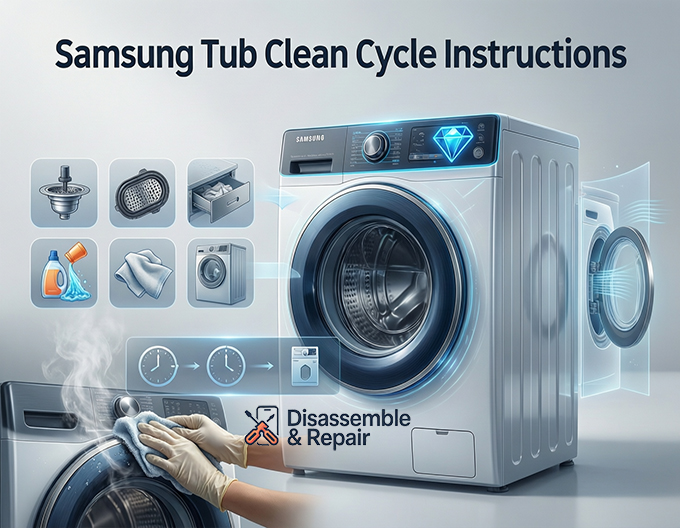
Samsung Tub Clean Cycle Instructions for Front Load Washers
Front load washers are highly efficient but are more prone to retaining moisture in the door seal, making drum cleaning critical. The Self Clean+ cycle on front loaders usually takes approximately four hours to complete.
Step-by-Step Procedure
- Empty the Drum: Ensure the washer is completely empty. Never run this cycle with laundry inside, as the high water temperatures and agitation speeds can damage fabrics.
- Power On: Press the Power button to turn on the machine.
- Select the Cycle: Turn the cycle selector dial or press the cycle button until you have selected Self Clean or Self Clean+.
- Add Cleaning Agents (Optional): While Samsung states the cycle is effective with water alone, if you are battling distinct mold odors, you may add liquid chlorine bleach. Pour the bleach into the designated bleach compartment of the detergent drawer up to the “Max” line.
- Note: Do not add detergent or thick commercial tub cleaners to the dispenser during this cycle, as they can cause excessive sudsing (Sud error).
- Start the Cycle: Press the Start/Pause button. The door will lock, and the machine will begin the cleaning process.
- Post-Cycle Care: Once the cycle ends, wipe down the inside of the door and the rubber gasket with a clean, dry cloth. Open the door to allow the interior to air dry completely.
Samsung Tub Clean Cycle Instructions for Top Load Washers
Top load models generally have a shorter cleaning duration, typically lasting around one hour. The process is similar but has key differences in how water acts within the drum.
Step-by-Step Procedure
- Clear the Tub: Remove all clothing items from the washer.
- Activate Power: Press the Power button.
- Choose the Setting: Rotate the dial to the Self Clean setting. On some digital control panels, you may need to hold a specific button combination (consult your manual) if a dedicated dial position is not present.
- Adding Bleach: For top load washers, if you suspect mold and mildew buildup, you can add liquid chlorine bleach to the bleach compartment. Do not fill past the maximum fill line.
- Initiate Cleaning: Press the Start/Pause button. The washer will fill with hot water and agitate to scrub the tub exterior and interior surfaces.
- Final Steps: After the cycle completes, wipe away any remaining moisture from the tub and the underside of the lid. Leave the lid open for several hours to ensure proper ventilation.
Essential Washing Machine Maintenance
Running the cleaning cycle is only one part of the equation. To maintain a truly clean machine, you must address other components where grime hides.
Read more How to flush Samsung washer hoses
Cleaning the Drain Pump Filter (Front Load Only)
The drain pump filter, also known as the debris filter, is a common source of bad odors in front load washers. It traps lint, hair, coins, and other small objects. If this filter is clogged, water cannot drain effectively, leading to stagnant water and bacterial growth.
- Locate the Filter: Find the access panel on the bottom left of the front of your washer.
- Drain Water: Place a towel and a shallow pan beneath the panel. Open the panel and pull out the small emergency drain hose. Remove the cap to drain remaining water into the pan.
- Remove and Clean: Twist the debris filter counter-clockwise to remove it. Clean it thoroughly under warm running water using a soft brush.
- Reassemble: Insert the filter back into the housing and twist clockwise until tight. Replace the drain hose cap and close the panel.
Caring for the Rubber Gasket
The rubber gasket (door seal) on front loaders is the number one breeding ground for black mold. Water gets trapped in the folds after every wash.
- Daily Maintenance: After every load, take a dry cloth and wipe around the seal, gently pulling back the folds to dry the deep crevices.
- Deep Cleaning: If you see black spots, mix a solution of dilute liquid chlorine bleach and water. Dip a rag in the solution and scrub the moldy areas. Leave it for a few minutes before wiping clean with a wet cloth.
Detergent Drawer Hygiene
Detergent residue often accumulates in the dispenser drawer, turning into a gelatinous, moldy mess.
- Remove the Drawer: Pull the drawer out until it stops, then press the release tab (usually blue) to fully remove it.
- Scrub: Wash the drawer components in warm, soapy water. Use a toothbrush to scrub the slot where the drawer slides into the machine, as water jets here can get clogged with buildup.
Prevention: The Role of HE Detergent and Habits
Preventing the need for aggressive cleaning is better than curing a mold problem. Your choice of detergent plays a massive role in washing machine maintenance.
Use HE Detergent Strictly
Samsung washers are High-Efficiency (HE) machines. They require HE detergent, which is formulated to be low-sudsing. Using regular detergent or using too much HE detergent creates a film of soap scum on the drum and drain hoses. This scum acts as a food source for mold. Always follow the manufacturer’s recommended dosage—more soap does not mean cleaner clothes; often, it means a dirtier machine.
Read more Samsung washer Steam cycle
Ventilation is Key
Moisture is the enemy. When the washer is not in use, always leave the door or lid slightly ajar. This simple habit allows air to circulate, evaporating residual moisture that the Self Clean+ cycle might miss.
Troubleshooting Common Issues
The Self Clean Light Won’t Turn Off
If the Self Clean reminder icon remains illuminated after you have run the cycle, it may be because the cycle was interrupted or the machine did not register the completion. Try running a “Rinse+Spin” cycle to clear the sensor, or simply ignore it until the next scheduled cleaning interval; it does not affect performance.
Excessive Suds During Self Clean
If you see suds filling the drum during a Self Clean cycle, it indicates a significant buildup of old detergent residue in the machine. Do not panic. Allow the cycle to finish. You may need to run a second Self Clean cycle immediately after (without adding any bleach) to rinse out the dislodged soap scum.
Debris Remaining After Cycle
Sometimes, the cleaning cycle dislodges “sludge” or dark flakes that end up sitting in the bottom of the tub. This is normal for machines that haven’t been cleaned in a long time. Simply wipe the drum out with a paper towel and run a short Rinse+Spin cycle to flush the drain lines.
Conclusion
Regular maintenance is the hallmark of a responsible homeowner. By following these Samsung Tub Clean cycle instructions and maintaining the peripheral components like the filter and gasket, you ensure your washing machine operates at peak efficiency. A clean washer not only smells better but also protects the mechanical integrity of the appliance, saving you from costly repairs and ensuring your laundry remains fresh and sanitary.
Frequently Asked Questions
How often should I run the Self Clean cycle on my Samsung washer?
Samsung recommends running the cycle whenever the indicator light—usually a diamond-shaped tub icon—appears on your control panel. This typically occurs every 40 wash cycles for front load models and every 20 cycles for top load models. However, you should also run it if you notice musty odors or visible residue inside the drum.
What cleaning agents are safe to use during the Tub Clean cycle?
While the cycle is designed to work with hot water and high-speed rotation alone, you can add liquid chlorine bleach to the designated bleach compartment for a deeper clean. You should avoid using regular laundry detergent or thick commercial tub cleaners during this cycle, as they can cause excessive sudsing and trigger a “Sud” error.
Can I wash clothes while the Self Clean cycle is running?
No, the drum must be completely empty. The Samsung Tub Clean cycle uses extremely high water temperatures and specific agitation speeds that are designed to sanitize the machine but can easily damage or ruin clothing fabrics.
How long does the Samsung Tub Clean cycle take to finish?
The duration depends on your specific model. For most front load washers, the Self Clean+ cycle is a thorough process that takes approximately four hours. For top load washers, the cycle is usually much shorter, typically lasting around one hour.
Why is the Self Clean reminder light still on after I ran the cycle?
If the light stays on, the cycle may have been interrupted before it fully completed or the sensor failed to reset. You can try running a “Rinse+Spin” cycle to see if it clears. If the machine is performing well otherwise, you can simply ignore the light until the next scheduled cleaning interval, as it does not hinder the washer’s operation.