

If your washing machine is displaying an ND error code or leaving your clothes soaking wet, learning how to clean Samsung washer drain pump filters is the immediate solution you need. Failing to perform this routine maintenance can lead to significant mechanical failures, bad odors, and interrupted laundry schedules.
As a Senior appliance maintenance expert, I have compiled this comprehensive guide to help you navigate the process safely and effectively. This article will walk you through the necessary steps, identify the tools required, and explain the technical reasons why the debris filter becomes clogged. By understanding the mechanics of your appliance, specifically the interaction between the drainage pump and the filtration system, you can extend the lifespan of your machine and avoid costly repair bills.
Understanding the Importance of the Drain Pump Filter
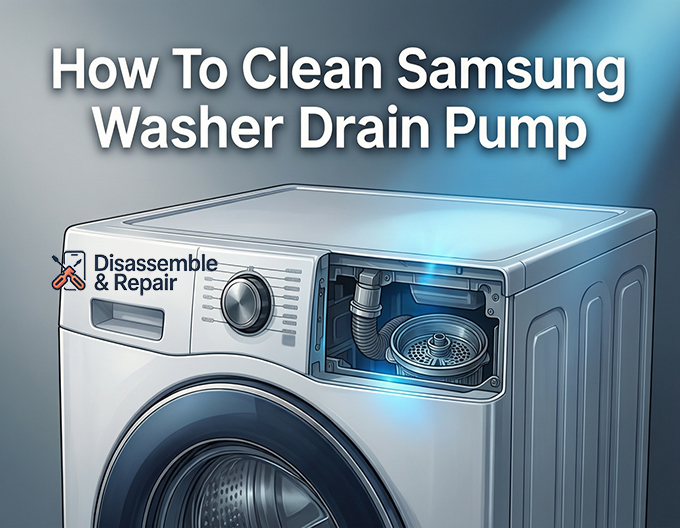
Before diving into the manual labor, it is crucial to understand the function of the drain pump filter, often referred to as the debris filter or coin trap. In a standard front-load washing machine, the water used to rinse your clothes must exit the drum through a drainage system. Before this water reaches the house drain, it passes through a filter designed to catch foreign objects.
Coins, buttons, hair, lint, and other small items are frequently left in pockets. Without a filter, these objects would travel directly into the pump, potentially damaging the pump impeller or burning out the motor. When this filter accumulates too much lint and debris, the flow of water is restricted, leading to severe drainage issues.
Recognizing the Symptoms
Your Samsung washer is equipped with sophisticated sensors that alert you when the drainage system is compromised. The most common indicators that you need to clean the pump include:
- 5E Error Code: This is the most prevalent notification regarding drainage. It signifies that the water is not draining fast enough or at all.
- ND Error Code: Standing for “No Drain,” this code is functionally similar to the 5E code and appears on various models.
- Residual Water: If you open the door after a cycle and find water pooling at the bottom of the drum, your pump is struggling to push water out.
- Long Cycle Times: The machine may pause for extended periods as it attempts to drain the water before spinning.
Tools and Preparation
Cleaning the pump filter is not difficult, but it requires precision and preparation to prevent water damage to your floor. Follow this detailed protocol to restore your machine’s functionality.
Phase 1: Preparation and Safety
Safety is paramount when working with electrical appliances. Before touching any internal components, ensure the washing machine is powered off and unplugged from the wall outlet. If the machine is hardwired, switch off the circuit breaker.
Next, gather the necessary materials:
- Shallow pan (baking sheets or low-profile containers work best).
- Old towels or rags (to catch spills).
- A small soft brush (like a toothbrush).
- Flashlight.
- Mild soap and warm water.
Step-by-Step Guide: How to Clean Samsung Washer Drain Pump
This process focuses on front-load washing machines, which typically feature a dedicated service door for easy access.
Step 1: Locate and Open the Access Panel
On the front of your washing machine, usually in the bottom right corner, you will find a small square or rectangular cover known as the access panel or service door.
- Gently press the top of the cover to pop it open, or use a thin coin or flathead screwdriver to pry it open if your model has a slot.
- Once open, you will see two main components: a small rubber hose (the emergency drain hose) and a large round cap (the drain pump filter).
Step 2: Drain the Residual Water
Do not open the large round filter cap yet. If you do, gallons of water may flood your floor. You must first empty the water using the emergency hose.
- Place your shallow pan and towels directly in front of the access panel.
- Pull the small emergency drain hose out of its holding clip.
- Position the tip of the hose over your shallow pan.
- Remove the small cap from the end of the hose. Water will immediately start flowing out.
- If your pan fills up, replace the cap, empty the pan, and repeat the process until no more water flows out.
- Securely replace the cap and clip the hose back into its original position.
Step 3: Remove and Clean the Debris Filter
Now that the water is drained, it is safe to remove the main filter.
Read more Samsung washer drain pump filter cleaning
- Unlock the Filter: Grip the large circular cap of the debris filter. Turn it counter-clockwise (to the left). It may be stiff if it hasn’t been opened in a long time.
- Remove the Filter: Pull the filter straight out. A small amount of residual water may splash out, which your towels will catch.
- Inspect for Debris: Examine the filter mesh. You will likely find a buildup of lint and debris, hair, coins, or bobby pins.
- Clean the Filter: Rinse the filter under warm running water. Use a soft brush to scrub away any slime or buildup. Ensure the threads on the cap are clean.
Step 4: Clean the Pump Housing
The cleaning process isn’t finished just by washing the filter. You must also clean the housing where the filter sits.
- Inspect the Housing: Use your flashlight to look inside the empty hole (the pump housing) where the filter was sitting.
- Check the Impeller: Inside the housing, at the back, is the pump impeller (it looks like a small fan blade). Reach in and ensure it spins freely. Sometimes debris bypasses the filter and wraps around the impeller, preventing it from turning.
- Remove Trapped Objects: If you see any coins or lint balls stuck in the back, carefully remove them.
Step 5: Reassemble and Test
- Insert the Filter: Slide the clean filter back into the housing.
- Lock it in Place: Turn the knob clockwise (to the right) until it is tight. Do not over-tighten, but ensure it is secure to prevent leaks.
- Close the Panel: Close the access panel door until it clicks shut.
- Test the Machine: Plug the washer back in. Run a “Rinse + Spin” cycle to ensure water drains correctly and there are no leaks from the service door.
Note for Top-Load Washing Machines
If you own a Samsung top-load washing machine, you might be searching for the filter door on the front and finding nothing. Most modern top-load models do not have an external access panel for the drain pump filter.
In top-loaders, the filtration system is often internal. However, some older models may have a filter located on the back of the machine or inside the drum (often called a “Magic Filter” for lint). If your top-loader is throwing an ND error code, checking the drain hose for kinks or clogs is your first step. If the hose is clear and the error persists, the issue may be with the internal pump itself, which typically requires a service technician to access by removing the back panel of the washer.
Maintenance Schedule and Tips
To prevent future 5E error code or ND error code interruptions, we recommend a proactive maintenance schedule.
- Frequency: Perform this cleaning routine every 6 to 8 weeks. If you wash heavily soiled items or have pets (pet hair is a major clog culprit), clean it once a month.
- Check Pockets: The best way to keep your drain pump filter clean is to prevent debris from entering it. rigorously check pockets for coins and small items before washing.
- Hot Water Flushes: Once a month, run a “Self Clean” or a hot water cycle with vinegar to dissolve detergent buildup and keep the internal hoses clear.
By following this guide on how to clean Samsung washer drain pump systems, you ensure your appliance runs efficiently, your clothes come out clean, and you avoid the stress of unexpected breakdowns.
Read more Samsung washer mold in detergent dispenser
Frequently Asked Questions
What do the 5E and ND error codes mean on a Samsung washer?
These codes are alerts that your washing machine is experiencing drainage issues. The 5E code indicates that the water is not draining quickly enough, while the ND (No Drain) code signifies that the machine is unable to remove the water at all. In most cases, these codes are triggered by a clogged debris filter or a blocked drain pump.
How often should I clean the drain pump filter?
To keep your machine running efficiently, it is recommended to clean the debris filter every 6 to 8 weeks. If you have pets that shed or if you frequently wash items with heavy lint, you should consider performing this maintenance once a month to prevent clogs and odors.
Why can’t I find the filter access door on my top-load Samsung washer?
Most modern Samsung top-load washing machines are designed with internal filtration systems and do not feature an external access panel. If your top-loader is not draining, your first step should be to check the drain hose for kinks. If the hose is clear, the internal pump may require service from a professional technician.
What should I do if the debris filter is stuck and won’t turn?
If the filter knob is difficult to turn, it is likely being obstructed by a foreign object like a coin, bra wire, or a large buildup of scale. Avoid using excessive force with tools like pliers, as this can snap the plastic. Try gently wiggling the filter back and forth while turning counter-clockwise to dislodge the trapped item.
Do I really need to drain the water through the emergency hose first?
Yes, this step is essential for front-load models. The drain pump housing can hold a significant amount of water. If you unscrew the large debris filter without first using the emergency drain hose to empty the system, you will likely flood your floor with several gallons of soapy, stagnant water.