

Regular maintenance is essential for the longevity of your appliances, yet many owners overlook learning how to clean drain in Samsung washing machine models properly. Neglecting this simple task can lead to unpleasant odors, drainage failures, and error codes that interrupt your laundry routine. In this guide, we will walk you through the professional steps to clear a blocked drain and maintain your washer’s efficiency.
Understanding Your Samsung Washer’s Drainage System
Before you begin the cleaning process, it is important to identify the key components of your front-load washing machine. Unlike top-loaders, which often rely on a different drainage mechanism, front-loading units typically feature a specific compartment designed for user maintenance.
This compartment, usually located at the bottom right corner of the machine, is covered by an access panel. Behind this panel lies the debris filter (also known as the drain pump filter), which acts as the first line of defense for your drain pump. It traps foreign objects like coins, buttons, lint and debris to prevent them from damaging the internal mechanics. If this filter becomes clogged, your machine may fail to drain water, triggering a 5C error code or “ND” (No Drain) alert on the display.
Step-by-Step: How to Clean Drain in Samsung Washing Machine
Follow these precise steps to safely clean your washer’s drainage system.
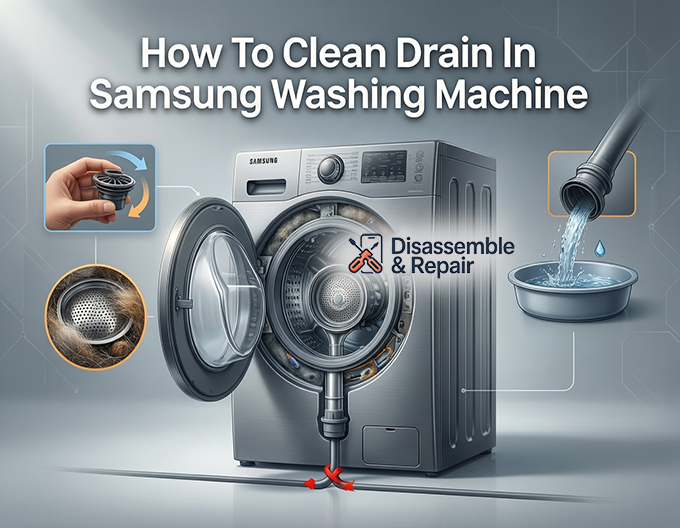
1. Preparation and Safety
First, power off your washing machine and unplug it from the electrical outlet. Water and electricity are a dangerous combination, so ensure the unit is completely disconnected. Gather a few old towels and a shallow baking dish or bowl. You will need these to catch residual water that is trapped inside the pump system.
Read more Samsung washer Steam cycle
2. Locate and Open the Access Panel
Find the access panel on the front of your machine. You can usually open it by pressing a finger against the top designated tab or by using a flat-head screwdriver to gently pry it open. Once opened, you will see two main components: a small rubber hose and a large circular cap.
3. Drain the Residual Water
Do not unscrew the large circular cap yet. If you do, a large volume of water will flood your floor. Instead, locate the small rubber hose known as the emergency drain tube.
- Pull the tube out slightly to extend it over your shallow dish.
- Remove the small cap at the end of the tube.
- Allow the water to flow into the dish. You may need to empty the dish multiple times until the flow stops.
- Once drained, replace the cap securely and clip the tube back into its holder.
4. Remove and Clean the Debris Filter
Now that the water is drained, it is safe to remove the drain pump filter.
Read more How to clean Samsung detergent dispenser
- Firmly grip the large circular handle of the filter.
- Turn it counter-clockwise (to the left) to unscrew it.
- Pull the filter straight out of the filter housing.
- Remove any accumulated lint and debris, hair, or foreign objects from the mesh.
- Rinse the filter thoroughly under warm running water until it is clean.
5. Inspect the Filter Housing and Impeller
Cleaning the filter is only half the job. Use a flashlight to inspect the empty filter housing inside the machine.
- Look for any coins or screws that might be stuck at the back.
- Locate the pump impeller, which looks like a small fan blade at the back of the housing.
- Gently touch the impeller to ensure it spins freely. If it feels stiff or is obstructed by debris, the pump cannot function, leading to drainage errors.
6. Reassemble the Components
Once everything is clean:
- Insert the debris filter back into the housing.
- Twist it clockwise (to the right) until it locks firmly into place. A loose filter can cause leaks.
- Ensure the emergency drain tube is capped and secured.
- Close the access panel until it clicks shut.
Troubleshooting Drainage Issues
If you have performed the cleaning steps but still encounter issues, consider the following factors.
Read more How to clean Samsung front load door gasket
Dealing with the 5C Error Code
The 5C error code indicates a water draining problem. While a clogged filter is the most common cause, the issue can also stem from the drain hose. Check the hose behind the machine to ensure it is not kinked, crushed, or positioned too far down the standpipe, which can cause siphoning.
Running a Maintenance Cycle
To prevent future clogs and potential mold buildup, you should run a maintenance cycle at least once a month. Samsung washers often feature a “Self Clean” or “Pure Cycle” setting. These high-temperature cycles use strong agitation to flush out lint and debris from the internal drum and hoses before they can settle in the filter.
Summary
Regularly cleaning the drain pump filter is a critical part of owning a front-load washing machine. By dedicating ten minutes every two months to this task, you can prevent the frustration of a 5C error code and ensure your laundry comes out fresh and clean every time. Remembering how to clean drain in Samsung washing machine components correctly will save you from potential flooding and costly repair bills.
Frequently Asked Questions
How often should I clean the debris filter in my Samsung washer?
For optimal performance, you should clean the debris filter at least once every two months. Additionally, it is recommended to run a “Self Clean” or “Pure Cycle” maintenance wash once a month to prevent lint and mold buildup within the drum and internal hoses.
What does it mean if my washing machine displays a 5C or ND error code?
A 5C or ND (No Drain) error code indicates that the washing machine is unable to drain water properly. This is most commonly caused by a clogged debris filter, but it can also be the result of a kinked drain hose behind the machine or an obstruction in the pump impeller.
Why must I use the emergency drain tube before removing the filter?
You must use the emergency drain tube to remove residual water because the pump system holds a significant amount of liquid even after a cycle ends. If you unscrew the large filter cap immediately, this trapped water will flood out onto your floor. Using the tube allows you to catch the water in a controlled manner.
What should I check if the drain is still blocked after cleaning the filter?
If cleaning the filter doesn’t resolve the issue, inspect the filter housing with a flashlight to ensure no small objects like screws or coins are trapped at the back. You should also check the pump impeller (the small fan blades) to ensure it spins freely and is not jammed by debris. Finally, ensure the external drain hose is not pushed too far into the standpipe, as this can cause siphoning issues.
Read more How to clean Samsung AddWash compartment