

To ensure your appliance operates at peak efficiency, establishing a consistent Samsung washer monthly maintenance cycle is essential. Neglecting this routine can lead to unpleasant odors, mechanical inefficiencies, and costly repairs down the line, making regular care a non-negotiable part of laundry day.
Below is a comprehensive guide to maintaining your Samsung washing machine, specifically designed to help you extend its lifespan and ensure hygienic washing results.
Why the Samsung Washer Monthly Maintenance Cycle Matters
The Samsung washer monthly maintenance cycle is not just about cleanliness; it is about preservation. Modern front load washers are designed to be water-efficient, but this efficiency can sometimes lead to residue accumulation in hidden crevices. Without regular intervention, leftover water and detergent can create a breeding ground for mold and mildew, causing your freshly washed clothes to smell musty.
Furthermore, minerals from your water supply can lead to calcium buildup inside the drum and hoses. Over time, this scale can restrict water flow and damage internal components. By adhering to a strict monthly schedule, you actively prevent these issues, ensuring that your drain pump works freely and your sensors remain accurate.
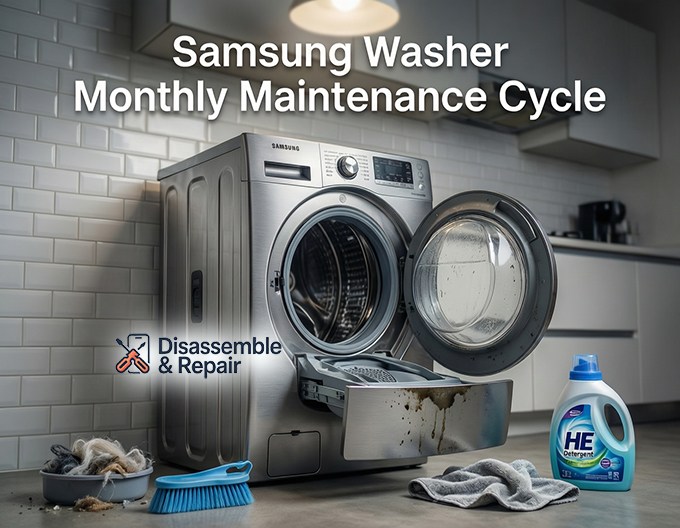
1. Mastering the Self Clean+ and Drum Clean Cycle
The cornerstone of your maintenance routine is the Self Clean+ (or drum clean cycle on some models). Samsung engineers have integrated this feature to sanitize the drum without the need for harsh chemicals, although using liquid chlorine bleach is sometimes recommended for persistent odors.
How to Run the Cycle:
Read more Samsung washer cycle
- Empty the Drum: Ensure the washer is completely empty. Never leave laundry inside during this cycle.
- Power On: Press the Power button and turn the cycle selector to Self Clean+ or drum clean cycle.
- Start: Press and hold the Start/Pause button. The machine will fill with hot water and agitate at high speeds to dislodge dirt and bacteria.
- Frequency: Your washer usually reminds you to run this cycle every 40 washes. However, for best results, incorporate it into your monthly calendar regardless of the reminder light.
This process targets the bacterial films that develop on the drum’s surface, effectively neutralizing the risk of mold and mildew growth deep within the tub.
2. Cleaning the Pump Filter (Debris Filter)
For owners of a front load washer, the pump filter (also known as the debris filter) is a critical component that requires monthly attention. This filter prevents lint, coins, hair, and other small objects from entering and damaging the drain pump. A clogged filter is a leading cause of drainage issues and the dreaded “5C” or “5E” error codes.
Read more Samsung washer clothes don’t smell clean
Step-by-Step Cleaning Guide:
- Locate the Panel: Find the small access door at the bottom front of your washer.
- Drain the Water: Place a towel and a shallow container on the floor. Pull out the emergency drain hose (the small rubber tube), remove its cap, and let the residual water drain completely.
- Remove the Filter: Once drained, twist the debris filter knob counter-clockwise and pull it out.
- Clean Thoroughly: Remove any lint or foreign objects. Use a soft toothbrush to scrub away slime or residue from the mesh and the filter housing.
- Reassemble: Insert the filter back, turning it clockwise until it clicks or feels tight. Replace the drain hose cap and close the panel.
Skipping this step can strain the drain pump, leading to premature failure and incomplete draining cycles.
3. Inspecting and Cleaning the Door Gasket
The door gasket (the grey rubber seal around the opening) is the most common hiding spot for mold and mildew. Water often pools here after a wash, creating a stagnant environment.
Maintenance Steps:
- Visual Inspection: Gently pull back the folds of the seal. Check for trapped socks, hair, or dark spots of mold.
- Wipe Down: Use a damp cloth to wipe the inside and outside of the seal. If you notice mold, a mixture of warm water and mild detergent—or a specialized washer cleaner—can be used.
- Dry It Out: After every wash cycle, leave the door slightly ajar. This simple habit allows air to circulate, drying out the gasket and preventing calcium buildup and odors from taking root.
4. Detergent Drawer Care
The detergent drawer is often overlooked, yet it is a prime location for bacterial growth. Wet detergent residue can turn into a sticky sludge that blocks the siphon, preventing your additives from reaching the drum.
How to Clean:
- Remove the Drawer: Pull the drawer out until it stops. Press the release tab (often blue) inside the softener compartment and pull the drawer completely out.
- Disassemble: Remove the liquid detergent guide and the softener insert.
- Scrub: Wash all parts in warm water with a soft brush. Pay close attention to the underside of the drawer and the siphon tubes.
- Clean the Recess: Use a bottle brush or an old toothbrush to scrub the slot where the drawer slides into the washer. Debris here can block water flow.
- Dry and Replace: Wipe everything dry before reinserting.
5. The Critical Role of HE Detergent
Using the correct detergent is a maintenance step in itself. Samsung washers are designed to work exclusively with HE detergent (High Efficiency).
Read more Samsung washer sanitize cycle
Why HE Detergent Matters:
- Low Sudsing: HE detergents are formulated to produce fewer suds. Regular detergent creates excessive foam that the machine cannot rinse away effectively.
- Preventing Residue: Excess suds leave behind a sticky film that traps dirt and encourages mold and mildew.
- Protecting Components: Over-sudsing forces the drain pump to work harder and can confuse the washer’s sensors, potentially triggering errors.
Always follow the manufacturer’s guidelines for dosage. More detergent does not equal cleaner clothes; it often leads to stiffer fabrics and a dirtier machine.
Utilizing Smart Care for Troubleshooting
Modern Samsung washers are equipped with Smart Care, a diagnostic system that interfaces with your smartphone. If you neglect maintenance and a problem arises, Smart Care can help you identify the issue before you call a technician.
If your washer displays an error code during your monthly check-up:
- Open the Samsung Smart Washer/Dryer app on your phone.
- Select the Smart Care function.
- Scan the error code displayed on the washer’s panel.
- The app will interpret the code and suggest solutions.
For instance, if you see a drain error, the app will likely direct you to clean the pump filter or check the drain hose for obstructions. This feature turns complex troubleshooting into a manageable task, empowering you to handle minor maintenance issues immediately.
Preventing Calcium Buildup
If you live in an area with hard water, calcium buildup (limescale) poses a silent threat. It coats the heating element and the drum, reducing efficiency.
To combat this:
Read more Samsung washer mold in detergent dispenser
- Temperature Matters: Occasionally running a hot water cycle (like the Self Clean+) helps dissolve minor mineral deposits.
- Descaling Agents: You may need to use a washing machine descaler specifically safe for front load washers every few months.
- Wipe Down: Regularly wiping the glass door and stainless steel drum helps prevent mineral spots from hardening.
Conclusion
Adhering to a strict Samsung washer monthly maintenance cycle is the best investment you can make for your laundry appliance. By dedicating just twenty minutes a month to running the Self Clean+ cycle, clearing the pump filter, scrubbing the detergent drawer, and inspecting the door gasket, you ensure your machine runs smoothly for years. Remember, a clean washer produces clean clothes, while a neglected one transfers odors and bacteria back onto your fabrics. taking control of your washer’s health today ensures professional-grade results with every load.
Frequently Asked Questions
How often should I run the Self Clean+ or Drum Clean cycle?
While your Samsung washer typically provides a reminder every 40 washes, it is best practice to run the Self Clean+ cycle once a month. Regularly performing this cycle prevents bacterial films and mold from developing inside the drum, ensuring your clothes stay fresh and the machine remains hygienic.
Why is it necessary to use HE detergent?
Samsung washers are designed specifically for High Efficiency (HE) detergent. Unlike regular detergent, HE versions are low-sudsing. Excessive suds from standard detergents can leave a sticky film that traps dirt and encourages mold growth, and it can even damage the drain pump or cause the machine’s sensors to malfunction.
What should I do if I see a “5C” or “5E” error code?
These specific codes indicate a drainage issue, which is most often caused by a clogged pump filter (debris filter). To fix this, open the access panel at the bottom front of your washer, drain the water via the emergency hose, and then remove and clean the debris filter of any lint, coins, or hair.
How can I prevent mold and mildew from growing on the door gasket?
The best way to prevent growth is to wipe the grey rubber seal with a damp cloth after your laundry day is finished to remove trapped moisture and debris. Additionally, leave the washer door slightly ajar when the machine is not in use to allow for proper air circulation and drying.
How does the Smart Care feature assist with maintenance?
Smart Care is a diagnostic system that works with a smartphone app. If your washer experiences a mechanical issue or an error code during your monthly maintenance check, you can scan the code with your phone. The app will interpret the problem and provide immediate troubleshooting steps, often saving you from a costly service call.