

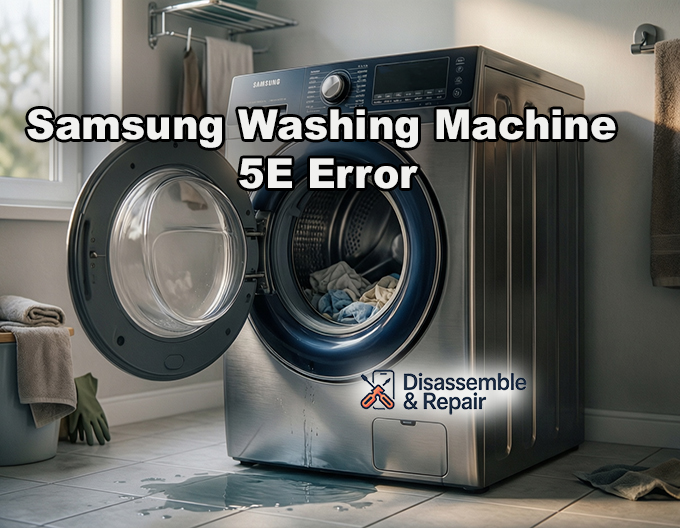
If your appliance has suddenly stopped mid-cycle and displayed a code on the digital panel, you are likely dealing with the Samsung washing machine 5E error. This common fault indicates that the machine is unable to drain water properly within the allotted time, leaving your laundry wet and the door potentially locked.
In many cases, the “5E” code is misread as “SE” because the digital “5” resembles an “S” on the display. Whether you read it as 5E or the SE error code, the underlying issue is identical: a failure in the water drainage system. This guide covers the potential causes and provides a step-by-step troubleshooting process to resolve the issue.
Understanding the 5E / SE Error Code
The 5E error is a safety mechanism. When the washing machine attempts to drain water after a wash or rinse cycle, the internal sensors monitor the water level. If the water level does not drop fast enough or fails to empty completely within a specific timeframe (usually around 15 minutes), the main control board triggers the error to prevent flooding or damage to the pump.
While a faulty component can cause this, the most frequent culprits are simple blockages that can be resolved with manual cleaning.
Troubleshooting the Samsung washing machine 5E error
To fix this issue, you must systematically inspect the components responsible for expelling water from the drum. Follow these steps to diagnose and repair the problem.
1. Clean the Debris Filter
The most common cause of a drainage error is a clogged debris filter. This component, often called a coin trap, prevents small objects like lint, coins, buttons, and hair from entering the drain pump.
Read more Samsung addwash door leaking
- Locate the Filter: On most front-load Samsung washers, the debris filter is located behind a small door at the bottom right corner of the machine.
- Emergency Draining: Before opening the filter, you must drain the remaining water. Locate the small emergency drain hose next to the filter cap. Pull it out, remove the cap, and let the water flow into a shallow bowl or tray.
- Manual Cleaning: Once the water stops flowing, turn the debris filter counter-clockwise to remove it. Clean the filter thoroughly under warm running water. Inspect the housing cavity for any hidden objects that might be blocking the flow to the impeller.
- Reassemble: Insert the filter back, turn it clockwise until it is tight, and replace the emergency drain hose cap.
2. Inspect the Drain Hose
If the filter is clean, the next suspect is the drain hose. Physical restrictions here can prevent water from exiting the machine efficiently.
- Check for Kinks: Pull the washing machine forward carefully and inspect the drain hose for any bends, twists, or kinks that could restrict water flow.
- Clear Blockages: Remove the drain hose from the standpipe or sink connection. Run water through it to ensure it is clear. You can also use a long flexible brush or a burst of air to dislodge any internal gunk.
- Check Installation Height: Gravity plays a role in drainage. Ensure the end of the drain hose is not inserted too far into the standpipe (creating a siphon effect) and is positioned at the correct height recommended in your user manual.
3. Check the Drain Pump and Impeller
The drain pump is the mechanical heart of the drainage system. If it fails or gets jammed, the 5E error will persist.
- Inspect the Impeller: With the debris filter removed, look inside the pump housing. You should see the impeller (a small fan-like blade). Use a flashlight to check for debris wrapped around it, such as hair or rubber bands.
- Test Mechanical Movement: Use a screwdriver or your finger (ensure the machine is unplugged) to gently spin the impeller. It should move with some magnetic resistance but should not be stuck. If it spins freely with no resistance or does not spin at all, the pump motor may be damaged.
- Listen for Hum: During a drain cycle, if you hear a low humming or buzzing sound but no water is moving, the pump is likely receiving power but is mechanically seized or blocked.
4. Inspect the Check Valve
Some Samsung models feature a check valve in the drain system, typically located at the discharge port of the drain pump or within the corrugated drain hose.
- Role of the Check Valve: This valve ensures that dirty water does not flow back into the drum after it has been drained.
- Symptoms of Failure: If the check valve is stuck in the closed position due to debris or deterioration, it will physically block water from leaving the pump. Conversely, if it is stuck open, you might experience backflow issues.
- Troubleshooting: Inspect the valve for rubber deterioration or foreign objects. If it appears damaged or stiff, it will need to be replaced.
5. Verify the Pressure Switch and Hose
The pressure switch (or water level sensor) tells the control board how much water is in the drum.
- The Tube: A small air tube connects the drum to the pressure switch. If this tube becomes clogged with suds or debris, the switch may “think” the machine is still full of water even when it is empty, triggering the 5E error.
- Clearing the Blockage: Disconnect the tube from the pressure switch and blow through it to clear any obstructions. Ensure the tube is not pinched or cracked.
6. Control Board and Electrical Connections
If all mechanical components are clear and functioning, the issue may lie with the electronic control board or the wiring harness.
- Voltage Check: A multimeter is required for this step. You would need to verify that the control board is sending the correct voltage (usually 120V or 240V depending on your region) to the drain pump during the drain cycle.
- Wiring: Inspect the wire harness connecting the pump to the main board. loose connections or corrosion can prevent the pump from activating.
Summary
The Samsung washing machine 5E error is almost always a result of a blockage or a pump failure. By performing a rigorous manual cleaning of the debris filter and ensuring the drain hose is clear, you can resolve the majority of these cases without professional help. However, if the drain pump impeller is broken, the check valve is seized, or the control board is unresponsive, replacing these specific parts will be necessary to restore your appliance to working order.
Frequently Asked Questions
Is the SE error code different from the 5E error code?
No, they are the same thing. Because of the way digital displays are designed, the number “5” frequently looks like the letter “S” on the panel. Both codes indicate that your washing machine is having trouble draining water within the required timeframe.
Read more Samsung washing machine LC1 error
How long does the machine try to drain before triggering the 5E error?
The washing machine’s internal sensors typically monitor the water level for about 15 minutes. If the water has not drained completely or the level hasn’t dropped sufficiently in that time, the main control board triggers the error as a safety mechanism to prevent potential flooding.
What is the most common reason for a Samsung washer not draining?
The most frequent cause is a clogged debris filter, often called a coin trap. Small items like coins, buttons, hair, and lint can accumulate in the filter over time, eventually blocking the water flow to the drain pump.
What should I do if I hear a humming sound but no water is moving?
A low humming or buzzing sound usually indicates that the drain pump is receiving power but is mechanically seized. You should check the pump’s impeller for obstructions like hair or rubber bands that may be wrapped around it, preventing it from spinning.
Read more Samsung AddWash door won’t close
Can the installation of the drain hose cause this error?
Yes. If the drain hose is kinked, twisted, or inserted too far into the standpipe, it can restrict water flow. Additionally, the height of the hose is important; if it is not positioned at the height recommended in your manual, gravity may prevent the machine from draining properly.


