

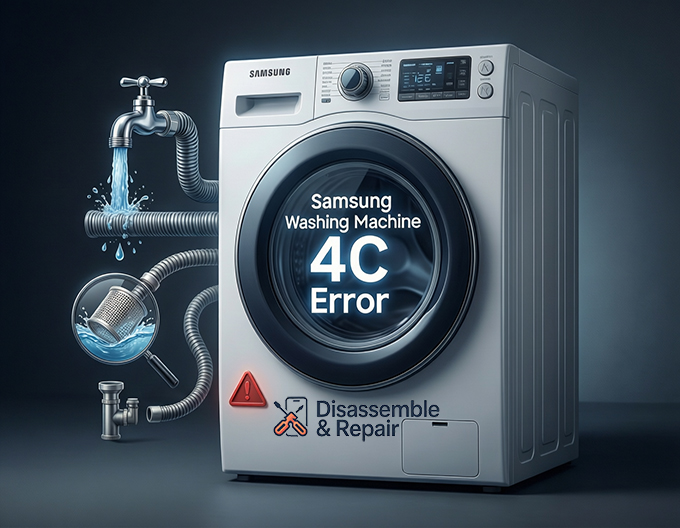
Encountering a sudden interruption during your laundry cycle can be frustrating, especially when your appliance displays the Samsung washing machine 4C error on the digital panel. This specific alphanumeric code indicates a critical issue with the water supply, signaling that the appliance cannot fill the drum with water within the allotted timeframe. As a Senior SEO Specialist and appliance technical writer, I have compiled a detailed guide to help you understand, diagnose, and resolve this common issue. By following these professional troubleshooting steps, you can often resolve the problem without the need for an expensive service call.
Understanding the Samsung Washing Machine 4C Error
The Samsung washing machine 4C error is essentially a notification from the appliance’s logic system that it has detected a water supply problem. On older Samsung models, this is frequently displayed as the 4E error code. Regardless of whether you own a modern Front-load washer or a traditional Top-load washer, the underlying logic remains the same: the sensor system has determined that water is not entering the tub, or it is entering too slowly to proceed with the wash cycle.
When the cycle begins, the Control board sends a signal to the valves to open. If the internal sensors do not detect a sufficient rise in water level after a few minutes, the machine halts operation to prevent pump damage or overheating, triggering the 4C or 4E display.
Read more Samsung washer leaking water from soap dispenser
Initial Checks: Basic Water Supply Verification
Before disassembling any part of the machine, you must rule out external environmental factors. The vast majority of 4C errors are caused by restrictions outside of the washer itself.
1. Verify the Water Tap
The most frequent cause of this error is deceptively simple: the Water tap (faucet) connecting to the washer may be closed or only partially open.
- Ensure the hot and cold water taps are turned fully counter-clockwise to the open position.
- If you recently moved the machine or installed it, verify that the main house water supply is turned on.
2. Inspect the Inlet Hose
The Inlet hose connects your water source to the back of the washing machine. Because washers are often pushed tight against a wall to save space, these hoses can easily become kinked or compressed.
- Pull the washer forward slightly to inspect the hoses.
- Straighten any kinks or sharp bends that might be restricting the flow.
- Check for any heavy objects that might have fallen behind the washer and crushed the hose.
3. Check Water Pressure
Your washing machine requires a specific range of Water pressure to function correctly (usually between 20 and 116 psi). If the pressure is too low, the water flows too slowly, causing the machine to time out and display the error.
Read more Removing detergent suds Samsung washing machine
- Disconnect the hose from the machine (after turning off the tap).
- Direct the hose into a bucket and turn the tap on.
- If the water trickle is weak, the issue lies with your home plumbing, not the machine.
The Mesh Filter: A Common Culprit
Over time, sediment, calcium deposits, and debris from your water pipes can accumulate in the Mesh filter. These small screens are located inside the water inlet valve connection point on the back of the washer. A Clogged filter is a leading cause of the 4C error because it physically blocks water from entering the unit.
How to Clean the Mesh Filters:
- Power Down: Unplug the washing machine from the electrical outlet.
- Cut Supply: Turn off both the hot and cold water taps.
- Disconnect: Unscrew the Inlet hose from the back of the washing machine. Have a towel ready, as some residual water will leak out.
- Remove: Use a pair of needle-nose pliers to gently pull the mesh filters out of the inlet ports.
- Clean: Rinse the filters under running warm water. Use a soft brush (like an old toothbrush) to scrub away debris and mineral buildup.
- Reassemble: Push the clean filters back into place, reattach the hoses securely, and turn the water taps back on.
Advanced Troubleshooting: Hardware Malfunctions
If the external water supply, hoses, and filters are clear, the issue may stem from an internal component failure. These steps may require a multimeter or professional assistance.
1. Faulty Water Inlet Valve
The Water inlet valve is an electromechanical solenoid that opens and closes to let water into the machine. Over time, the solenoids can burn out, or the mechanical valve can seize.
- Symptoms: If you hear a loud buzzing or humming noise when the machine tries to fill, but no water enters, the valve is receiving power but is mechanically stuck. If there is total silence, the valve may have an open electrical circuit.
- Solution: A defective inlet valve cannot be repaired; it must be replaced.
2. Detergent Drawer Blockage
On a Front-load washer, water flows through the detergent drawer housing before entering the drum. If the jets in the drawer housing are clogged with old, caked-on detergent, the water flow is restricted.
- Remove the detergent drawer completely.
- Inspect the ceiling of the drawer housing.
- Clean any blocked jets with a small brush.
3. Pressure Switch Failure
The Pressure switch (also known as the water level sensor) utilizes air pressure to determine how much water is in the drum. It communicates this data to the Control board.
- The Issue: If the pressure switch is faulty, it may send a false signal indicating the tub is full when it is empty, or vice versa. If the machine fills with water but still throws the 4C error, the pressure switch is likely failing to detect the rising water level.
- Hose Check: Sometimes, the small air tube connecting the drum to the pressure switch becomes disconnected or punctured. Inspect this tube for damage before replacing the switch.
4. Control Board Issues
The Control board is the brain of the operation. It sends voltage to the inlet valves to open them. If the board has a blown relay or a software glitch, it may never send the signal to fill the machine. This is the least likely cause but should be considered if all other components test fine.
Seasonal Considerations: Frozen Pipes
If the Samsung washing machine 4C error appears during winter, and the washer is located in a garage, basement, or utility room with poor insulation, the water supply lines may be frozen.
- Diagnosis: Disconnect the inlet hoses. If water does not flow from the tap, or if the hoses themselves are stiff and contain ice, the line is frozen.
- Remedy: Use a hair dryer or warm towels to gently thaw the tap and hoses. Never use an open flame or boiling water, as this can crack plastic components.
Summary of Error Code Variations
While this guide focuses on the 4C error, it is vital to recognize that Samsung uses different codes based on the manufacturing year and region.
- 4C: Most common on newer models (2015+).
- 4E: The equivalent code for older models.
- E1: Found on very early Samsung digital models.
All three codes point to the same “Water Supply Error” and require the same troubleshooting steps involving the Water supply, Inlet hose, and Mesh filter.
When to Contact a Professional
While many users can resolve the Samsung washing machine 4C error by cleaning the filters or straightening a hose, internal repairs involve high-voltage electricity and plumbing. You should contact a certified technician if:
- You have cleaned the filters and checked the hoses, but the error persists.
- You suspect the Water inlet valve or Control board requires replacement.
- The machine is still under warranty (attempting DIY repairs on internal parts may void your warranty).
By systematically checking the water flow from the source to the internal components, you can effectively diagnose the root cause of the 4C error. Regular maintenance, such as checking the Mesh filter every six months and ensuring your Inlet hose is not compressed, is the best strategy to prevent this error from recurring.
Frequently Asked Questions
What is the difference between the 4C and 4E error codes?
There is no functional difference between the two codes. The 4C error is typically found on newer Samsung models (manufactured after 2015), while the 4E code is used on older models. Both codes indicate a water supply issue where the machine is unable to fill the drum properly.
Why is my washing machine showing a 4C error even though my water is turned on?
Even if your taps are open, the water flow may be restricted before it reaches the drum. This is often caused by a kinked or compressed inlet hose behind the machine, or a clogged mesh filter at the connection point. Additionally, if your home’s water pressure is too low, the machine may “time out” and trigger the error.
Read more Samsung washer door won’t lock
How often should I clean the mesh filters to prevent this error?
To ensure a consistent water supply and prevent the 4C error from occurring, it is recommended to inspect and clean the mesh filters at least once every six months. If you live in an area with hard water or heavy mineral deposits, you may need to clean them more frequently.
Can a 4C error be caused by using too much detergent?
While the 4C error is primarily a water supply issue, a blockage in the detergent drawer can sometimes restrict water flow on front-load models. If old detergent builds up in the ceiling of the drawer housing and clogs the jets, it can interfere with the filling process and potentially trigger a supply-related error.
Is it safe to fix a 4C error myself?
Most 4C errors can be safely resolved by the owner because they involve external components like the water tap, hoses, and filters. However, if these basic steps do not clear the code, the problem may be an internal hardware failure, such as a faulty water inlet valve or control board. In these cases, or if the machine is still under warranty, it is best to contact a certified technician.


