

Encountering a Samsung washing machine 3C2 error can be frustrating, as it brings your laundry routine to an abrupt halt. This specific fault code indicates a motor driving error or timeout, meaning the washer’s internal systems are struggling to communicate with or rotate the drum effectively. As a Senior SEO Specialist and appliance expert, I have compiled this detailed guide to help you diagnose and resolve this issue, protecting the longevity of your appliance.
What is the Samsung Washing Machine 3C2 Error?
The Samsung washing machine 3C2 error is a diagnostic code that signals a malfunction within the motor drive system. Unlike simple water supply or drainage issues, this error points directly to the propulsion components of your front-load washer.
Technically, the “3C” family of codes relates to the motor. The “2” suffix specifically often points to a communication breakdown or a physical inability of the motor to turn the drum. When the Main PCB (Printed Circuit Board) sends a signal to the motor to spin, it expects a specific response. If the motor fails to turn, is obstructed, or if the feedback signal is lost, the machine triggers the 3C2 code to prevent further electrical damage or overheating.
Read more Samsung washer not draining
Common Causes of the 3C2 Fault Code
Understanding the root cause is the first step in appliance repair. The 3C2 error rarely appears without a specific underlying reason. These causes generally fall into mechanical obstructions or electrical failures.
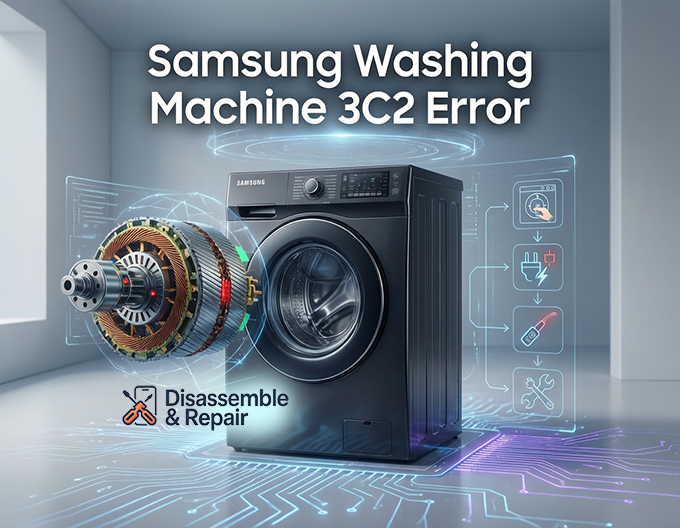
Mechanical Overload and Obstruction
One of the most frequent triggers for this error is a simple overload. If the drum is packed too tightly with heavy items like wet towels or bedding, the inverter motor may not generate enough torque to initiate the spin cycle. Consequently, the system times out and displays the error. Similarly, a foreign object—such as a coin or underwire—lodged between the tub and the drum can physically prevent rotation, causing the motor to strain.
Component Failure
If mechanical obstruction is ruled out, the issue likely lies within the internal components:
- Inverter Motor: This brushless motor is responsible for spinning the drum. Internal wear or coil damage can lead to failure.
- Rotor Assembly: In direct-drive models, the rotor (the moving part with magnets) attaches directly to the tub. If the plastic housing is cracked or the magnets are damaged, the motor cannot function.
- Hall Sensor: Also known as the rotor position sensor, this small component monitors the speed and position of the rotor. If it fails, the control board loses track of the motor’s operation.
Electrical and Wiring Issues
The wiring harness connects the control board to the motor and sensors. Vibration from the spin cycle can sometimes cause these wires to chafe, break, or disconnect. A loss of electrical continuity in these wires prevents the signal from reaching the motor, triggering the 3C2 status.
Read more Samsung washing machine not filling with water
Diagnostic Steps for the Samsung Washing Machine 3C2 Error
Before calling a professional, you can perform several diagnostic steps to isolate the problem. Ensure the machine is unplugged before touching any internal components to avoid electric shock.
Step 1: Perform a Manual Drum Inspection
Begin by opening the door and attempting to spin the drum by hand. It should rotate relatively freely with a slight magnetic resistance.
- If the drum is stuck or grinds: You likely have a mechanical obstruction or a seized bearing. Check for foreign objects trapped in the seal or under the drum.
- If the drum spins freely: The mechanical system is likely intact, pointing the issue toward the electrical system or the drive motor itself.
Step 2: Reset the System
Sometimes, the error is a temporary glitch in the Main PCB.
Read more Samsung washer cycle not starting
- Unplug the washing machine from the power outlet.
- Wait for at least 5 to 10 minutes to allow the capacitors on the inverter board to discharge.
- Plug the machine back in and attempt a “Rinse + Spin” cycle with an empty drum.
If the error persists immediately, you are likely dealing with a hardware failure.
Step 3: Check the Wiring Harness
Access the rear of the machine by removing the back panel. Inspect the wiring harness connecting the motor to the main control module. Look for:
- Loose connectors that may have unclipped due to vibration.
- Signs of burning or scorching on the connector pins.
- Physical damage to the wire insulation.
Secure any loose connections and ensure the ground wire is properly attached to the frame.
Advanced Troubleshooting: Testing Components
For those comfortable with a multimeter, testing the electrical integrity of specific parts is the next logical step.
Testing the Stator and Rotor Assembly
The drive motor in modern Samsung washers typically consists of a stator (coils) and a rotor assembly (magnets).
- Inspect the Rotor: Remove the large bolt holding the rotor center. Pull the rotor off and inspect the magnets for cracks. A cracked magnet ruins the magnetic field required for the inverter motor to operate.
- Test the Stator: Use your multimeter to check the resistance of the stator coils. Place the probes on the terminals of the stator connector (usually three pins). You should see consistent resistance readings between each pair of pins (e.g., Pin 1-2, Pin 2-3, Pin 1-3). If one reading is open (infinite resistance) or significantly different, the stator is faulty and requires replacement.
Verifying the Hall Sensor
The Hall sensor is mounted on the stator and is a common culprit for the 3C2 error. It tells the control board exactly how fast the motor is spinning.
Read more Samsung washing machine stuck on spin cycle
- Check the visual condition of the sensor.
- If you have the technical manual, you can check for voltage output (usually 5V DC) from the board to the sensor.
- Since this part is relatively inexpensive, many technicians opt to replace it if the motor coils test fine but the error remains.
Inspecting the Main PCB and Inverter Board
The Main PCB serves as the brain of the washer, while the inverter board (sometimes integrated into the main board) handles the high-voltage power delivery to the motor.
- Look for “bulging” capacitors or burn marks on the circuit boards.
- Check for electrical continuity from the board’s motor output pins to the motor connector. A broken trace on the board or a failed relay can mimic a motor failure.
- If the motor and harness test good, the fault usually lies with the inverter board failing to drive the motor phases correctly.
Prevention and Maintenance
To avoid recurring fault codes like 3C2, follow these maintenance best practices:
- Avoid Overloading: Adhere to the manufacturer’s load limits. Overloading puts immense strain on the rotor assembly and bearings.
- Level the Washer: Excessive vibration loosens the wiring harness and damages the Hall sensor.
- Check Pockets: Coins and keys are the enemies of a front-load washer. Always empty pockets to prevent physical jams.
When to Call a Professional
While basic checks can be done by a homeowner, the Samsung washing machine 3C2 error often involves high-voltage components and complex diagnostics. You should seek professional appliance repair services if:
- You are uncomfortable using a multimeter or working with electrical wiring.
- The tests indicate a failure in the Main PCB, which is an expensive and delicate part to replace.
- The machine is still under warranty. unauthorized repairs can void your coverage.
By systematically checking the drive motor, ensuring electrical continuity, and inspecting the control board, you can pinpoint the source of the 3C2 error. Whether it’s a simple loose wire or a failed inverter motor, accurate diagnosis is the key to getting your Samsung washer back up and running efficiently.
Frequently Asked Questions
What does the 3C2 error code mean on my Samsung washing machine?
The 3C2 error is a diagnostic code that indicates a motor driving error or a timeout. It happens when the Main PCB (control board) cannot communicate effectively with the motor or when the motor is physically unable to rotate the drum as expected.
Can simply overloading the machine cause a 3C2 error?
Yes, overloading is one of the most common triggers for this code. When the drum is packed too tightly with heavy laundry, the inverter motor may not be able to generate enough torque to spin the load. This causes the system to time out and trigger the error to protect the motor from overheating.
How do I perform a system reset to try and clear the code?
To reset the machine, unplug it from the power outlet and wait for at least 5 to 10 minutes to allow the electrical capacitors to discharge completely. Plug the washer back in and attempt to run a “Rinse + Spin” cycle with an empty drum. If the code reappears immediately, the problem is likely a hardware failure rather than a temporary glitch.
Read more Samsung washer on but not starting
What is a Hall sensor, and how does it relate to this error?
The Hall sensor, or rotor position sensor, monitors the speed and position of the motor. If this sensor fails or becomes disconnected due to vibration, the control board loses track of the motor’s operation. Because the board can no longer verify that the motor is spinning correctly, it will display the 3C2 error code.
What should I check if my drum won’t rotate manually?
If you cannot spin the drum by hand while the machine is off, there is likely a mechanical obstruction. Check for foreign objects like coins or debris trapped between the drum and the tub seal. If no objects are found, the issue may be a seized bearing or a physical failure within the rotor assembly.


