

Encountering a Samsung washing machine BE2 error can be frustrating, especially when you have a load of laundry waiting to be washed. This specific error code typically halts the machine’s operation to prevent internal damage, signaling a distinct issue with the appliance’s interface or internal electronics that requires immediate attention. In technical terms, the BE2 code (often displayed as bE2 or 8E2 on some models) indicates a “Jammed Button” fault, meaning the system detects that one of the control keys is being pressed continuously for an extended period.
As a Senior appliance technician, I have compiled a comprehensive guide to diagnosing and fixing this issue. Below, we will explore the root causes, step-by-step troubleshooting methods, and advanced repair options for your Samsung home appliances.
Understanding the BE2 Error Code
Modern washing machines are equipped with sophisticated self-diagnostic systems. When the central processor detects an anomaly, it triggers a specific code. The BE2 error is unique because it is rarely a mechanical failure of the motor or drum; rather, it is a communication or interface failure.
The machine’s Main PCB assembly (Printed Circuit Board) constantly monitors the state of the Control panel. If a signal from the Keypad membrane suggests that a button is stuck in the “pressed” position for more than 12 to 30 seconds, the software assumes a fault. To prevent the machine from accidentally changing cycles or settings, it locks down and displays the BE2 error.
Common Causes
- Stuck Button: The most common culprit. A physical button may be wedged due to debris, dried detergent, or physical damage.
- Deformed Keypad: On a Front load washer, the plastic overlay or membrane can warp over time due to humidity or aggressive pressing, causing permanent contact with the switch below.
- Moisture Ingress: Steam and water are enemies of electronics. If moisture penetrates the Display panel, it can bridge connections on the Circuit board, simulating a button press.
- PCB Failure: In rare cases, the Main PCB assembly itself may be malfunctioning, sending false positive signals regarding the button states.
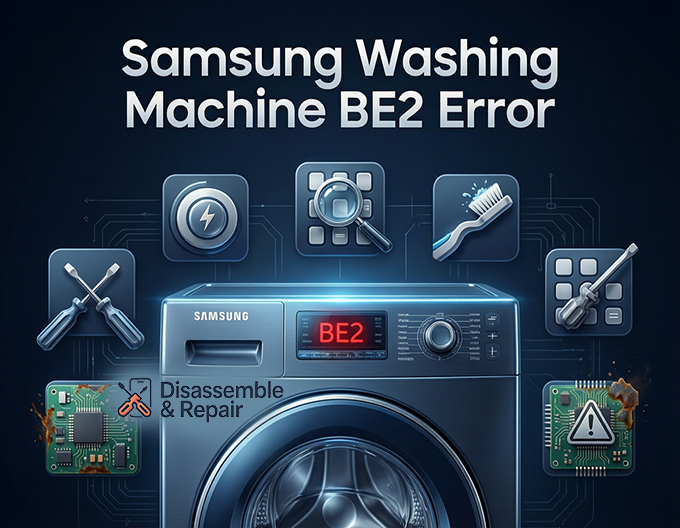
Samsung washing machine BE2 error: Step-by-Step Troubleshooting
Before calling for Technical support, there are several user-friendly steps you can take to resolve the issue. Following this logical order will help you isolate the problem safely.
1. The Reset Procedure
The first step in any Error code troubleshooting sequence is a hard reset. This clears the temporary memory of the washing machine’s computer and can sometimes resolve a glitch where the software falsely registers a button press.
- Step 1: Turn off the washing machine using the Power button (if responsive).
- Step 2: Unplug the power cord from the electrical outlet.
- Step 3: With the power disconnected, press and hold the “Start/Pause” button for 5 to 10 seconds. This helps discharge any residual electricity stored in the capacitors on the Circuit board.
- Step 4: Wait for at least 5 to 10 minutes.
- Step 5: Plug the washer back in and power it on. Check if the BE2 error persists.
2. Inspecting and Massaging the Control Panel
If the reset did not work, you must physically address the buttons. Since the error specifically points to a “stuck” key, your goal is to unstick it.
Read more Samsung washing machine TE1 error
- Visual Inspection: Look closely at the Control panel. Do any buttons look depressed or sit lower than the others? Look for visible residue, such as sticky fabric softener or detergent spills, which often seep into the crevices of the Keypad membrane.
- The Massage Technique: Go through every single button on the panel—excluding the Power button initially. Press each button firmly and wiggle it slightly side-to-side. You are trying to dislodge any debris or realign the button mechanism. You should feel a distinct tactile “click” (if applicable to your model) or resistance.
- Focus on Recent Usage: If you recently used a specific cycle (e.g., “Super Speed” or “Steam”), focus on those buttons, as they are the most likely candidates for being stuck.
3. Cleaning the Interface
Debris is a silent killer of Samsung home appliances. Over time, lint, dust, and liquid detergents create a glue-like substance that can jam buttons.
- Tools: Use a soft, damp microfiber cloth and a soft-bristled toothbrush. Do not use dripping wet cloths, as you want to avoid introducing more moisture.
- Method: Gently brush around the edges of every button on the Display panel. If the buttons are touch-capacitive (flush with the surface), ensure the entire glass or plastic surface is perfectly clean of oils and moisture.
4. Check for Overtightening (For DIY Installers)
If you recently repaired the machine or if the unit is brand new, the issue might be structural. If the screws holding the Main PCB assembly or the display board to the plastic housing are screwed in too tightly, they can warp the board. This warping closes the distance between the button sensor and the overlay, causing a permanent “press.”
- Solution: You may need to access the back of the panel (consult your User manual for disassembly instructions specific to your model). Loosen the mounting screws slightly—just a quarter turn—to relieve tension on the board.
Advanced Hardware Troubleshooting
If the external troubleshooting steps fail, the issue lies deeper within the internal components. This section involves exposing the electronics, so ensure the machine is completely disconnected from power.
Inspecting the Main PCB Assembly and Sub-PCB
The washing machine typically has two main boards: the Main PCB (usually located in the back or bottom) and the Sub-PCB (located directly behind the buttons).
Read more Samsung washing machine UE error
- Accessing the Display Panel:
On a Front load washer, you typically remove the top cover by unscrewing two screws at the back and sliding the panel off. Then, remove the detergent drawer to reveal screws holding the front control fascia. - Checking Connections:
Loose wiring harnesses can cause intermittent communication errors that mimic a stuck button. Ensure the wire ribbon connecting the Display panel to the Main PCB assembly is seated firmly. Oxidation on these connectors can also cause signal interference. - Moisture and Corrosion:
Inspect the Circuit board for any white or green powdery residue. This indicates corrosion from water damage. If the board behind the buttons has corrosion, the entire display assembly will likely need replacement.
The Keypad Membrane Issue
On models that use a “soft touch” or bubble-style button system, the Keypad membrane is a separate layer. Over years of use, the conductive ink on the back of the membrane can wear off or flake, causing short circuits. Alternatively, the plastic spring mechanism collapses.
If you identify that a specific button feels physically “mushy” (lacks the spring-back action), the button actuator on the plastic housing is broken. In this scenario, you usually cannot repair the single button; you must replace the plastic fascia or the user interface board.
Preventive Maintenance for Samsung Washers
To avoid seeing the Samsung washing machine BE2 error again, consider these maintenance tips:
- Avoid Excess Detergent: Using too much soap creates “suds lock” and excess foam, which can rise and penetrate the electronics behind the Control panel.
- Gentle Pressing: Modern Samsung washers require very light pressure to register a command. Avoid punching or pressing buttons with excessive force or sharp objects (like fingernails), which can puncture the Keypad membrane.
- Humidity Control: If your laundry room is very humid, consider using a dehumidifier. High humidity accelerates corrosion on the Main PCB assembly.
When to Contact Technical Support
While many “stuck button” errors are solvable with a good cleaning or a reset, there are times when professional help is mandatory. You should contact Technical support if:
- The machine is still under warranty. Opening the panel yourself may void this warranty.
- You have performed the Reset procedure multiple times with no success.
- You smell burning plastic near the Display panel, indicating a serious electrical short.
- The error code flashes intermittently even when the machine is not in use (ghost operation).
Always have your model number and serial number ready (found on the sticker inside the door of your Front load washer) before calling support. This ensures they can identify the correct part numbers for the user interface or mainboard.
Conclusion
The Samsung washing machine BE2 error is a protective mechanism designed to save your machine from conflicting commands. While it can be alarming, it is most often caused by a simple stuck button or a temporary software glitch. By carefully inspecting the Control panel, performing a power reset, and ensuring your Keypad membrane is clean and debris-free, you can often clear the code without spending money on repairs. However, if the fault lies within the Main PCB assembly or Circuit board, professional replacement is the safest route to restore your appliance to perfect working order.
Frequently Asked Questions
What exactly does the BE2 error code mean on my Samsung washer?
The BE2 error code (which may also appear as bE2 or 8E2 depending on your model) signifies a “Jammed Button” fault. It is a safety feature that triggers when the main processor detects that a control key has been pressed continuously for 12 to 30 seconds. This prevents the machine from executing conflicting commands or changing settings unintentionally.
Read more Samsung washing machine 3C2 error
How do I perform a hard reset to clear the BE2 code?
To perform a hard reset, power off the machine and unplug it from the electrical outlet. Press and hold the “Start/Pause” button for 5 to 10 seconds to discharge any residual electricity from the circuit board. Wait for at least 10 minutes to allow the system memory to clear before plugging the washer back in and restarting it.
What should I do if the buttons don’t look stuck but the error persists?
Even if a button doesn’t look depressed, microscopic debris, dried detergent, or moisture inside the panel can bridge the electrical connections. Use a soft-bristled toothbrush or a dry microfiber cloth to clean around the edges of the buttons. You should also “massage” every button on the panel by pressing and wiggling them to ensure the internal switch isn’t stuck in a closed position.
Read more Samsung washing machine UB error
Can humidity in my laundry room cause this error?
Yes. High levels of humidity or steam can cause moisture ingress. When moisture gets behind the display panel, it can cause the circuit board to short-circuit or send false signals to the processor, mimicking a stuck button. If your laundry area is consistently damp, using a dehumidifier may help prevent future electronics issues.
When is it necessary to replace the Main PCB assembly?
If a hard reset, thorough cleaning, and physical inspection of the buttons do not resolve the error, the problem likely lies in the internal hardware. If you see visible corrosion (white or green powder) on the circuit board or if the error returns intermittently without any buttons being touched, the Main PCB assembly or the Sub-PCB behind the display will likely need professional replacement.


