

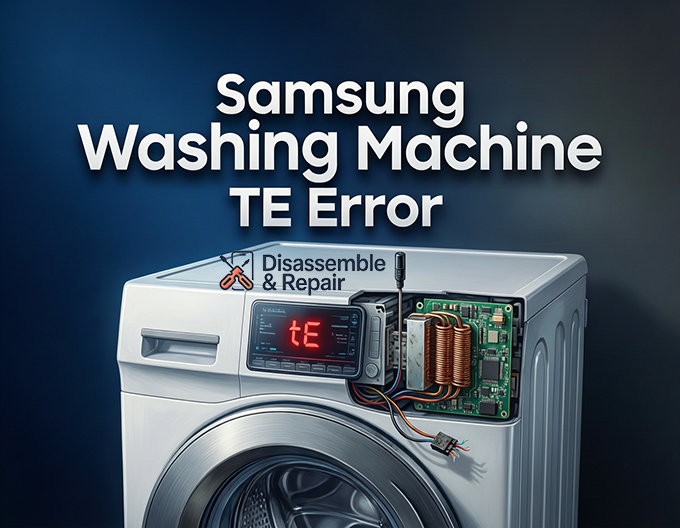
Dealing with appliance malfunctions can be frustrating, especially when your Samsung washing machine TE error interrupts a laundry cycle. This error code specifically indicates a temperature sensing issue, where the machine detects an abnormal reading from the water temperature sensor (thermistor) or heating element. Whether you are seeing tE, tE1, tE2, tE3, or even tE4, this guide will walk you through the technical diagnosis and repair process with the precision of a senior technician.
Understanding the TE Error Codes
While the general “tE” code points to a temperature fault, Samsung washers often display specific variations that can help pinpoint the root cause. Understanding these nuances is the first step in a successful repair.
tE / tE1 (Water Temperature Issue)
This is the most common variation. It typically signals that the temperature sensor (NTC sensor) is reading a value that is out of range—either too high or too low. It can also indicate that the heating element is overheating or failing to heat the water at all.
tE2 / tE3 (Sensor Circuit Fault)
These codes are often more specific to the electrical circuit of the thermistor. They usually indicate a short circuit or an open circuit in the temperature sensor wiring. If the control board loses communication with the sensor entirely, you will likely see one of these codes.
Read more Samsung washing machine 3E error
tE4 (PCB Temperature Error)
This is a less common but critical code. unlike the others, tE4 (sometimes displayed as tC4) refers to the temperature of the control board itself (specifically the Intelligent Power Module). It suggests the main PCB is overheating or its internal thermistor is defective, which may require a board replacement rather than a simple sensor swap.
Primary Causes of the TE Error
Before dismantling your machine, it is essential to understand the entities involved in this system.
- Thermistor (NTC Sensor): A resistor that changes its electrical resistance based on temperature. As temperature rises, resistance drops.
- Heating Element: The component responsible for heating the water. If it has a ground fault or open circuit, it can trigger the error.
- Wiring Harness: The physical wires connecting the sensor and heater to the main control board. Vibration can cause these to chafe or disconnect.
- Control Board (PCB): The brain of the washer that interprets the resistance signals.
Required Tools for Diagnosis
To perform a professional-grade diagnosis, you will need the following tools:
- Multimeter: Essential for measuring resistance (Ohms) and continuity.
- Screwdrivers: Phillips and flat-head for removing body panels.
- Socket Set: typically 10mm or 13mm, for removing the heating element if necessary.
- Needle-nose Pliers: For disconnecting wire connectors safely.
Step-by-Step Troubleshooting Guide
Step 1: Perform a Hard Reset
Before opening the machine, attempt to clear a potential software glitch.
- Unplug the washing machine from the power outlet.
- Wait for at least 10 to 15 minutes to allow the electrical capacitors on the control board to discharge.
- Plug the machine back in and run a short “Rinse & Spin” cycle.
- If the Samsung washing machine TE error persists, proceed to physical troubleshooting.
Step 2: Access the Components
The location of the thermistor and heating element depends on your washer type.
- Front Load Washer: The sensor is usually located at the bottom rear of the tub. You will need to remove the back panel. In some models, it is integrated directly into the heating element assembly.
- Top Load Washer: The sensor is typically found at the bottom of the outer tub. You may need to tip the machine back (secure the drum first) or access it through the rear service panel.
Step 3: Test the Thermistor (NTC Sensor)
The thermistor is the most likely culprit. It is a small probe, usually white or black, inserted into the tub or heating element base.
- Locate the Sensor: Find the probe with a small wiring harness connected to it.
- Disconnect the Wiring: Depress the locking tab and gently pull the wire harness connector off the sensor.
- Set Multimeter to Ohms (Ω): Select a range of 200kΩ or auto-range.
- Measure Resistance: Place your multimeter probes on the two terminals of the thermistor.
- Normal Reading: At room temperature (approx. 68°F / 20°C), a healthy Samsung thermistor should read between 35kΩ and 66kΩ (typically around 40-50kΩ).
- Faulty Reading: If the meter reads Infinity (OL), the sensor is “open” (internal wire broken). If it reads near 0Ω, it is “shorted.” In either case, replace the thermistor.
Pro Tip: You can test the NTC functionality by holding the sensor in your warm hand while measuring. The resistance should steadily drop as it warms up.
Step 4: Test the Heating Element
If the sensor tests fine, the heating element is the next suspect, specifically for tE1 errors.
- Disconnect Wires: Remove the live and neutral wires attached to the heating element terminals.
- Measure Resistance: Touch the multimeter probes to the two main terminals of the element.
- Normal Range: You should see a resistance reading between 20Ω and 30Ω (up to 50Ω is acceptable for some models).
- Faulty Reading: A reading of Infinity (OL) means the element is burnt out and must be replaced.
- Check for Ground Fault: Place one probe on a terminal and the other on the metal casing of the heating element (or the green ground terminal).
- The meter should show no continuity (Infinity). If you get a reading, the element is shorted to ground, which is a dangerous electrical hazard.
Step 5: Inspect the Wiring Harness
Vibration during the spin cycle can damage the thin wires leading to the sensor.
- Visually inspect the entire length of the wiring harness from the sensor/heater up to the main control board.
- Look for signs of chafing, corrosion, or breaks.
- Check the connector pins for oxidation (green/white buildup). Clean them with electrical contact cleaner if necessary.
- Perform a continuity test: Disconnect the harness at the board end and test each wire from end-to-end to ensure the signal is reaching the PCB.
Step 6: Control Board Diagnosis
If the thermistor, heating element, and wiring all test within specifications, the issue likely lies with the control board.
- For tE4 errors specifically, this is almost certainly a PCB failure.
- Inspect the board for visible burn marks, swollen capacitors, or melted relays.
- Replacing the main PCB is a more expensive repair and should be considered the final step after ruling out all other components.
Preventing Future TE Errors
Once you have resolved the Samsung washing machine TE error, follow these tips to prevent recurrence:
- Use High-Efficiency (HE) Detergent: Excessive suds can confuse sensors and cause overheating.
- Monthly Maintenance: Run a “Self Clean” or “Pure Cycle” to remove limescale buildup on the heating element and sensor.
- Check Input Water: Ensure your hot water supply is actually hot (approx. 120°F). If the machine has to work too hard to heat freezing water, it can stress the heating element.
Conclusion
Diagnosing a Samsung washing machine TE error requires a systematic approach. By isolating the thermistor, heating element, and wiring, you can identify the fault accurately without guessing. Remember that resistance values are key—a multimeter is your best friend in this process. If you find the thermistor is reading outside the 35kΩ–66kΩ range, a simple part replacement will likely restore your washer to perfect working order. However, if the issue points toward the tE4 code or a main control board failure, consider the age of the machine versus the cost of repair.
Frequently Asked Questions
What is the first thing I should do if my Samsung washer shows a tE error?
The first step is to perform a hard reset. Unplug the washing machine from the power source and wait for at least 10 to 15 minutes. This allows the electrical capacitors on the control board to fully discharge and can often clear temporary software glitches. If the code reappears after plugging the machine back in and starting a cycle, physical troubleshooting is required.
Read more Samsung washer not working after cleaning filter
How can I tell if the thermistor (NTC sensor) is definitely broken?
You can test the thermistor using a multimeter set to the Ohms (Ω) setting. At room temperature (around 68°F / 20°C), a functional Samsung thermistor should show a resistance between 35kΩ and 66kΩ. If your multimeter displays “OL” (Open Loop) or a reading near 0Ω, the sensor has failed and must be replaced.
What is the difference between the tE1 and tE4 error codes?
While both relate to temperature, they point to different components. The tE1 code usually indicates an issue with the water temperature sensing system, such as a faulty thermistor or heating element. The tE4 (or tC4) code is more serious, as it indicates that the main control board (PCB) itself is overheating or has a defective internal sensor, often requiring a total board replacement.
Does a tE error always mean I need to buy new parts?
Not necessarily. Sometimes the error is caused by loose or corroded wiring rather than a failed component. Before purchasing a new sensor or heating element, inspect the wiring harness for any signs of chafing or disconnected plugs. Cleaning the connector pins with electrical contact cleaner can sometimes resolve the communication issue between the sensor and the control board.
Can using too much detergent cause a tE error?
Yes, indirectly. Using non-HE detergent or excessive amounts of detergent creates a “suds lock” condition. Excessive suds can interfere with the sensors and cause the heating element to operate inefficiently or overheat, which may eventually trigger a temperature-related error code. Always use the recommended amount of High-Efficiency (HE) detergent to keep sensors clean.
Read more Samsung washing machine 4E error


