

The “Samsung washing machine LC1 error” alerts users to a potential water leak or drainage issue within the appliance. This specific fault code triggers when the washer’s safety systems detect moisture where it should not be, immediately halting operations to prevent flood damage.
Understanding the Samsung Washing Machine LC1 Error
The LC1 code is primarily a safety mechanism utilized in modern front load washer models and the upper unit of FlexWash machines. Unlike standard drain errors, this code specifically points to the leak detection circuit being activated.
The Role of the Water Leak Sensor
At the bottom of the washer cabinet, there is a component known as the base pan. Resting in this pan is a water leak sensor. This sensor works on a simple conductivity principle:
- Moisture Detection: When water accumulates in the base pan, it bridges the electrical contacts on the sensor.
- Circuit Activation: This completes the leak detection circuit, signalling the main control board to display the LC1 error and force the water drainage system to activate.
- Automatic Draining: You may notice the pump running continuously; this is a failsafe to empty the drum and prevent further leaking.
Common Causes of the LC1 Error
While a cracked tub is a worst-case scenario, the error is most often caused by maintainable issues:
- Over-Sudsing: Using non-HE detergent or too much soap creates excessive suds. These bubbles can overflow from the air vent or detergent drawer, trickle down the internal chassis, and land on the sensor in the base pan.
- Drain Pump Filter Issues: A clogged drain pump filter can cause water to back up and leak internally.
- Loose Drain Hose: Connections at the drain hose or internal hoses may vibrate loose over time, causing small drips that accumulate.
- Faulty Pressure Switch: The pressure switch (or water level sensor) monitors how much water is in the drum. If this switch malfunctions, the machine may overfill, leading to water escaping via overflow tubes and triggering the leak sensor.
Step-by-Step Troubleshooting Guide
Before attempting any repairs, consult your service manual for model-specific disassembly instructions and ensure the machine is unplugged.
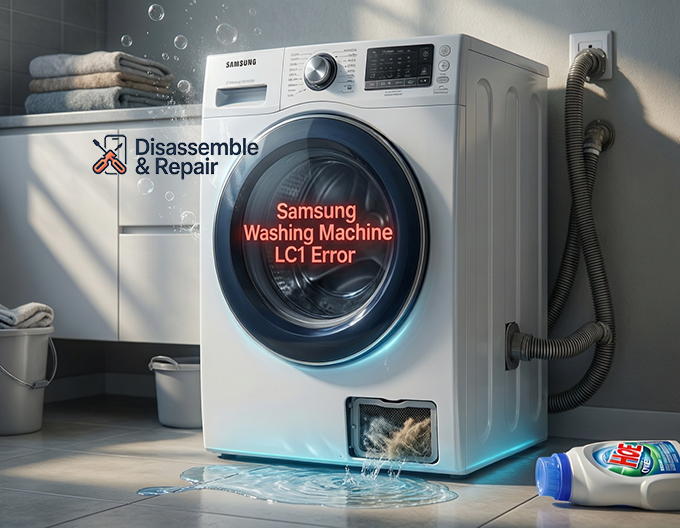
1. Inspect the Drain Pump Filter
The debris filter is a common culprit for drainage issues that lead to leaks.
- Locate the access panel on the front bottom corner of the washer.
- Prepare a shallow tray and towels to catch retained water.
- Unscrew the drain pump filter slowly. Clean out any lint, coins, or buttons.
- Ensure the rubber seal on the filter cap is clean and intact before reinserting it.
2. Check the Detergent Drawer
If you suspect over-sudsing was the cause:
- Remove the detergent drawer completely.
- Clean any congealed soap or softener residue that might be blocking the siphon jets.
- Run a “Tub Clean” cycle without clothes or detergent to flush out excess soap residue.
3. Clear Water from the Base Pan
To reset the sensor, the moisture detection component must be dry.
- The Tilt Method: A common field fix involves tipping the machine slightly forward (with help) to allow the trapped water in the base pan to drain out onto a towel.
- Drying: Once drained, let the machine sit for 24 hours to ensure the sensor is completely dry. If the sensor remains damp, the leak detection circuit will remain closed, and the error will persist.
4. Inspect Hoses and Internal Connections
If the error returns after drying, you likely have an active leak.
Read more Samsung washing machine error code list
- Remove the back panel or top cover (refer to your service manual).
- Run a short cycle and watch for drips near the drain hose connection, the water inlet valves, and the bellows (door seal).
- Check the clamps on the internal hoses connected to the drain pump.
Conclusion
The Samsung washing machine LC1 error is a protective feature designed to save your home from water damage. By systematically checking the drain pump filter, managing detergent use to prevent over-sudsing, and inspecting the water leak sensor environment, you can often resolve this issue without professional intervention. However, if the source of the leak cannot be identified or involves the pressure switch, contacting a certified technician is recommended.
Read more Samsung washer control board not working
Frequently Asked Questions
What does the LC1 error code specifically mean?
The LC1 error is a safety alert indicating that the washing machine’s internal leak sensor has detected moisture in the base pan. This fault code triggers an automatic shutdown and starts the drainage system to prevent potential flood damage to your home.
Why does my washing machine keep draining when this error appears?
Continuous draining is a built-in failsafe mechanism. When the leak detection circuit is activated, the main control board forces the drain pump to run indefinitely to ensure the drum stays empty, minimizing the amount of water that can escape through a leak.
Can using the wrong detergent cause an LC1 error?
Yes, over-sudsing is a common cause. If you use non-HE detergent or excessive amounts of soap, the resulting foam can overflow from the internal air vents or the detergent drawer. These suds then trickle down to the base pan and trip the moisture sensor.
Read more Samsung washer leaking when draining
How do I clear the water from the sensor to reset the code?
A common solution is the “tilt method,” where you carefully tip the machine forward to allow trapped water in the base pan to drain out onto a towel. After draining the excess water, you may need to let the machine sit for 24 hours to ensure the sensor is completely dry before the code will clear.
What should I do if the LC1 error keeps returning?
If the code persists after you have dried the base pan, you likely have a physical leak. You should inspect the drain pump filter for clogs, check that the drain hose is tightly connected, and examine internal hoses or the pressure switch for malfunctions. If you cannot find the source of the leak, it is best to contact a certified technician.


