

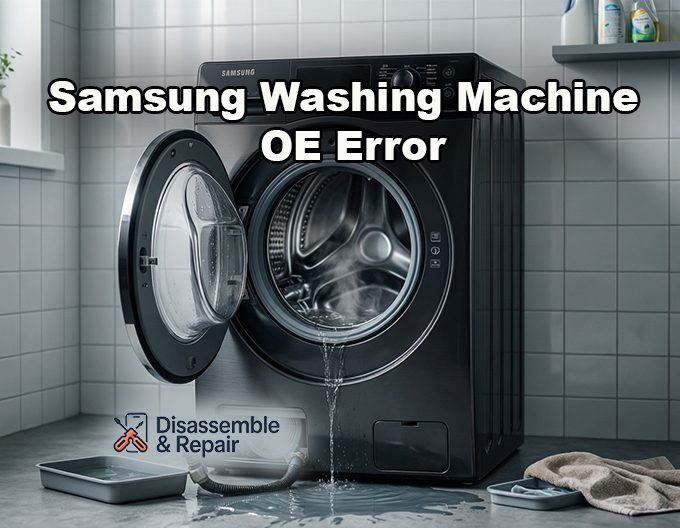
Dealing with a Samsung washing machine OE error can be alarming, especially when you see water rising dangerously high in the drum or refusing to drain. This specific error code serves as a critical warning from your appliance that the water level inside has exceeded the safe operational limit, triggering an immediate stop to prevent flooding.
For most Samsung models, this code (which may also appear as “OC”, “0E”, or “1 OC” depending on the digital display’s limitations) indicates an Overflow Error. Unlike simple drainage glitches, an OE error suggests the machine believes it is overfilled, regardless of whether the water is actually spilling out. This guide provides a professional, in-depth analysis of why this happens and how to resolve it, ensuring you can safely return your laundry routine to normal.
Read more Samsung washing machine 4C1 error
What Is the Samsung Washing Machine OE Error?
The Samsung washing machine OE error is a protective fault code designed to prevent water damage to your home and the internal components of the washer. When the main control board receives data indicating the water level is too high, it halts the water inlet valve to stop filling and attempts to activate the drain pump to lower the water level.
Technically, this error is triggered by the water level sensor (also known as the pressure switch). This sensor monitors the air pressure inside a small pressure tube connected to the drum. As water rises, air pressure increases. If the sensor detects pressure corresponding to an unsafe water level, it trips the OE code.
It is important to distinguish this from an “OF” (Overflow) error, which is functionally similar but may appear on older models, or “nd” / “5E” codes, which specifically mean “No Drain.” While drainage issues can contribute to an overflow scenario, the OE code specifically flags the excessive volume of water, not just the inability to remove it.
Immediate Safety Step: Manual Draining
Before attempting any repairs, you must address the water currently trapped in the machine. If the water level is high, the door lock mechanism will likely remain engaged for safety, preventing you from opening the drum.
- Power Down: Unplug the machine immediately to cut power to the inlet valve and main control board.
- Locate the Filter: On the front bottom corner of your washer, find the small access panel covering the debris filter.
- Prepare for Water: Place a shallow pan and several large towels on the floor.
- Use the Emergency Drain Hose: Open the panel and locate the small black emergency drain tube next to the debris filter.
- Drain Slowly: Pull the tube out, remove the cap, and let the water flow into your pan. You will likely need to plug it, empty the pan, and repeat this process multiple times until the drum is empty.
- Open the Door: Once the water level sensor detects the drum is empty (or after the power has been off for a few minutes), the door should unlock.
Common Causes of the OE Error Code
Understanding the root cause is essential for a permanent fix. The OE error is rarely a random glitch; it typically points to a specific component failure or maintenance oversight.
Read more Samsung washing machine LC1 error
1. Faulty Water Inlet Valve
The inlet valve is the solenoid-operated gate that lets hot and cold water into your machine. If this valve is mechanically stuck in the “open” position due to calcium buildup or debris, water will continue to flow into the drum even when the washer is turned off. This is a leading cause of overflow errors.
2. Malfunctioning Water Level Sensor (Pressure Switch)
If the pressure switch is defective, it may send incorrect voltage readings to the main control board. It might report that the machine is full when it is empty, or fail to tell the valve to shut off in time.
3. Blocked or Damaged Pressure Tube
The pressure tube connects the drum’s air chamber to the sensor. If this tube is kinked, punctured, or clogged with sludge, the air pressure will not reach the sensor accurately. This communication breakdown often results in the machine overfilling because it “thinks” the drum is still empty.
4. Excess Suds
Modern high-efficiency washers are sensitive to soap. Using too much detergent or non-HE detergent can create a massive volume of foam. This excess suds can trap air in the pressure tube or trick the sensor into reading a higher water level than exists.
5. Drainage System Issues
While less common for the OE code specifically, a partial blockage in the drainage system—including the drain hose or house standpipe—can cause water to back up into the machine (siphoning) if the installation height is incorrect.
Step-by-Step Troubleshooting for Samsung Washing Machine OE Error
Follow these professional troubleshooting steps to diagnose and repair the issue. Always consult your Samsung support manual for model-specific diagrams and safety warnings.
Step 1: The Reset Procedure
Sometimes, the error is a temporary electronic glitch.
- Power Cycle: Unplug the washer for at least 60 seconds.
- Restart: Plug it back in and turn it on.
- Test: Run a “Rinse & Spin” cycle. If the pump activates and the code clears, it may have been a one-time sensor error.
Step 2: Test the Water Inlet Valve
To determine if the inlet valve is the culprit, perform this simple observation test:
- Observation: With the machine plugged in but turned OFF, look inside the drum.
- Check for Flow: Is water dripping or trickling into the drum? If you see water entering the machine while it is powered down, the water inlet valve is mechanically failed and must be replaced.
- Action: Turn off the home water supply faucets immediately to stop the flooding.
Step 3: Inspect the Pressure System
If the valve is working correctly, the issue likely lies with the water level detection system.
- Access the Top Panel: You will need to remove the top cover of the washer (usually held by two screws at the back).
- Check the Pressure Tube: Locate the clear or black rubber tube connecting the tub to the sensor mounted on the side frame. Ensure it is not pinched or disconnected.
- Clear Blockages: Remove the tube from the sensor and blow gently through it toward the tub. You should hear a bubbling sound in the remaining water. If you feel resistance, the chamber may be clogged with detergent gunk.
- Inspect the Sensor: Check the electrical connections on the pressure switch. loose wires can cause erratic signals.
Step 4: Clean the Drainage System
Even though OE is an overflow error, ensuring a clear path for water exit is vital.
Read more Samsung washing machine 5C error
- Clean the Debris Filter: Open the filter housing (where you performed the manual drain) and unscrew the debris filter. Clean out any lint, coins, or hair. A clogged filter can prevent the drain pump from removing water quickly enough during fill adjustments.
- Check the Drain Hose: Ensure the drain hose is not inserted too far into the standpipe. If it is airtight, it can cause siphoning, where water is pulled back into the machine or drains out while filling.
Diagnosing “Ghost” Errors with the Main Control Board
If you have replaced the inlet valve and pressure sensor, and verified the tube is clear, the fault may lie with the main control board. This computer brain controls all timing and voltage. If the board’s relays are stuck, it might continuously power the inlet valve or misinterpret sensor data. Replacing the main control board is expensive and complex; professional diagnosis is recommended at this stage.
Preventing Future Overflow Errors
Once you have cleared the Samsung washing machine OE error, adopting these habits will prevent recurrence:
- Use HE Detergent Only: Always use High-Efficiency (HE) detergent for front-loading Samsung washers. Using traditional soap creates excess suds that trigger false errors.
- Monthly Maintenance: Clean the debris filter and run a “Self Clean” or hot water cycle with vinegar once a month to keep the pressure tube clear of sludge.
- Check Hose Installation: Verify your drain hose has a high loop (secured to the back of the machine) to prevent back-flow from your home’s waste pipes.
By systematically checking the inlet valve, water level sensor, and drainage system, you can confidently resolve the OE error. While the sight of an overfilled washer is stressful, the solution is often a straightforward part replacement or maintenance task.
Frequently Asked Questions
What does the OE error code mean on a Samsung washing machine?
The OE error code (which may also display as OC, 0E, or 1 OC) signifies an Overflow Error. This is a protective fault triggered when the water level sensor detects that there is too much water inside the drum. The machine will stop the cycle and attempt to drain the water to prevent potential flooding and internal damage.
Read more Samsung AddWash door won’t close
Why is my washing machine filling with water even when it is turned off?
If you see water trickling into the drum while the power is off, the water inlet valve has likely failed mechanically. This happens when the internal solenoid gate gets stuck open due to debris or mineral buildup. In this situation, you must turn off the home water supply faucets to stop the flow and replace the faulty valve.
Can using the wrong detergent trigger an OE error?
Yes. Modern Samsung washers require High-Efficiency (HE) detergent. Using traditional soap or an excessive amount of detergent creates too many suds. This excess foam can trap air in the pressure tube or trick the water level sensor into reporting an unsafe water level, resulting in a false OE error code.
How do I unlock the door to remove my clothes when this error occurs?
For safety, the door will remain locked if the machine detects a high water level. You must manually drain the washer first. Locate the small access panel at the bottom front of the machine, pull out the black emergency drain tube, and empty the water into a shallow pan. Once the water is removed and the machine is powered off for a few minutes, the door lock should release.
What is the difference between an OE error and a 5E or nd error?
The OE code specifically indicates an overflow or excessive water volume. In contrast, 5E, 5C, or “nd” codes mean “No Drain,” indicating that the machine is struggling to remove water due to a clogged filter or a faulty pump. While a drainage problem can sometimes lead to an overflow, the OE code is primarily focused on the water level exceeding the safety limit.


