

Encountering a Samsung washing machine not filling with water is a frustrating scenario that can bring your household chores to a sudden halt. Whether the drum remains completely dry or the water trickles in too slowly to start the cycle, this specific failure usually indicates a blockage, a mechanical component failure, or an electronic communication error. As a home appliance repair issue, it is one of the most common faults reported by users, yet it is often solvable without purchasing a new unit. This guide provides a professional, step-by-step analysis to help you diagnose and repair the problem efficiently.
Understanding the Error Codes: 4C and 4E
Modern Samsung appliances are designed to communicate specific problems through digital displays. Before disassembling the machine, check the display panel for error codes.
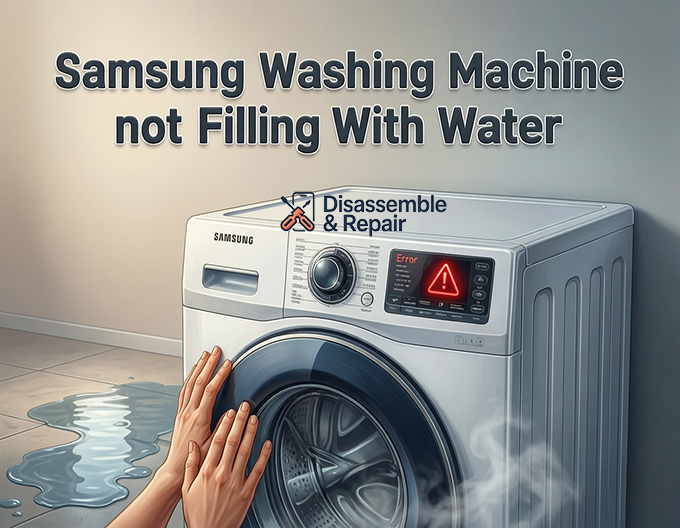
The most common indicators of water intake issues are the 4C error code and the 4E error code. These codes are essentially identical in meaning, though the specific code displayed depends on the model year of your washer. Both indicate that the washer has detected that it is not receiving enough water within a set timeframe. If you see these codes, the machine acts to prevent damage by stopping the cycle and draining any residual fluid.
However, the absence of an error code does not mean there isn’t a problem. If the cycle hangs at the beginning or the “wash” light blinks indefinitely, the following mechanical troubleshooting steps apply.
Common Causes for a Samsung Washing Machine Not Filling With Water
To effectively fix a Samsung washing machine not filling with water, you must isolate the root cause. The water filling process relies on a chain of components working in harmony: the water supply, the hoses, the filters, the valves, and the sensors. If one link in this chain fails, the entire process stops.
1. Water Supply and Water Pressure Issues
The most overlooked cause is often the simplest. Your washing machine requires a specific water pressure range (typically between 20 and 116 psi) to operate the water inlet valves correctly.
- Check the Taps: Ensure that the hot and cold water taps behind the washer are fully open. If a tap was accidentally bumped or closed, the machine cannot fill.
- Inspect Water Supply Hoses: Check the water supply hoses for kinks or crimps. If the machine was pushed back too hard against the wall, a bent hose could be restricting flow.
- Flood Safe Hoses: If you use “flood-safe” hoses, they may have tripped prematurely. These hoses contain internal check valves that shut off water if the flow is too fast. Turn off the water, disconnect the hose, and reconnect it to reset the valve.
2. Clogged Inlet Filter Screens
Over time, sediment, calcium deposits, and debris from your home’s plumbing can accumulate at the connection point between the hoses and the machine. Samsung washers are equipped with inlet filter screens—small mesh filters located inside the water inlet valve connections—to catch this debris before it enters the machine.
If these screens become clogged, water flow is restricted, triggering the 4C or 4E error code.
How to Clean the Inlet Filters:
Read more Samsung washing machine not spinning but making noise
- Turn off the water supply at the wall.
- Unscrew the water supply hoses from the back of the washing machine. have a bucket ready to catch residual water.
- Look inside the threaded inlet ports on the machine. You will see small plastic or wire mesh screens.
- Gently remove them using needle-nose pliers.
- Rinse the screens under warm running water and use a soft brush to remove sediment.
- Reinstall the screens, reconnect the hoses, and test the machine.
3. Faulty Door Lock Assembly
It may seem unrelated, but the door lock assembly is a critical safety feature that dictates the filling process. Front-load Samsung washers (and many top-loaders) will not open the water valves until the door is securely locked and the main control board receives a signal confirming the lock is engaged.
If the door clicks but fails to latch, or if the lock assembly is electrically dead, the machine will not attempt to fill. If you suspect this is the issue, inspect the latch for physical damage. If the mechanical latch is fine, the electrical solenoid within the lock assembly may be defective.
4. The Water Inlet Valve Failure
The water inlet valve is the electrical gatekeeper of your washing machine. It connects the hoses to the internal tub. When the cycle starts, the control board sends voltage to the solenoid valve coils, creating a magnetic field that lifts a plunger and allows water to flow.
If the solenoid coils burn out or the mechanical plunger gets stuck due to mineral buildup, the valve will not open even if it receives power.
Read more Samsung washing machine 3E error
Testing the Inlet Valve:
- Safety First: Unplug the machine.
- Access: Remove the top panel (for front loaders) or the back console panel (for top loaders) to expose the valve assembly.
- Multimeter Test: Set your multimeter to the Ohms (resistance) setting. Disconnect the wire harnesses from the valve solenoids. Probe the terminals of each solenoid.
- Reading: A functional valve usually reads between 500 and 1500 Ohms (consult your specific tech sheet). An infinite reading (OL) indicates an open circuit (burnt coil), meaning the valve must be replaced.
5. Malfunctioning Pressure Switch
The pressure switch (also known as the water level sensor) tells the electronic control board how much water is in the tub. It operates using air pressure from a small tube connected to the bottom of the tub. As water rises, air pressure increases, triggering the switch to stop the water flow.
If the pressure switch is stuck in the “full” position, the machine will “think” it is already full of water and will refuse to fill, often draining immediately instead. Conversely, if the air tube connecting the switch to the tub is clogged or disconnected, the switch cannot read the water level accurately.
Inspection Steps:
- Locate the pressure switch (usually a round disc with a hose attached near the top of the cabinet).
- Ensure the air tube is securely connected and not punctured.
- If the tube is clear and the wiring is secure, but the machine refuses to fill (or overfills), the pressure switch likely requires replacement.
Advanced Diagnosis: Electronic Control Board
If you have verified the water pressure, cleaned the filters, tested the inlet valve, and checked the door lock, the issue may lie with the electronic control board (PCB). The PCB is the brain of the appliance; it sends the voltage to the inlet valves to open them.
If the board has a burnt relay or a failed soldier joint, it may fail to send the necessary 120V (or 12V DC, depending on the model) to the water valves.
Voltage Testing:
This step requires testing “live” electricity and should only be performed by those comfortable with home appliance repair safety protocols.
- With the machine plugged in and a cycle selected, use a multimeter to check for voltage at the wire harness connecting to the water inlet valve.
- If the board is sending voltage but the valve doesn’t open, the valve is bad.
- If there is zero voltage reaching the valve when the cycle calls for water, the electronic control board is likely at fault.
Using Samsung Diagnostic Mode
Before ordering parts, you can utilize the machine’s built-in diagnostic mode to verify components. This mode allows you to manually activate specific parts, such as the hot and cold water valves, without running a full cycle.
To enter diagnostic mode (combinations vary by model, but often involve holding “Delay Start” and “Soil Level” simultaneously while pressing Power), consult your user manual or the tech sheet found inside the machine casing. Once in this mode, you can toggle the water valves. If the valves open and water flows during the test but not during a regular cycle, the issue is likely a sensor (pressure switch) or logic board error, rather than the valves themselves.
Conclusion and Recommendations
A Samsung washing machine not filling with water is rarely a fatal issue for the appliance. In the majority of cases, the solution is as simple as cleaning the inlet filter screens or straightening a kinked water supply hose. However, when components like the water inlet valve or pressure switch fail, part replacement becomes necessary.
If you have performed the diagnostic steps above—cleaned the filters, verified the water supply, and checked for error codes like 4C or 4E—and the machine still refuses to fill, the problem likely resides in the electronic control board. At this stage, unless you are experienced with electronics, contacting a certified technician is recommended to ensure the longevity of your appliance. Regular maintenance, including checking hoses and filters every six months, is the best defense against recurrence.
Frequently Asked Questions
What do the 4C and 4E error codes on my Samsung washer mean?
Both the 4C and 4E error codes indicate that the washing machine has detected a problem with the water supply. Specifically, it means the unit is not receiving enough water within a designated timeframe to begin or continue the cycle. While they mean the same thing, the specific code displayed depends on the age and model of your Samsung washing machine.
How do I clean the inlet filter screens on my washing machine?
To clean the filters, first turn off the water supply and unscrew the hoses from the back of the machine. Use needle-nose pliers to gently pull out the small plastic or mesh filters located inside the machine’s inlet ports. Rinse them under warm running water and use a soft brush to scrub away any sediment or calcium buildup before reinstalling them and reconnecting the hoses.
Why is my washer not filling even though my water taps are fully open?
If the taps are open, the issue may be a kinked supply hose or a tripped “flood-safe” hose. Additionally, the machine will not fill if the door lock assembly is faulty; for safety reasons, Samsung washers will not open the water valves unless the sensor confirms the door is securely latched. If the door isn’t clicking into place or the lock is electrically damaged, the filling process will never start.
Can low water pressure prevent my Samsung washer from working?
Yes. Samsung washing machines require a specific water pressure range, typically between 20 and 116 psi, to operate the inlet valves effectively. If your home’s water pressure is too low, the valves may not open fully, or the machine may time out and trigger an error code because it is filling too slowly.
How can I tell if the water inlet valve has failed?
A faulty water inlet valve can be tested using a multimeter to check for continuity. After unplugging the machine and accessing the valve, check the resistance (Ohms) of the solenoid coils. A functional valve usually reads between 500 and 1500 Ohms. If the multimeter shows an infinite reading (OL), the coil has burnt out, and the valve assembly must be replaced.


