

Diagnosing issues with your cooling system often begins with understanding the specific comfee air conditioner error codes displayed on your unit. These alphanumeric indicators are critical for identifying whether your Comfee appliance is experiencing a simple maintenance requirement or a complex mechanical failure.
Understanding these codes allows you to troubleshoot effectively, potentially saving time and money on professional service calls. As Comfee is a brand manufactured by Midea, many of its internal components and logic systems share similarities with Midea HVAC systems. This guide covers the most common error codes for both portable and split-system units, providing a comprehensive troubleshooting guide for homeowners.
Understanding your comfee HVAC system
Before diving into specific codes, it is important to recognize that your air conditioner is a complex HVAC system comprising an indoor unit, an outdoor unit (for split systems), and various electronic sensors. The PCB board (Printed Circuit Board) acts as the brain of the unit, constantly monitoring performance. When a parameter goes out of range—such as a temperature reading or voltage level—the PCB triggers a code on the LED display to protect the machine from further damage.
Comfee air conditioner error codes for portable units
Portable air conditioners are self-contained systems, meaning all components are housed within a single casing. The error codes for these units are generally straightforward and often related to maintenance or environmental sensors.
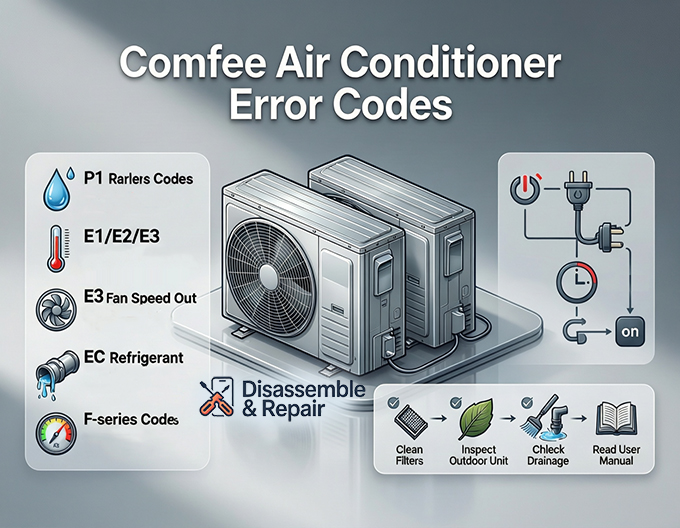
P1: Water collection tray full
The P1 code is the most frequent alert users encounter on portable units. It is not a malfunction but a protection status.
- Meaning: The bottom water tray is full of condensate water.
- Troubleshooting:
- Turn off the unit and unplug it.
- Move the unit to a drain location or place a shallow pan under the bottom drain port.
- Remove the drain plug and let the water flow out completely.
- Reinstall the plug and restart the unit. The P1 code should disappear.
E1: Room temperature sensor error
- Meaning: The system detects an open or short circuit in the room temperature sensor. This sensor monitors the ambient air to regulate cooling.
- Troubleshooting:
- Check if the sensor is securely connected to the mainboard.
- Measure the resistance of the sensor using a multimeter.
- If the sensor is faulty, it must be replaced.
E2: Evaporator temperature sensor error
- Meaning: The sensor attached to the evaporator coil (inside the unit) is malfunctioning.
- Troubleshooting:
- Similar to the E1 error, this requires checking the sensor’s connection and resistance.
- A faulty evaporator sensor can cause the unit to freeze up or stop cooling efficiently.
E3: Condenser temperature sensor error
- Meaning: On some models, this indicates a failure in the condenser sensor.
- Troubleshooting:
- Verify the wiring integrity.
- This sensor helps regulate the outdoor heat exchange process even within a portable unit casing.
E4: Display panel communication error
- Meaning: The main PCB board is not receiving signals from the display control panel.
- Troubleshooting:
- Check the wiring harness connecting the display to the main circuit board.
- Look for damaged wires or loose connections.
Comfee air conditioner error codes for split systems
Split systems have separate indoor and outdoor units, making their diagnostics more complex. The codes here often distinguish between internal and external faults.
E0: EEPROM parameter error
- Meaning: The unit’s memory chip (EEPROM) on the PCB board has encountered a data error.
- Troubleshooting:
- Perform a strict reset procedure (detailed below).
- If the error persists, the PCB board likely needs replacement.
E1: Communication error (Indoor/Outdoor)
- Meaning: The indoor unit and outdoor unit are failing to talk to each other. This is common in mini-split systems.
- Troubleshooting:
- Inspect the signal wires (S wire) connecting the indoor and outdoor units.
- Check for oxidation, loose terminal screws, or mismatched wiring.
- Ensure the outdoor unit has power.
E3: Fan speed out of control
- Meaning: The fan motor is not running at the speed commanded by the processor.
- Troubleshooting:
- Check if the fan blade is obstructed by dust or debris.
- Inspect the fan motor capacitor and the motor itself.
- If the fan spins freely by hand but not under power, the motor or the PCB controlling it may be defective.
EC: Refrigerant leak detection
- Meaning: The system has detected a potential refrigerant leak. This is triggered when the evaporator coil temperature does not drop significantly after the compressor starts.
- Troubleshooting:
- Turn off the unit immediately to prevent compressor damage.
- Visually inspect piping for oily residue (a sign of a leak).
- A professional HVAC technician must locate the leak, repair it, and recharge the refrigerant.
F-Series codes (F1, F2, F3)
These codes typically relate to specific sensors in the outdoor unit:
- F1: Outdoor ambient temperature sensor error.
- F2: Outdoor condenser coil temperature sensor error.
- F3: Compressor discharge temperature sensor error.
- Troubleshooting:
- These sensors affect how the inverter compressor ramps up and down.
- Check connections and resistance values (usually 10k or 50k ohms depending on the model and temperature).
Detailed troubleshooting guide by component
When diagnosing Comfee Air Conditioner Error Codes, it helps to look at the system by component rather than just the code. Here is how specific parts contribute to common failures.
The temperature sensor
The temperature sensor is a thermistor that changes resistance based on heat. It is one of the most common failure points.
- Symptoms: The AC runs continuously, never cools, or displays E1/E2 codes.
- Fix: Most sensors are inexpensive and plug directly into the PCB. Consult your user manual for the specific resistance chart to test them with a multimeter.
The PCB board
The PCB board is the central computer.
- Symptoms: Random resetting, E0 errors, or the unit refusing to turn on despite having power.
- Fix: Visual inspection can sometimes reveal burnt components or blown fuses on the board. However, PCB repairs usually require replacing the entire board.
The fan motor
The fan motor circulates air across the heat exchanger.
- Symptoms: Weak airflow, strange noises, or E3 errors.
- Fix: Ensure the fan wheel (blower) inside the indoor unit is clean. Heavy dust buildup can unbalance the fan, causing the motor to work harder and trigger an error.
Refrigerant system
A refrigerant leak is a serious mechanical issue.
- Symptoms: The unit blows warm air, ice forms on the coils, or the EC code appears.
- Fix: Never attempt to top up refrigerant yourself without proper certification. Overcharging or undercharging can destroy the compressor.
Master reset procedure
Before calling a technician or ordering parts, you should always attempt a system reset. Electronic glitches can sometimes trigger false error codes.
Step-by-Step reset procedure:
- Power Down: Turn off the air conditioner using the remote or the LED display button.
- Disconnect Power:
- For portable units: Unplug the cord from the wall outlet.
- For split systems: Flip the circuit breaker dedicated to the HVAC system to the “OFF” position.
- Discharge Energy: Wait for at least 3 to 5 minutes. This allows the capacitors on the PCB to discharge completely and the memory to clear temporary faults.
- Reconnect: Plug the unit back in or flip the breaker to “ON.”
- Restart: Turn the unit on and set it to “Cool” mode. Monitor the display for 10 minutes to see if the error code returns.
Maintenance to prevent error codes
Preventative maintenance is the best way to avoid seeing comfee air conditioner error codes in the future.
- Clean Filters Regularly: Clogged filters restrict airflow, causing sensors to give false readings and potentially freezing the coil.
- Inspect the Outdoor Unit: Keep the area around the outdoor unit clear of leaves, grass, and debris to ensure proper heat dissipation.
- Check Drainage: Periodically ensure your condensate drain line is clear to prevent P1 errors or water leakage.
- Read the User Manual: Your user manual contains the specific resistance values for sensors and the exact meaning of codes for your specific model, which may vary slightly from the general list.
Conclusion
Comfee air conditioners are reliable appliances, but like all electronic devices, they require proper troubleshooting when things go wrong. By referencing these comfee air conditioner error codes, you can determine if the issue is a simple “bucket full” scenario or a more technical electrical fault. Always prioritize safety: if a code indicates a high-voltage issue or a refrigerant leak, disconnect the power and contact a qualified professional.
Frequently asked questions
What should I do if my portable Comfee unit displays a P1 error?
The P1 code indicates that the internal water collection tray is full of condensate. To fix this, turn off and unplug the unit, move it to a suitable drainage area, and remove the drain plug to empty the water. Once drained, replace the plug and restart the unit; the code should disappear.
How do I perform a master reset on my Comfee air conditioner?
To reset the system and clear temporary electronic glitches, turn the unit off and completely disconnect it from power (unplug portable units or flip the circuit breaker for split systems). Wait at least 3 to 5 minutes to allow the PCB capacitors to discharge fully. Reconnect the power and restart the unit in cooling mode.
Is it safe to fix an EC error code myself?
No. The EC code signals a potential refrigerant leak, which is a serious mechanical issue. Because handling refrigerant requires specialized tools and certification, you should turn the unit off immediately to prevent compressor damage and contact a qualified HVAC technician to locate the leak and recharge the system.
Why is my Comfee air conditioner showing an E3 error?
An E3 code means the fan motor speed is out of control. This can be caused by a physical obstruction like dust or debris blocking the fan blades, a faulty fan motor capacitor, or a defect in the main PCB board. You should first check for any visible blockages and ensure the fan wheel is clean.
Can I use Midea troubleshooting guides for my Comfee unit?
Yes. Comfee is a brand manufactured by Midea, and many of the internal components, logic systems, and error code protocols are shared between the two brands. If you cannot find a specific Comfee manual, Midea HVAC resources often provide compatible diagnostic information.


