

If your laundry routine has been interrupted by a comfee washer E6 error code, you are likely facing a specific issue that prevents the machine from starting or completing a cycle. This error code typically signals a malfunction in the door locking mechanism or a communication fault within the safety circuit, though it can sometimes be confused with motor-related issues in complex troubleshooting scenarios.
Understanding the comfee washer E6 error
The Comfee Washer E6 Error is primarily defined as a “Door Lock Malfunction” or an “Open Door” signal. The machine’s Control board (or Printed Circuit Board – PCB) detects that the door is not securely latched or that the electrical signal confirming the lock is missing.
However, in the world of Appliance repair, error codes can sometimes be symptoms of broader electrical issues. While the door switch is the usual suspect, faults in the Wiring harness or the main PCB can mimic this error. Furthermore, because the door lock is a safety interlock for the drive system, this error immediately disables the drum, leading some users to suspect a Motor failure.
Common causes of the E6 code
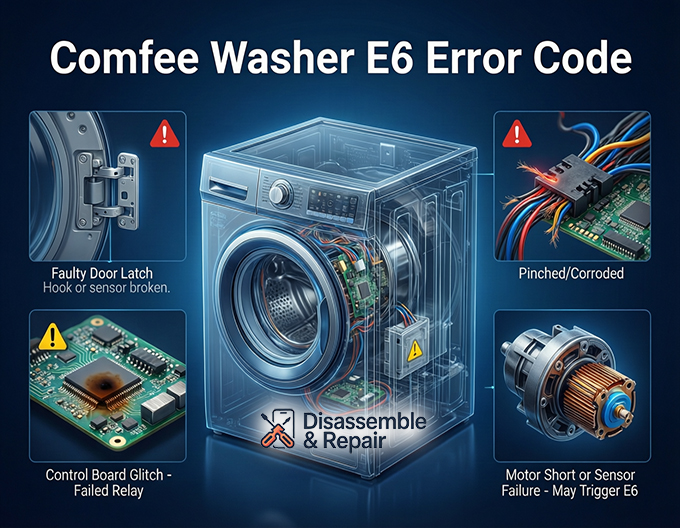
- Faulty Door Latch: The physical hook or sensor is broken.
- Damaged Wiring Harness: Wires connecting the door switch to the control board are pinched or corroded.
- Control Board Glitch: The PCB fails to interpret the signal correctly.
- Misaligned Door: The door is not closing fully, preventing the latch from engaging.
Advanced troubleshooting: Beyond the door lock
While the door is the first place to look, a comprehensive Troubleshooting guide must consider how the safety system interacts with other components like the motor.
The role of the motor and hall sensor
In a functioning cycle, once the door locks, the control board sends power to the motor. If you are experiencing spin issues alongside the E6 error (or if the error appears during the spin cycle), it is vital to understand the drive system components:
- Hall Sensor / Tachometer: This small sensor monitors the speed of the motor. If the Tachometer fails to send a speed signal, the board might halt the machine. While this usually triggers an E5 or different code, a short circuit in the motor system can occasionally cause erratic behavior or board resets that display as communication errors like E6.
- Motor Failure: If the motor itself has a shorted winding, it can draw excessive current, potentially damaging the Printed Circuit Board (PCB) traces related to the door lock circuit.
- Wiring Harness Integrity: A compromised harness can affect both the door lock signal and the Hall sensor data lines. Check for continuity between the motor, the door switch, and the main board.
Step-by-Step repair and reset guide
Follow these steps to diagnose and clear the Comfee Washer E6 Error.
Step 1: Perform a washer reset
Before opening the machine, try a soft reset to clear any temporary electronic glitches in the Midea Group manufactured electronics (Midea makes Comfee appliances).
- Unplug the washing machine from the power outlet.
- Wait for at least 5 to 10 minutes to allow the capacitors on the Control board to discharge.
- Press and hold the “Start/Pause” button for 5 seconds while unplugged.
- Plug the washer back in and attempt to start a new cycle.
Step 2: Inspect the door switch
- Check the door hook for damage.
- Clean the contact points of the door latch.
- If the door clicks but the error persists, the electrical switch inside the lock assembly may be dead.
Step 3: Check wiring and connections
Remove the top or back panel (consult your manual) to access the internals. Inspect the Wiring harness running from the door lock to the PCB. Look for loose plugs or wires damaged by vibration.
Step 4: Technical support and PCB inspection
If the door lock and wiring test okay, the issue likely lies with the Printed Circuit Board (PCB). A burnt spot on the board or a failed relay can prevent the machine from detecting the door state. At this stage, contacting Technical support or a professional technician is recommended, as board-level repair requires specific expertise.
Conclusion
The comfee washer E6 error is a safety alert ensuring the machine does not operate with an open door. While replacing the door latch usually resolves the issue, a persistent E6 code requires a deeper look into the Wiring harness and Control board. By systematically checking these components—and ensuring the Motor failure or Hall sensor issues aren’t contributing to a wider electrical fault—you can restore your washer to working order.
Frequently asked questions
What does the E6 error code mean on a Comfee washing machine?
The E6 error is a safety alert that indicates a Door Lock Malfunction. This means the control board (PCB) cannot detect that the door is securely latched or that the electrical signal confirming the lock is missing.
How do I perform a soft reset to clear the E6 error?
To reset the machine, unplug it from the power outlet and wait for 5 to 10 minutes. While it is unplugged, press and hold the “Start/Pause” button for 5 seconds to discharge the control board. Plug the washer back in and try starting a new cycle.
Can a problem with the motor cause an E6 error code?
Yes, in some cases. While E6 is primarily a door lock issue, the door lock acts as a safety interlock for the drive system. A shorted motor or a faulty Hall sensor (tachometer) can occasionally cause electrical interference or damage to the control board, leading to communication errors like the E6.
What are the most common physical causes of the E6 error?
The most common causes include a broken door latch or hook, a misaligned door that isn’t closing fully, or a damaged wiring harness where the wires between the door switch and the control board have become pinched or corroded.
What should I do if the error persists after checking the door and resetting the machine?
If a reset and a physical inspection of the latch don’t work, the problem may be a failed component on the Printed Circuit Board (PCB), such as a burnt relay. At this point, it is recommended to contact technical support or a professional repair service to inspect the internal electronics.


