

Encountering a comfee washing machine E9 error can be frustrating, especially when it interrupts your laundry routine with a tub full of water. This specific error code typically points to a malfunction in the machine’s water level sensing system, stopping the cycle to prevent potential overflows or dry running.
While Comfee appliances are known for their reliability, electronic sensors can drift or fail over time. The E9 code is your washer’s way of signaling that the main PCB (Printed Circuit Board) is not receiving a valid reading from the water level sensor, also known as the pressure switch. This guide will walk you through the diagnostic process to clear the error and get your top load washer back in action.
Understanding the comfee washing machine E9 error
In the world of Comfee and Midea-manufactured appliances, the E9 code is almost exclusively reserved for water level sensor faults.
The pressure switch is a critical component that monitors how much water is in the drum. It works by measuring the air pressure inside a small tube connected to the bottom of the tub. As water fills the drum, air is pushed up this tube, increasing pressure in the switch. The switch then converts this pressure into an electrical frequency signal that the control board interprets as a specific water level.
If this signal is lost, out of range, or erratic, the system triggers the E9 error to shut down the inlet valve and drain pump as a safety precaution.
Note: If you own a Comfee dishwasher rather than a washing machine, the E9 error typically refers to a touch panel communication fault or water intake issue, which requires a different troubleshooting approach.
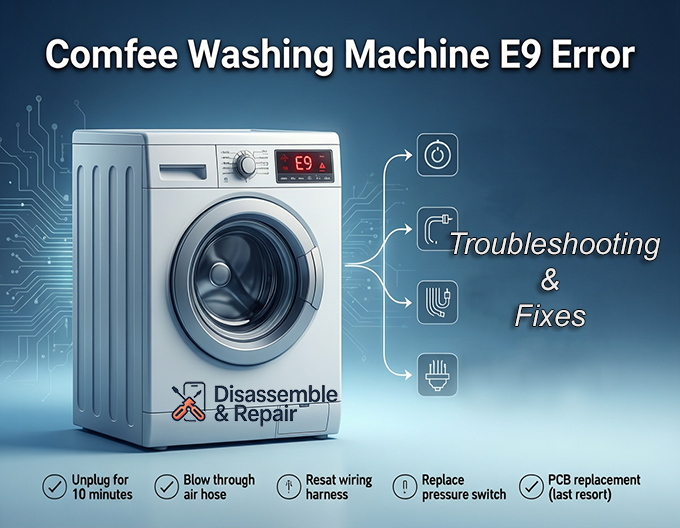
Step-by-Step troubleshooting guide
Before attempting any repairs, always consult your user manual for model-specific diagrams and ensure the machine is unplugged to avoid electrical shock.
1. Perform a hard reset
Electronic glitches can sometimes cause false error codes.
- Action: Unplug the washing machine from the power outlet.
- Wait for at least 5-10 minutes to allow the circuitry capacitors to discharge.
- Plug the machine back in and run a short “Spin” or “Drain” cycle.
- Result: If the error clears, it was likely a temporary software glitch. If the Comfee Washing Machine E9 Error persists, proceed to the hardware checks.
2. Inspect the pressure switch hose
The most common cause of E9 is not the sensor itself, but the air hose connecting it to the tub.
- Location: Remove the top console panel or the back cover of your washer (depending on the model) to locate the pressure switch. It is usually a round, disc-shaped component with a small hose and a wiring harness attached.
- Check: Look for kinks, holes, or disconnections in the clear plastic tube.
- ** blockage:** Remove the hose from the switch end and blow through it towards the tub. You should hear air bubbling into the water. If you feel significant resistance, the air chamber at the bottom of the tub may be clogged with lint or detergent sludge.
- Fix: Clear the blockage or replace the hose if it is damaged.
3. Check the wiring harness and connections
Vibration during the spin cycle can loosen electrical connections.
- Action: Trace the wiring harness from the pressure switch back to the main control board.
- Inspect: Look for any corroded pins, loose plugs, or wires that may have been chafed by the moving tub.
- Verify: Disconnect and reconnect the plug at the pressure switch to ensure a solid contact. Corrosion on the terminals can interrupt the delicate frequency signal sent to the PCB.
4. Test or replace the water level sensor
If the hose and wiring are intact, the sensor itself may be the culprit.
- Testing: Modern pressure switches are often electronic (generating a frequency) rather than mechanical (simple click-switches). Testing them requires a multimeter capable of reading Hz (Hertz) or checking for specific voltage drops, which can be complex without a datasheet.
- Replacement: Given the low cost of this part, replacement is often the most practical solution. Ensure you purchase the exact part number listed in your user manual or on the part sticker, as different models use different signal frequencies.
5. Inspect the drain pump and inlet valve
Although less common for E9, peripheral issues can sometimes trigger sensor confusion.
- Drain Pump: If the washer cannot drain water effectively, the pressure reading may not drop as expected, potentially confusing the logic board. Ensure the drain pump filter is clean.
- Inlet Valve: If the valve is stuck open and water continues to enter despite the machine attempting to stop it, the system may flag a sensor error when the water level rises unexpectedly.
When to replace the PCB
If you have replaced the pressure switch, cleared the air hose, and verified the wiring, but the comfee washing machine E9 error remains, the fault likely lies with the main control board.
The PCB reads the frequency from the sensor; if the on-board processor or the specific circuit reading that signal fails, the board cannot detect the water level. Replacing the main control board is a more expensive repair and should be considered a last resort.
Summary checklist
- Reset: Unplug for 10 minutes.
- Air Hose: Blow through to clear clogs; check for leaks.
- Wiring: Reseat connections at the sensor and board.
- Sensor: Replace the pressure switch.
- Board: Replace the PCB if all else fails.
By systematically isolating these components, you can identify the root cause of the error and restore your washer’s functionality without an expensive service call.
Frequently asked questions
What exactly does the E9 error code mean on my Comfee washer?
The E9 error code indicates a fault in the water level sensing system. It means the washing machine’s main control board (PCB) is not receiving a correct or stable signal from the water level sensor (pressure switch), which prevents the machine from knowing how much water is inside the drum.
Can a simple reset fix the E9 error?
Yes, in some cases. If the error was caused by a temporary electronic glitch or a power surge, performing a hard reset—unplugging the machine for 5 to 10 minutes—can clear the system’s memory and resolve the code. However, if the error returns, there is likely a hardware issue with the hose, sensor, or wiring.
How do I know if the problem is the hose or the actual sensor?
You can test the hose by disconnecting it from the pressure switch and blowing through it. If you hear air bubbling in the tub, the hose is clear. If you feel resistance, it is clogged. If the hose is clear and has no visible holes or kinks, but the error persists after checking the wiring, the water level sensor itself is likely faulty and needs replacement.
Does the E9 error mean the same thing on all Comfee appliances?
No. While the E9 error on a Comfee top-load washing machine refers to the water level sensor, the same code on a Comfee dishwasher typically indicates a touch panel communication fault or a water intake issue. Always verify the appliance type before troubleshooting.
When should I consider replacing the main PCB?
Replacing the Printed Circuit Board (PCB) should be your last resort. If you have already cleared the pressure hose, verified that the wiring harness is intact, and installed a brand-new water level sensor, but the E9 error still appears, the fault is likely within the control board’s ability to process the sensor’s signal.


