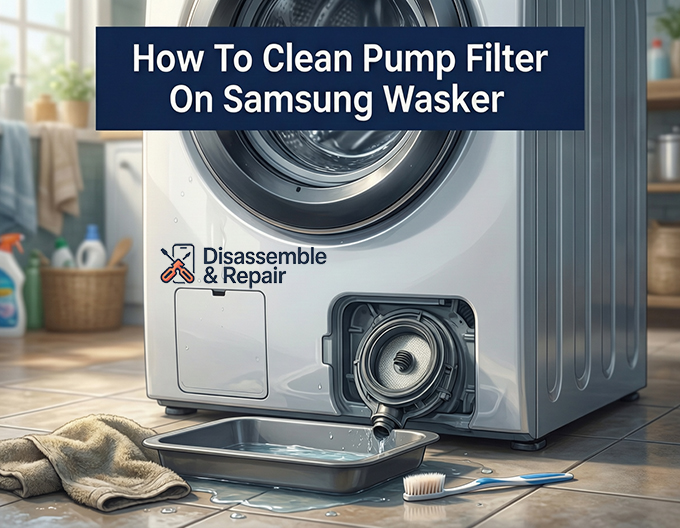
Knowing how to clean pump filter on Samsung washer models is an essential maintenance skill that prevents drainage issues and extends the life of your appliance. A clogged filter is often the primary culprit behind frustrated laundry days, leading to water remaining in the drum or the machine stopping mid-cycle.
Why Cleaning Your Samsung Washer Filter Matters
The pump filter, also known as the debris filter, acts as the machine’s kidney. It traps foreign objects like coins, buttons, lint, and hair before they can damage the drain pump. When this filter becomes blocked, your Samsung front load washer cannot expel water effectively.
Read more How to clean Samsung washer touch screen
Neglecting this maintenance often triggers specific error codes on the display. The 5E error code (or SE on some models) specifically indicates a drainage issue where water fails to drain within a set time. Similarly, the OE error code indicates an overflow error, which can occur if a blockage prevents the water level sensor from reading drainage correctly. Regular maintenance cleaning prevents these errors and keeps your laundry smelling fresh.
Tools You Will Need
Before you begin, gather the following items to ensure a smooth process. The pump filter is located at the bottom front of the washer, so expect some water spillage.
- Shallow container or baking pan: To catch water from the emergency drain hose.
- Old towels or rags: To absorb accidental spills and protect your floor.
- Soft brush: An old toothbrush works perfectly for scrubbing the filter mesh.
- Mild soap and warm water: For cleaning the filter.
- Flathead screwdriver or a coin: To help open the filter cover if it is stiff.
How to Clean Pump Filter on Samsung Washer: Step-by-Step Guide
Follow these precise steps to safely clean the drain pump filter and resolve drainage issues.
Step 1: Safety and Access
First, turn off your washing machine and unplug it from the power outlet. This ensures there is no electrical current while you are working near water and mechanical parts. Locate the filter cover (also called the access panel) at the bottom right or left corner of the machine’s front. Open it by pressing the top tab or using a coin to gently pry it open.
Read more Samsung washer clothes don’t smell clean
Step 2: Drain the Excess Water
Do not twist the filter out immediately, or water will flood your floor.
- Locate the small rubber tube next to the filter cap; this is the emergency drain hose.
- Place your towel and shallow container directly under the hose.
- Pull the tube out slightly and remove the small cap at the end.
- Allow all the water to drain into the container. You may need to replace the cap and empty the container multiple times if there is a lot of water in the drum.
- Once the water stops flowing, replace the cap securely and push the hose back into its holding clip.
Step 3: Remove the Debris Filter
With the water drained, you can now safely remove the filter.
Read more Samsung Tub Clean cycle instructions
- Grip the round cap of the drain pump filter.
- Twist it counter-clockwise (to the left). It may feel stiff if it hasn’t been opened in a while.
- Pull the filter straight out. A small amount of residual water may splash out, so keep your towel handy.
Step 4: Clean the Filter and Pump Housing
Inspect the filter for lint and debris.
- Remove any large objects like coins, hair clips, or clumps of lint manually.
- Rinse the filter under warm running water. Use a soft brush to scrub away slime or mold buildup on the mesh and plastic parts.
- Crucial Step: Before reinserting the filter, look inside the pump housing (the hole where the filter came from). Use a flashlight to check for debris stuck deeper inside, near the drain pump impeller. Wipe the interior with a damp cloth to ensure a clean seal.
Step 5: Reassemble and Test
- Slide the clean filter back into the housing.
- Twist the cap clockwise (to the right) until it is tight and the handle is vertical. Do not overtighten, but ensure it is secure to prevent leaks.
- Close the filter cover door.
- Plug the washer back in and run a short “Rinse & Spin” cycle to verify there are no leaks and that the 5E error code or OE error code has cleared.
Maintenance Schedule and Tips
To avoid future drainage issues, it is recommended to clean the debris filter every two months. If you wash heavily soiled items, pet bedding, or woolens that shed lint, increase this frequency to once a month.
- Check pockets: Always empty pockets before washing to prevent coins and keys from reaching the drain pump.
- Listen to your machine: If you hear a buzzing or humming sound during the drain cycle, it often indicates the pump is struggling against a blockage.
- Stuck Filter: If the filter is stuck and won’t turn, it may be jammed by debris. Do not force it, as the plastic handle can break. In this case, you may need to access the pump from the inside of the machine or call a professional.
By adhering to this routine, you ensure your Samsung washer operates at peak efficiency, preventing odors and costly mechanical failures.
Frequently Asked Questions
How often should I clean my Samsung washer’s debris filter?
It is recommended to clean the filter at least once every two months to maintain proper drainage. However, if you frequently wash heavily soiled items, woolens, or pet bedding that sheds a lot of hair, you should increase the cleaning frequency to once a month.
What do the 5E and OE error codes mean?
The 5E (or SE) error code indicates a drainage failure, meaning the machine cannot expel water within the required timeframe. The OE error code indicates an overflow issue, which often happens when a clog in the filter prevents the water level sensor from functioning correctly. Both codes are usually resolved by cleaning the pump filter.
What should I do if the filter is stuck and won’t turn?
If the filter feels jammed, do not force it, as the plastic handle can easily snap. A stuck filter is usually caused by a foreign object like a coin or a screw wedged inside the housing. In this situation, you may need to call a professional or access the pump assembly from inside the machine to clear the obstruction.
Why is water still in the drum after I have cleaned the filter?
If the machine still won’t drain after cleaning the filter, check the emergency drain hose for blockages and ensure the main drain hose at the back of the machine isn’t kinked or pushed too far into the standpipe. If the issue persists, there may be an internal failure in the drain pump motor itself.
Is it normal for water to come out when I open the filter?
Yes, it is normal for water to be present in the pump housing. This is why it is essential to use the emergency drain hose first to empty as much water as possible into a container before unscrewing the filter cap. Always keep towels handy to catch any remaining spills.