Maintaining the sleek appearance of your modern laundry appliances requires specific techniques, particularly when learning how to clean Samsung washer touch screen interfaces safely and effectively. While these high-tech machines offer superior functionality, their sensitive control panels act as magnets for dust, detergent spills, and oils from our skin.
A modern Samsung washer is an investment in your home, often featuring a sophisticated aesthetic that complements contemporary laundry rooms. However, the accumulation of grime on the digital interface is not merely a cosmetic issue. Over time, residue can interfere with the touch sensors, causing buttons to become unresponsive or behave erratically. Furthermore, using the wrong cleaning agents can strip protective coatings or allow moisture to seep into delicate internal areas.
This comprehensive guide serves as a standard operating procedure for preserving the functionality and clarity of your appliance’s display. We will cover the necessary tools, safety precautions, and the precise methodology required to ensure your washer remains in pristine condition.
Understanding the Sensitivity of the Control Panel
Before applying any cleaning solution, it is vital to understand what you are touching. The Control panel on your Samsung washer is not a simple piece of plastic; it is a complex assembly housing sensitive Electronic components and often a capacitive LCD display. Unlike the porcelain or metal exterior of the machine, the screen relies on electrical conductivity to register your touch.
When you touch the screen with wet or soapy hands, you leave behind residues that can insulate the sensors. Conversely, scrubbing too hard can damage the pixels or the touch-grid overlay. The goal of cleaning is Smudge removal without abrasion or saturation.
Owners of a Front load washer often find that the position of the panel—usually located on the front face rather than a top console—makes it more susceptible to accidental splashes from the detergent drawer or contact with laundry baskets. This positioning necessitates a more frequent, yet gentle, maintenance schedule compared to older top-load models.
Essential Tools and Materials
To achieve a streak-free finish without damaging the hardware, you must avoid improvisation with household chemicals. The following list comprises the industry-standard materials for cleaning electronic displays:
- Microfiber Cloth: This is the most critical tool. A high-quality Microfiber cloth traps dust particles within its fibers rather than dragging them across the screen, which prevents micro-scratches.
- Lint-free Cloth: For the final polish, a separate Lint-free cloth ensures no debris remains on the surface.
- Distilled Water: Tap water contains minerals (calcium and magnesium) that can leave white deposits or streaks on the screen. Distilled water is pure and safe for electronics.
- Isopropyl Alcohol (70%): For disinfecting and cutting through grease, a diluted solution of Isopropyl alcohol is effective. However, it must be used sparingly and never in high concentrations (90% or above) as it can damage oleophobic coatings.
Warning: Never use paper towels, tissues, or old rags. These materials are wood-based and act like fine sandpaper on the glossy finish of an LCD display.
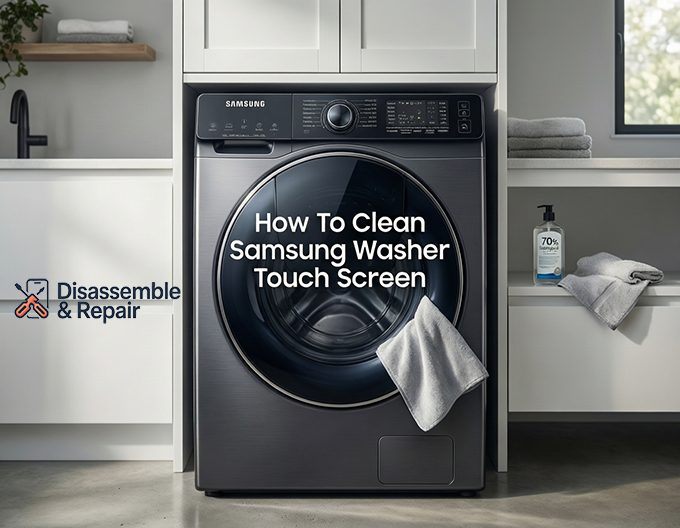
Step-by-Step: How to clean Samsung washer touch screen
Cleaning your appliance seems straightforward, but following a specific order of operations ensures safety and prevents accidental reprogramming of your wash cycles.
Step 1: Engage the Child Lock
The most common frustration when wiping down a touch screen is the constant beeping and accidental activation of buttons. Before you begin, you must activate the Child Lock feature.
On most Samsung models, this involves holding down a specific combination of buttons (often labeled with a lock icon, such as Temp + Rinse or Soil + Spin) for three seconds. Once the lock icon appears on the display, the control buttons are disabled. This allows you to wipe the surface thoroughly without starting a cycle or changing your settings.
Step 2: Remove Loose Debris
Take your dry Microfiber cloth and gently dust the entire control panel area. The purpose of this step is to remove any larger particles of dust, lint, or dried detergent. If you apply liquid and wipe while these particles are present, you risk scratching the screen. Use a light, sweeping motion from left to right.
Step 3: Prepare Your Cleaning Solution
For general cleaning, slightly dampen a corner of your cloth with Distilled water. The cloth should be moist, not dripping. Moisture control is paramount; you never want water to run down the panel and pool at the bottom edge where it could wick into the electronics.
If you are dealing with stubborn grease or heavy Fingerprints, you may create a solution using 50% distilled water and 50% Isopropyl alcohol. Shake the mixture gently. Never spray the solution directly onto the washer. Always spray the cloth, then apply the cloth to the machine.
Step 4: The Cleaning Motion
Gently wipe the screen using small, circular motions. This technique is superior to scrubbing back and forth, as it prevents streaking and ensures you are lifting the grime rather than spreading it.
Read more Best detergent for Samsung front load washer
Focus on areas with visible build-up. If you encounter a dried spot of detergent, hold the damp section of the cloth against the spot for a few seconds to rehydrate and loosen it before wiping it away. Do not use your fingernail to scrape the screen.
Step 5: Drying and Polishing
Immediately after wet cleaning, take your dry Lint-free cloth and buff the screen dry. Leaving the screen to air dry can result in water spots. A quick polish will restore the glossy shine of the LCD display and leave it looking brand new.
Step 6: Disengage Child Lock
Once the screen is dry and clean, you can deactivate the Child Lock by holding the same button combination for three seconds. Your washer is now ready for use.
What to Avoid: Protecting Your Investment
In the world of appliance maintenance, knowing what not to do is just as important as knowing the proper procedure. A single mistake with chemicals can permanently ruin the aesthetics or functionality of your machine.
Avoid Abrasive Cleaners
It is imperative that you strictly avoid Abrasive cleaners. This category includes:
- Powdered cleansers (e.g., scouring powders).
- Ammonia-based window cleaners (e.g., Windex), which can yellow the plastic over time.
- Bleach or vinegar, which can degrade the protective seals around the screen.
- Scrubbing sponges with rough pads.
These products are designed for porcelain, ceramic, or glass, not for the delicate plastic and capacitive overlays found on a Samsung Control panel. Using them results in a cloudy, scratched surface that makes the display difficult to read.
Moisture Management
As mentioned previously, water ingress is the enemy of Electronic components. Samsung washers are built to handle high humidity, but they are not waterproof against direct liquid injection into the bezel gaps. By spraying fluids directly on the machine, you risk short-circuiting the board behind the touch screen. Always apply fluids to your cloth first.
Dealing with Persistent Smudges and Fingerprints
Fingerprints are the most common complaint regarding touch screens. They are caused by the natural oils on our skin transferring to the glossy surface. While a dry wipe often smears these oils, the alcohol-water solution mentioned earlier cuts through lipids effectively.
For households with high traffic in the laundry room, or if the washer is in a kitchen area where cooking grease might settle, you may notice a sticky residue. In this case, a very mild solution of warm water and a single drop of dish soap applied to a microfiber cloth can help. However, you must follow this immediately with a pure water wipe to remove soapy residue, and then a dry polish. Residue from soap can create a haze that actually attracts more dust in the future.
Routine Maintenance Schedule
To prevent the need for deep cleaning and the use of stronger solvents like Isopropyl alcohol, integrate screen care into your regular laundry routine.
- Weekly: Give the panel a quick dry wipe with a Microfiber cloth to remove dust.
- Monthly: Perform the wet cleaning method described above to handle Smudge removal and sanitation.
- Immediately: If liquid laundry detergent or fabric softener splashes onto the panel, wipe it up immediately. These chemicals are concentrated and can etch the plastic if left to dry.
Troubleshooting Unresponsive Screens
Sometimes, a user may believe their screen is dirty because it is not responding to touch, when in fact, the issue might be technical or related to invisible residue.
If you have cleaned the screen thoroughly but the buttons remain unresponsive:
Read more Samsung washer cycle
- Check Child Lock: Ensure the Child Lock is actually off. This is the most common reason for “unresponsive” buttons.
- Power Cycle: Unplug the washer for 60 seconds and plug it back in. This resets the Electronic components and recalibrates the touch sensors.
- Moisture Check: Ensure the screen is completely dry. A thin film of water can register as a continuous touch, confusing the system.
Conclusion
Understanding how to clean Samsung washer touch screen panels correctly is a small but significant skill in home maintenance. It protects the operational integrity of the machine and preserves the visual appeal of your laundry space. By utilizing the correct tools—specifically a Microfiber cloth, Distilled water, and occasionally Isopropyl alcohol—and avoiding Abrasive cleaners, you ensure that your appliance continues to serve your household efficiently for years to come.
Treat the Control panel and LCD display with the same care you would accord a smartphone or tablet. With gentle handling and the proper cleaning agents, you can easily banish Fingerprints and grime, ensuring your Front load washer remains as functional as it is fashionable.
Frequently Questions
Can I use glass cleaner or vinegar to clean my Samsung washer screen?
No, you should avoid ammonia-based window cleaners, vinegar, and bleach. These chemicals can degrade the protective coatings on the LCD display, cause the plastic to yellow over time, or damage the seals around the electronic components. Stick to distilled water or a diluted 70% isopropyl alcohol solution for safe results.
Why shouldn’t I spray the cleaning solution directly onto the control panel?
Spraying liquid directly onto the machine increases the risk of moisture seeping into the small gaps around the screen’s bezel. This can lead to liquid reaching the sensitive internal electronics and potentially short-circuiting the board. Always apply your cleaning solution to a microfiber cloth first, then wipe the screen.
Read more Should I leave Samsung washer door open?
What should I do if the touch screen becomes unresponsive?
First, check to see if the Child Lock feature is engaged, as this is the most common cause of unresponsive buttons. If the lock is off, ensure the screen is completely dry, as moisture can interfere with the sensors. Finally, try a power cycle by unplugging the washer for 60 seconds to reset the electronic components.
Is it okay to use paper towels for a quick wipe-down?
You should avoid using paper towels, tissues, or old rags. These materials are wood-based and can be abrasive enough to leave micro-scratches on the glossy finish of the touch screen. A high-quality microfiber cloth is the best tool because it traps debris without scratching the surface.
How do I prevent detergent spills from damaging the interface?
Because concentrated detergents and fabric softeners can etch or stain the plastic if left to dry, you should wipe up any accidental splashes immediately. Incorporating a quick weekly dust with a dry microfiber cloth will also prevent grime from building up and interfering with the touch sensors.