To ensure your Samsung washing machine operates quietly and efficiently, proper leveling is non-negotiable. How to level Samsung washing machine units correctly is a common question, as overlooking this step can lead to excessive vibration, noise, and even error codes.
This guide provides a professional, step-by-step approach to leveling your washer, whether it is a front load or top load model.
Why Leveling Your Samsung Washer is Critical
Before picking up a wrench, it is important to understand why the floor surface and washer alignment matter. An unlevel machine does not just make noise; it causes internal wear.
- Vibration and Noise: If all four feet are not solid on the floor, the drum’s high-speed rotation will cause the unit to rock violently.
- DC Error Code: This specific error code on Samsung washers indicates an unbalanced load. While sometimes caused by heavy laundry, it is frequently triggered by the machine being unlevel, preventing the spin cycle from reaching high speeds.
- Drainage Issues: A machine tilted too far back or forward may not drain completely, leading to odors.
Tools You Will Need
Gather these tools before you begin. Most Samsung washers come with a basic wrench, but you may need additional items:
- Bubble level (A carpenter’s level is best)
- Wrench (Adjustable or the open-ended spanner supplied with the washer)
- Slip-joint pliers (Optional, if the feet are stuck)
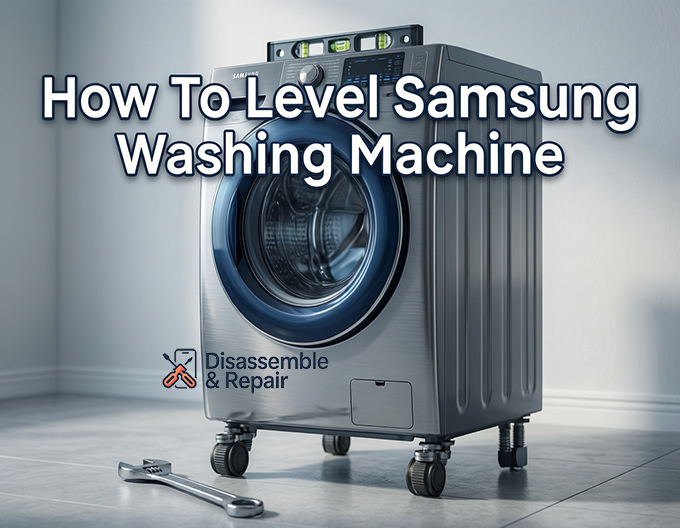
Step-by-Step Guide: How to level Samsung washing machine
1. Preparation and Shipping Bolts
If this is a new installation, the very first step is removing the shipping bolts. These are located at the back of a front load washer and are designed to immobilize the tub during transit.
- Action: Use the supplied wrench to remove all shipping bolts. Failure to do this will result in severe vibration and potential damage to the machine.
- Tip: Keep the bolts in a safe place in case you need to move the washer in the future.
2. Position the Washer
Move the washer into its final position. Ensure the floor surface is solid, dry, and not slippery. A wooden floor may need reinforcement if it flexes too much.
Read more Best detergent for Samsung front load washer
- Leave at least 1 inch of clearance on the sides and 4-6 inches at the back for hoses.
3. Check the Current Level
Place your bubble level on top of the washer.
- Front Load Washer: Place the level along the front edge (side-to-side) and then along the side edge (front-to-back).
- Top Load Washer: You can place the level on the closed lid. Alternatively, open the lid and look at the tub. If the tub leans toward one side, the washer is not level.
4. Loosen the Lock Nuts
The levelling legs (or adjustable feet) are secured by lock nuts (also called jam nuts) that keep them from turning during operation.
Read more How to clean Samsung front load door gasket
- Locate the lock nuts sitting flush against the base of the washer, just above the rubber feet.
- Using your wrench, turn the lock nut clockwise (when looking from the top down) to loosen it. You need to spin it down the bolt shaft, away from the washer base, to allow the leg to turn freely.
5. Adjust the Leveling Legs
Now that the legs are free, adjust them to level the machine. You generally only need to adjust the front legs, as the rear legs may be self-adjusting or preset on some models.
- To Raise the Washer: Turn the adjustable foot counter-clockwise. This extends the leg.
- To Lower the Washer: Turn the adjustable foot clockwise. This retracts the leg.
Check your bubble level frequently as you make small adjustments. The goal is to get the bubble centered in the vial for both side-to-side and front-to-back orientations.
6. Stabilize and Tighten Lock Nuts
Once the machine is perfectly level, you must ensure it is stable.
- Press down on the opposing corners (front-left and back-right, then front-right and back-left). The machine should not rock at all.
- If it is solid, take your wrench and tighten the lock nuts by turning them counter-clockwise (upwards) until they are completely flush and tight against the bottom of the washer base.
- Important: If you skip tightening the lock nuts, the legs will vibrate loose over time, bringing back the noise and the DC error code.
7. Run a Test Cycle
To verify your work, run a Rinse + Spin cycle.
- Watch the machine as it enters the spin cycle.
- Place your hand on top. Slight vibration is normal, but the machine should not rock, “walk” across the floor, or bang against the wall.
- If you hear a loud banging noise, stop the machine immediately, re-check the level, and ensure the lock nuts are tight.
Troubleshooting Tips
- Legs are stuck: If the feet are rusted or stuck, spray a small amount of penetrating oil on the threads and wait 15 minutes before trying to turn them with pliers.
- Uneven floor: If the floor is extremely uneven, you may need to move the washer to a flatter section of the room or use a stable platform. Do not extend the legs to their maximum length, as this reduces stability.
- Pedestals: If your Samsung washer is on a pedestal, ensure the pedestal is leveled first, and that the washer is securely bolted to the pedestal.
By following these specific steps on how to level Samsung washing machine models, you protect your appliance from damage and ensure quiet, reliable operation for years to come.
Frequently Asked Questions
Why is my Samsung washing machine displaying a DC error code?
A DC error code indicates an unbalanced load. While this can be caused by the laundry itself, it is frequently triggered by an unlevel machine. If the washer is not properly aligned, it cannot reach high spin speeds, resulting in this error.
Do I need to remove the shipping bolts before leveling?
Yes. If you have a front-load washer, the shipping bolts must be removed first. These bolts are designed to keep the drum stationary during transport, and leaving them in place will cause extreme vibration and potential damage, even if the legs are perfectly level.
Which way should I turn the leveling legs to adjust the height?
To raise the washer, turn the adjustable foot counter-clockwise to extend the leg. To lower the washer, turn the foot clockwise to retract it. Make sure to loosen the lock nut before attempting to turn the feet.
Read more How to clean Samsung washing machine drum
Why is it important to tighten the lock nuts after leveling?
The lock nuts (or jam nuts) keep the leveling legs from moving during operation. If you do not tighten them flush against the base of the washer, the machine’s natural vibrations will cause the legs to rotate and loosen over time, leading to renewed noise and stability issues.
What should I do if my washer still vibrates after I have leveled it?
First, double-check that the lock nuts are tightened securely against the washer frame. Next, ensure that the shipping bolts have been completely removed. Finally, perform a “rock test” by pushing on opposite corners; if the machine moves at all, one of the legs is not making solid contact with the floor and needs further adjustment.