

Knowing how to open LG washing machine door during cycle is essential when you suddenly realize a stray sock was left behind or a phone was accidentally tossed in with the laundry. While LG washers are designed with advanced safety locking mechanisms to prevent leaks and injuries, there are specific, safe methods to interrupt the cycle and access the drum.
This comprehensive guide will explain the standard procedures, safety features, and emergency override methods for opening your LG washing machine door.
Read more LG washing machine drum dirty residue
Standard Methods to Open the Door
For most situations, you do not need tools or emergency procedures. LG integrates user-friendly features directly into the control panel to handle mid-cycle interruptions.
Using the Add Item Feature
Modern front load washer models often come equipped with a dedicated “Add Item” button. This feature is designed specifically for the “forgotten sock” scenario.
- Check the Display: Look for the “Add Item” indicator on your control panel.
- Press the Button: Press the Add Item feature button. The machine will pause the cycle.
- Wait for Unlock: You will hear a click from the door lock mechanism. This may take a moment as the drum stops spinning.
- Open and Add: Once the door lock icon disappears from the display, open the door, add your laundry, and close it firmly.
- Resume: Press the “Start/Pause” button to continue the wash cycle from where it left off.
Using the Pause Button
If your machine does not have a specific “Add Item” button, the standard Pause button (often integrated with the Start button) performs a similar function.
- Press Start/Pause: Press the button once to pause the machine.
- Safety Check: The internal computer will check the water level sensor and water temperature.
- Unlock: If the water level is not high enough to spill out and the temperature is safe, the door will unlock automatically within a minute or two.
- Access: Open the door to retrieve or add items.
Note: If the “Door Lock” icon remains illuminated after pausing, the machine has determined it is unsafe to open the door due to high water levels or heat.
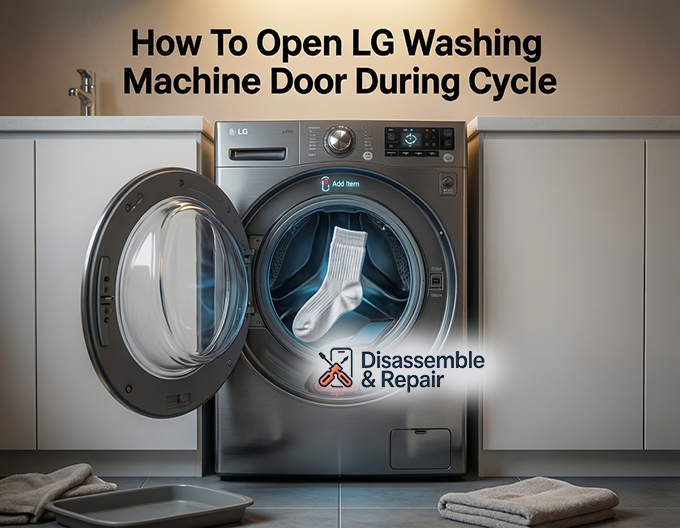
How to open LG washing machine door during cycle (Safety Locked)
There are instances where the standard pause method will not unlock the door. This usually happens because the machine’s safety protocols are active. Here is how to handle these situations.
Handling High Water Levels
If the drum is full of water, the door will remain locked to prevent flooding your laundry room. You must drain the water before the door will release.
- Cancel the Cycle: Press the Power button to turn off the machine, then turn it back on.
- Select Drain Cycle: Select the Drain cycle (often “Spin Only” or “Rinse+Spin”).
- Adjust Settings: If using “Rinse+Spin,” press the “Spin” button repeatedly until the “No Spin” or “Drain Only” option is highlighted (varies by model).
- Run the Cycle: Press Start. The machine will engage the drain pump to remove the water.
- Unlock: Once the water level drops below the door seal, the door lock mechanism will disengage, allowing you to open it.
Dealing with High Water Temperature
Safety is paramount when dealing with hot cycles (like “Sanitary” or “Allergen”). If the water temperature is above approximately 113°F (45°C), the door will stay locked to prevent scalds.
Read more LG washer leaking from drain pump filter
- Solution: You cannot force the door open in this state. You must wait for the machine to cool down or run a “Rinse” cycle with cold water to lower the internal temperature. Once the sensors detect a safe temperature, the lock will release.
Troubleshooting the “CL” Error Code
If you are trying to open the door and see “CL” flashing on the display, your machine is not broken. This stands for Child Lock.
What is Child Lock?
The Child Lock feature disables the control panel buttons to prevent children from changing cycle settings or starting the machine. When active, the door remains locked, and pressing the “Start/Pause” button will have no effect.
How to Deactivate the CL Error Code
To unlock the door, you must first disable the Child Lock.
- Locate the Buttons: Look for a lock icon connecting two buttons on your control panel (commonly “Rinse + Spin” or “Spin + Soil”).
- Press and Hold: Press and hold these two buttons simultaneously for 3 to 5 seconds.
- Verification: The CL error code should disappear from the display, and you may hear a chime.
- Resume Operation: You can now use the Pause or Add Item buttons as normal.
Emergency Opening Procedures
If there is a power outage or a mechanical failure (such as a broken door handle), you may need to use manual methods to open the door.
Read more LG washer overflowing with soap
Using the Emergency Drain Hose
If the machine has no power or the drain pump has failed, the door will stay locked because of the water inside. You must manually drain it.
Tools Needed: Shallow pan or towels.
- Locate Access Panel: Find the small service cover on the bottom front corner of the washer.
- Open Panel: Open the cover to reveal the drain pump filter and a small rubber hose.
- Prepare to Drain: Place a shallow pan and towels under the emergency drain hose.
- Drain Water: Pull out the small hose, remove the cap, and let the water flow into the pan. You will likely need to plug it, empty the pan, and repeat this process multiple times until the flow stops.
- Unlock: Once the internal float switch detects the water is gone, the door lock may release (if power is available). If there is no power, you may need to use the manual release lever.
The Manual Door Release Lever
Some LG front load models are equipped with a manual release lever for absolute emergencies.
- Drain First: WARNING: Ensure the drum is empty of water using the emergency drain hose method above before attempting this. Opening the door with water inside will cause a massive flood.
- Find the Lever: Look inside the same access panel near the drain pump filter. You may see a small plastic strap or lever (often red or plastic-colored).
- Pull to Release: Pull this lever down gently. This manually physically disengages the door lock mechanism.
- Open Door: While holding the lever, pull the door handle to open it.
Important Safety Precautions
When attempting to force a door open or interrupt a cycle, keep these safety entities and factors in mind:
Read more LG washing machine HE error
- Water Temperature: Never force a door open if the glass feels hot to the touch. The water inside could be near boiling point.
- Water Level Sensor: Do not rely solely on your visual estimate. If the machine thinks there is water, it will keep the door locked. Trust the sensor logic.
- Power Reset: Sometimes the computer logic gets stuck. Unplugging the washer for 5 minutes can reset the control board and release the lock once power is restored.
- Drain Pump Filter: If your machine is not draining and therefore not unlocking, the filter might be clogged with coins or lint. Cleaning this filter is often the fix for a door that won’t open at the end of a cycle.
By following these protocols, you can safely manage mid-cycle interruptions without damaging your appliance or risking injury. Whether using the convenient Add Item button or performing a manual emergency drain, always prioritize safety over speed.
Frequently Asked Questions
Why won’t the door unlock even after I press the pause button?
If the door remains locked, the machine’s safety sensors have likely detected that the water level is too high or the water temperature is too hot (above 113°F/45°C). To protect you from flooding or burns, the door will stay locked until you run a “Drain” cycle or allow the water to cool down.
What should I do if the “CL” code is flashing on the display?
The “CL” code indicates that the Child Lock feature is active. This feature disables the control panel buttons and keeps the door locked for safety. To deactivate it, locate the two buttons on the panel connected by a lock icon (often “Rinse + Spin”) and press and hold them simultaneously for 3 to 5 seconds until the code disappears.
How do I open the door during a power outage if there is still water inside?
In a power outage, the electronic lock will not release if the machine is full of water. You must manually drain the unit by opening the access panel at the bottom front of the washer and using the small emergency drain hose. Once the water is removed, you can use the manual release lever (if equipped) located in the same compartment to unlock the door.
Is it safe to force the door open if I need to retrieve an item quickly?
You should never attempt to force the door open. LG washers use a sturdy locking mechanism that can be permanently damaged by force. Furthermore, if the machine is in a hot cycle or full of water, forcing the door could lead to injury or significant water damage to your home. Always use the “Pause,” “Add Item,” or emergency drain procedures instead.


