

Understanding Indesit Dishwasher Error Codes is essential for diagnosing issues and restoring your appliance to working order quickly. These alphanumeric signals are not just random numbers; they are precise messages from your machine’s PCB (Printed Circuit Board) indicating exactly where a fault has occurred. Whether you are seeing a digital code on a display panel or deciphering a sequence of flashing LEDs, this guide will help you interpret the problem and take the correct action.
When your dishwasher stops mid-cycle or refuses to start, it can be frustrating. However, most modern Indesit models are equipped with sophisticated self-diagnostic systems. By consulting this troubleshooting guide, you can often resolve simple issues like a blocked drain pump or a closed water tap without needing a professional engineer. Below, we break down every common fault code, the LED light patterns for non-digital models, and the step-by-step reset procedures to get your dishes sparkling again.
Indesit dishwasher error codes explained
Digital models display a specific “F” code when a malfunction is detected. These Fault Codes are the most direct way to identify the root cause of the problem.
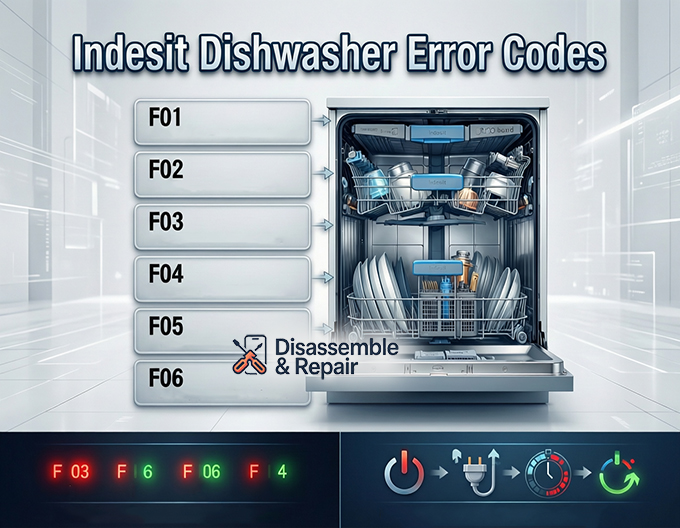
| Error Code | Meaning | Possible Causes |
|---|---|---|
| F01 | Anti-flood Device Activated | A leak has been detected in the base of the machine. The float switch has triggered the safety mode to prevent flooding. |
| F02 | Water Fill Solenoid Valve Failure | The machine cannot fill with water. This points to a faulty Inlet Valve, a closed water tap, or a kinked supply hose. |
| F03 | Water Drain Failure / Timeout | The dishwasher is unable to drain water within the allocated time. This is often due to a clogged Drain Pump or blocked filters. |
| F04 | Thermostat Fault | The temperature sensor is reading inconsistent data. The machine cannot regulate heat properly. |
| F05 | Spray Arms or Filter Blocked | Unlike washing machines where F05 is a pump fault, on Indesit dishwashers this often indicates blocked spray arms or clogged filters. |
| F06 | Water Fill Timeout | The machine is not filling fast enough. Low water pressure or a partially blocked inlet mesh could be the culprit. |
| F07 | Water Turbine Damaged | The flow meter or water turbine, which measures water intake, is sending incorrect signals to the PCB. |
| F08 | Temperature Timeout Fault | The water is not heating up within the expected timeframe, potentially due to a failing Heating Element. |
| F09 | Software Error | A corruption in the main board’s software settings. This usually requires reprogramming by a technician. |
| F10 | Heating Element Fault | The heating circuit is open or shorted. The dishwasher cannot heat water for the wash or dry cycle. |
| F11 | Wash Pump Failure | The main circulation pump (wash motor) is not running, so water is not being sprayed over the dishes. |
| F12 | Communication Error | The Display Panel is unable to communicate with the main PCB. Often caused by loose wiring or a faulty module. |
| F13 | Main Board Fault | A general fault with the main electronic control card. |
| F15 | Virtual Sensor Error | Issues with the virtual sensor reading, which monitors water consistency and turbidity. |
Troubleshooting guide for common faults
While the list above provides a quick reference, understanding how to fix these issues is key. Here are detailed steps for the most frequent problems.
Handling drainage issues (F03)
The F03 code is one of the most common Indesit Dishwasher Error Codes users encounter. It signifies that dirty water is trapped inside the appliance.
- Check the Filters: Remove the central filter assembly at the bottom of the tub. Clean it thoroughly under running water to remove food debris.
- Inspect the Drain Pump: If the filters are clean, the Drain Pump might be jammed. Small objects like broken glass or bone fragments can obstruct the impeller.
- Check the Waste Hose: Ensure the drain hose connected to your sink plumbing is not kinked or blocked.
Resolving water inlet problems (F02, F06)
If your dishwasher is dry and showing F02 or F06, it is starving for water.
- Verify the Water Supply: Ensure the isolation valve (tap) under the sink is fully open.
- Check the Inlet Valve: The Inlet Valve has a small mesh filter inside the connection point. Disconnect the hose and clean this mesh if it is clogged with grit or limescale.
- Pressure Switch Check: Sometimes, a faulty Pressure Switch can fail to tell the machine that water is entering, causing it to time out.
Fixing heating and drying faults (F08, F10)
When dishes come out cold and wet, codes F08 or F10 usually appear.
- Test the Heating Element: The tubular heater or inline heater heats the water. If this component fails (open circuit), it must be replaced.
- Inspect the PCB: In some cases, the heater is fine, but the relay on the PCB (Printed Circuit Board) that sends power to the heater has burnt out.
LED flashing lights: Decoding Non-Display models
Many Indesit dishwashers do not have a digital screen. Instead, they use a series of LED Flashing Lights to communicate errors. These are typically the program indicator lights (e.g., Wash, Dry, End, or icons like Pre-wash, Eco, Intensive).
The flashing pattern acts as a binary code. Identifying which LEDs are flashing (counting from left to right) reveals the error number.
| LED 1 | LED 2 | LED 3 | LED 4 | Error Code Equivalent |
|---|---|---|---|---|
| ON | OFF | OFF | OFF | F01 (Anti-flood) |
| OFF | ON | OFF | OFF | F02 (Inlet Valve) |
| ON | ON | OFF | OFF | F03 (Drainage) |
| OFF | OFF | ON | OFF | F04 (Thermostat) |
| ON | OFF | ON | OFF | F05 (Blocked Filter/Arms) |
| OFF | ON | ON | OFF | F06 (Fill Timeout) |
| ON | ON | ON | OFF | F07 (Turbine) |
| OFF | OFF | OFF | ON | F08 (Temp Timeout) |
| ON | OFF | OFF | ON | F09 (Software) |
| OFF | ON | OFF | ON | F10 (Heater) |
| ON | ON | OFF | ON | F11 (Wash Pump) |
| OFF | OFF | ON | ON | F12 (Communication) |
Note: If your machine has different icons, consult your User Manual to confirm the specific order of the lights (usually numbered 1 to 4 from left to right).
How to reset your indesit dishwasher
Sometimes, an error code is the result of a temporary glitch rather than a hard component failure. Before calling an engineer, perform a Reset Procedure.
Soft reset (Cancel Program)
Use this if you want to change a cycle or clear a non-critical error.
- Locate the Start/Pause button.
- Press and hold it for approximately 3 to 5 seconds.
- You should hear a long beep, or the display/lights will change, indicating the current program has been cancelled.
- The machine will typically run a short drain cycle (about 1 minute) to empty the tub.
Hard reset (Power Cycle)
Use this for persistent electronics errors like F09 or F12.
- Switch the dishwasher off at the main power button.
- Unplug the appliance from the mains socket or switch off the fuse spur.
- Wait for at least 15 to 20 minutes. This allows the capacitors on the PCB to fully discharge and the memory to clear.
- Reconnect the power and try starting a new cycle.
Prevention and Maintenance
To prevent Indesit Dishwasher Error Codes from returning, regular maintenance is critical.
- Anti-flood Device Care: The Anti-flood Device (related to F01) triggers when water leaks into the base. Ensure your machine is level and that seals around the door are clean and intact to prevent leaks.
- Salt and Rinse Aid: Keep these topped up. High water hardness can damage the heating element and block the water turbine.
- Regular Cleaning: Run a monthly maintenance wash with a dedicated dishwasher cleaner to remove grease build-up from the internal pipework and pumps.
By understanding these codes and maintaining components like the inlet valve and filters, you can extend the lifespan of your appliance and avoid costly repairs. If a fault persists after trying these troubleshooting steps, it is advisable to contact a professional repair service.
Frequently asked questions
How do I perform a hard reset on my Indesit dishwasher?
To perform a hard reset, switch off the appliance and unplug it from the wall socket or turn off the fuse spur. Wait for at least 15 to 20 minutes to allow the electronic components on the PCB to fully discharge. Once this time has passed, reconnect the power and attempt to start a new cycle.
What should I do if my dishwasher shows error F01?
Error F01 indicates that the anti-flood device has been triggered because water has leaked into the base of the machine. You should check the door seals for damage, ensure the appliance is perfectly level, and look for any visible signs of leakage. If the base is full of water, it will need to be drained before the machine can operate again.
Why is my Indesit dishwasher flashing lights instead of showing an “F” code?
Models without a digital display use the program indicator LEDs to signal faults. These lights flash in specific patterns that correspond to the standard error codes. By counting which LEDs are flashing from left to right (e.g., LED 1 and LED 2 flashing together equals F03), you can identify the specific problem.
How can I fix a drainage issue like error F03?
Start by cleaning the central filter assembly at the bottom of the dishwasher tub under running water. If the problem persists, check the drain hose for kinks or blockages where it connects to your sink plumbing. Finally, inspect the drain pump impeller for any trapped debris like glass shards or food remains.
What does it mean if my dishwasher shows error F05?
While F05 is a pump fault in many washing machines, in an Indesit dishwasher, it typically indicates that the spray arms are blocked or the filters are heavily clogged. This prevents water from circulating correctly. You should remove the spray arms and rinse them out to ensure the small jet holes are not obstructed.


