

If you see a flashing “CL” code on your digital display, you are likely dealing with the LG Dishwasher Child Lock feature. This safety mechanism is designed to prevent children from accidentally starting a cycle or changing settings while the machine is running, but it can be confusing if you don’t know how to deactivate it.
This guide will walk you through everything you need to know about the Control Lock feature, from identifying the symbols to mastering the button combinations for every LG model.
Understanding the LG dishwasher child lock feature
The Lg Dishwasher Child Lock (often referred to as Control Lock) is a “safety lockout” function. When active, it disables the control panel buttons to stop unwanted inputs. It is important to note that on many models, the Power button remains active even when the lock is engaged, allowing you to turn the unit off but not start a new cycle.
How to Identify It
- LG dishwasher CL error code: The most common indicator is the letters “CL” blinking on the digital display.
- Padlock Icon: A small red or orange padlock icon may illuminate on the panel.
- Unresponsive Buttons: If you press buttons like “Start” or “Cycle” and nothing happens (or the unit beeps three times), the lock is likely active.
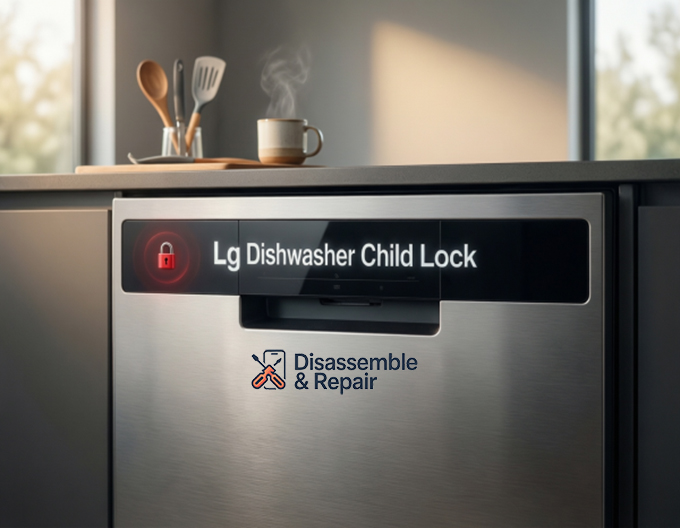
Button combinations to deactivate child lock
Disabling the lock usually involves a specific “press and hold” sequence. The exact combination depends on your model (e.g., LG QuadWash, Top Control, or Front Control units). Look for a padlock icon or the text “Control Lock” printed between or below two specific buttons.
Common button combinations
Try these common sequences by holding the buttons simultaneously for 3 to 5 seconds until the unit beeps or the code disappears:
- Half Load + Energy Saver: This is the most frequent combination for many modern LG dishwashers.
- Rinse + Spray: often found on QuadWash models.
- Dual Zone: On some units, this single button acts as the lock trigger when held.
- Pre-Wash + Rinse: A combination seen on older front-control models.
- Delay Start + Turbo: Check for the lock symbol connecting these keys.
Pro Tip: If you cannot find a padlock icon, consult your owner’s manual. It will list the specific key combination for your model number.
Managing settings with the LG ThinQ App
For smart-enabled dishwashers, the LG ThinQ app offers a convenient way to monitor your appliance. While the Child Lock is primarily a physical safety switch that requires manual activation on the machine, the app can be a powerful diagnostic tool.
- Status Checks: If your dishwasher isn’t starting, open the ThinQ app to check the status. It will clearly indicate if the “Control Lock” is active, saving you from guessing why the machine is unresponsive.
- Smart Diagnosis: Use the app to troubleshoot if the “CL” code persists despite your efforts. It can tell you if there is a deeper board issue or if a button is stuck.
Troubleshooting: When the lock won’t turn off
Sometimes, the Lg Dishwasher Child Lock can seem stuck due to a glitch or a sticky control panel. If the standard button combinations do not work, follow these steps to reset the system.
Soft reset
- Open the dishwasher door (if controls are on top).
- Press and hold the correct button combination (e.g., Dual Zone) for a full 5-10 seconds.
- Wait for the chime and the “CL” code to clear from the digital display.
Hard resetting LG dishwasher
If the panel is frozen, perform a hard power cycle:
- Turn off the dishwasher using the Power button.
- Locate the circuit breaker for the dishwasher or unplug the unit from the wall.
- Leave the power off for 60 seconds.
- Restore power and turn the dishwasher back on.
- Attempt the unlock sequence again.
Checking for stuck buttons
Gunk or debris can sometimes cause the Half Load button or others to stick, making the machine think you are constantly pressing them.
- Wipe the control panel with a damp, soft cloth.
- Ensure no food particles are wedged around the buttons.
- If a button feels physically depressed and won’t pop back out, you may need a service technician to replace the user interface board.
Frequently asked questions
Does the Child Lock unlock the door?
No. The Control Lock feature only disables the electronic buttons. It does not physically lock the door latch. You can still open the dishwasher to add dishes, but you won’t be able to start the cycle until the lock is deactivated.
Why does the code come back after I turn the power off?
On most LG models, the Child Lock setting is saved in the memory. Turning the power off and on will not disable it. You must manually disengage it using the button combination.
Can I set the Child Lock to turn on automatically?
No, the feature must be manually activated each time you want to use it. This prevents accidental lockouts when you are trying to quickly load and run a cycle.
By familiarizing yourself with these settings and the owner’s manual, you can ensure your LG dishwasher remains safe and functional for the whole family.
How can I identify which buttons to press if there is no padlock icon?
If you cannot see a padlock icon or “Control Lock” text on your panel, the best resource is your owner’s manual. Common combinations include holding “Half Load + Energy Saver” or “Rinse + Spray” for 3 to 5 seconds. You can also check the LG ThinQ app, which will confirm if the lock is active.


