

Knowing how to initiate an LG washer Cancel cycle and drain procedure is essential when you need to stop a wash mid-stream or address an error code. Whether your machine has stopped due to an imbalance or you simply forgot to add an item, mastering the “Spin Only” and manual drain functions will save you time and prevent water spills.
Understanding the Need to Cancel and Drain
There are several scenarios where you might need to intervene during a wash cycle. The most common is the appearance of the OE error code on the control panel, indicating the washer is unable to drain water automatically. This often happens due to a clogged drain pump filter or a kinked drain hose. Alternatively, you might realize you selected the wrong cycle or need to unlock the door immediately. In these cases, relying on the standard “Rinse + Spin” cycle is inefficient because it adds more water before draining. Instead, utilizing the “Spin Only” feature is the fastest way to remove water and unlock your machine.
How to Perform an LG washer Cancel cycle and drain
To safely remove water without completing a full wash, you can override the standard programming. The method varies slightly between front-load washer and top-load washer models, but the core principle relies on activating the drain pump without adding new water.
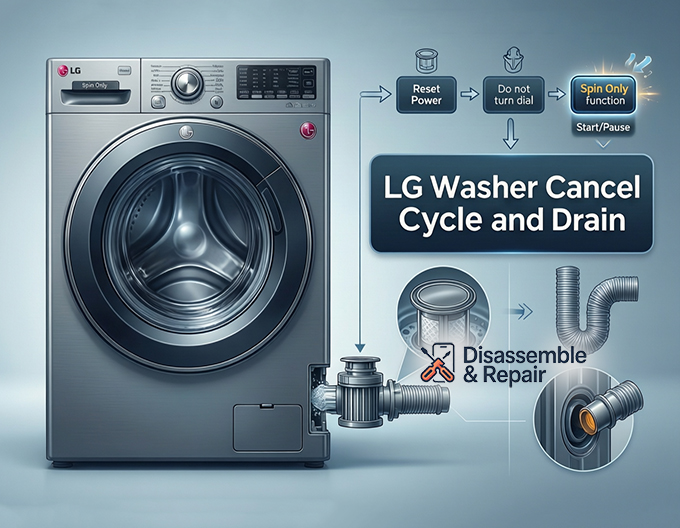
Method 1: The “Spin Only” Trick (Front-Load Models)
Most modern LG front-loaders have a hidden function to drain water immediately.
- Reset the Power: Press the Power button to turn the washer off. Wait three seconds, then press the Power button again to turn it back on.
- Skip the Dial: Do not turn the Cycle selector dial. Touching the dial will default the machine to a standard wash program.
- Select Spin Only: Locate the “Spin” button on the control panel. Press and hold it for roughly 3 seconds. On some models, you may just need to press it once repeatedly until the “Spin” light illuminates.
- Adjust Speed: Toggle the spin speed to “No Spin” (if you only want to drain) or “Low” if you want to extract some water from the clothes.
- Execute: Press the Start/Pause button. The machine will engage the drain pump to remove standing water, followed by a brief spin if selected.
Method 2: Draining a Top-Load Washer
Top-loading models may have a slightly different interface but follow a similar logic.
- Power Cycle: Press the Power button to reset the unit.
- Activate Drain Mode: Look for a button labeled “Spin,” “Special Use,” or “Drain + Spin.”
- Select the Function: Press the button until the “Spin Only” option is highlighted. Ensure no other wash or rinse lights are active.
- Start the Process: Press the Start/Pause button. The lid lock will engage, and the washer should begin draining immediately.
Troubleshooting the OE Error Code
If the electronic “Cancel cycle and drain” method fails and the washer remains full of water, you are likely dealing with an OE error code. This code signifies that the drain pump is trying to work but cannot push water out.
- Check the Filter: On front-load units, the drain pump filter is located behind a small access door at the bottom front of the machine. Clogs here are the #1 cause of draining issues.
- Inspect the Hose: Ensure the drain hose is not bent, crushed, or frozen. A kinked hose physically prevents water from leaving the drum.
- Pump Failure: If the washer hums but water doesn’t move, the pump impeller might be broken or jammed with debris like coins or buttons.
Manually Draining Your Washer (Emergency Method)
If the Start/Pause button and “Spin Only” cycles are unresponsive, you must manually drain the water. This is critical if you need to open the door to retrieve clothes or service the pump.
Read more LG washing machine rusting
Safety Precautions
Before attempting a manual drain, unplug the washing machine to cut all electrical power. Touch the glass door or lid to check the temperature; if the water is hot, wait for it to cool down to avoid scalding burns. Prepare several large, shallow towels and a low-profile bucket or baking pan.
Read more LG washing machine BE error
Draining a Front-Load Washer
- Locate the Access Panel: Open the small door at the bottom left or right corner of the washer.
- Use the Drain Tube: You will see a small rubber hose (often black) next to the filter cap. Pull this small hose out gently.
- Drain: Remove the plug from the end of the small hose and let the water flow into your shallow pan. You will need to plug it, empty the pan, and repeat this process multiple times until the flow stops.
- Open the Filter: Only after the water stops flowing from the small hose should you unscrew the large drain filter cap. If you open the filter first while the drum is full, water will gush out uncontrollably.
Draining a Top-Load Washer
Top-load washers typically do not have a front-accessible drain filter, making manual draining more labor-intensive.
Read more LG washing machine E7 error
- Bail Out Water: Open the lid and use a pitcher or bucket to scoop out as much water as possible from the drum.
- Gravity Siphon: Pull the main drain hose from the standpipe on your wall. Lower the end of the hose into a sturdy bucket resting on the floor. Gravity should force the remaining water to flow out of the machine and into the bucket.
Unlocking the Door
LG washers feature a safety lock that engages when the water level is high. You cannot force the door open without risking damage to the latch or flooding your floor. Once you have successfully performed the LG washer Cancel cycle and drain—either electronically or manually—the water level sensor will reset.
- Wait 2–3 minutes after the drum is empty.
- If the door remains locked, unplug the washer for 5 minutes to reset the thermal lock mechanism.
By following these steps, you can safely manage interruptions in your laundry routine and resolve drainage issues without calling a technician. Whether using the “Spin Only” cycle for a quick fix or the emergency drain hose for a stubborn clog, you remain in control of your appliance.
Read more LG washer shaking violently during spin
Frequently Asked Questions
Why should I use “Spin Only” instead of the “Rinse + Spin” cycle to drain my washer?
The standard “Rinse + Spin” cycle is designed to add more water to the drum before it begins draining. If you need to empty the machine quickly or address an error, this is inefficient. Using the “Spin Only” function bypasses the water-adding phase and engages the drain pump immediately.
What does the OE error code on my LG washer mean?
The OE error code indicates that the washing machine is unable to drain water. This is commonly caused by a clogged drain pump filter, a kinked or frozen drain hose, or a malfunction within the drain pump itself. If you see this code, you may need to manually drain the machine before you can inspect the filter or hose.
How do I unlock the door if the washer is full of water?
LG washers have a safety mechanism that keeps the door locked when high water levels are detected. To unlock the door, you must first remove the water using the “Spin Only” setting or the manual drain procedure. Once the drum is empty, the sensor should reset, and the door will unlock within 2–3 minutes. If it remains stuck, unplugging the unit for 5 minutes can often reset the lock.
How do I manually drain a front-load LG washer without making a mess?
To drain the unit safely, open the access panel at the bottom front of the washer and locate the small rubber drain tube next to the large filter cap. Pull the tube out, remove the plug, and let the water flow into a shallow pan. Empty the pan as needed and repeat until the water stops. Only unscrew the large filter cap once the tube has finished draining, otherwise, water will gush out of the machine.
What is the best way to drain a top-load LG washer in an emergency?
Since top-load models usually lack a front access filter, you should first scoop out as much water as possible using a bucket. Then, pull the main drain hose from the wall standpipe and lower it into a bucket on the floor. Gravity will pull the remaining water out of the machine through the hose.


