

Finding your LG washer locked and won’t turn on can be a stressful start to laundry day, leaving your clothes trapped and your schedule disrupted. This common issue often stems from safety features like the Child Lock or electrical glitches that freeze the Control Panel, but it can also indicate a hardware failure.
This comprehensive guide will walk you through the most effective troubleshooting steps for your Front Load Washing Machine or top loader. We will cover everything from simple error codes to checking internal components like the Door Latch Assembly.
Why is My LG Washer Locked and Won’t Turn On?
When you encounter the problem of an LG washer locked and won’t turn on, it is crucial to distinguish between two specific scenarios:
- The washer has power (lights are on) but the door is locked, and the machine refuses to start a cycle.
- The washer has NO power (screen is black) and the door remains locked shut with clothes inside.
The solution depends entirely on which symptom your machine is exhibiting. Below, we break down the fixes for both situations.
Read more LG washing machine SE error
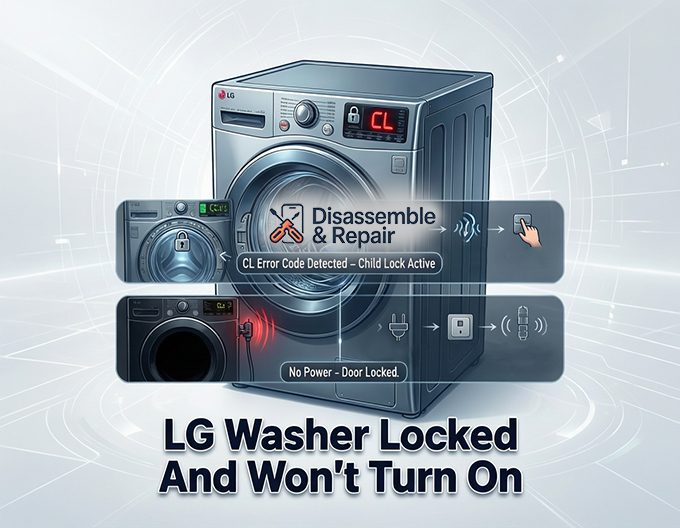
Scenario 1: Washer Has Power But Won’t Start (Door Locked)
If your display is illuminated but the machine is unresponsive, a safety feature or a sensor error is likely the culprit.
Read more LG washing machine UE error
1. Check for the CL Error Code (Child Lock)
The most frequent reason an LG washer seems “dead” while powered on is the Child Lock. This safety feature disables the Control Panel to prevent accidental changes, often displaying a “CL” code on the screen.
Read more LG washing machine E4 error
- The Fix: Look for a lock icon on your dashboard, usually connecting two buttons (such as “Rinse + Spin” or “PreWash + Delay Wash”). Press and hold these two buttons simultaneously for 3 to 5 seconds. You should hear a chime, and the lock icon will disappear.
2. Inspect the Door Latch Assembly
Your machine will not start if the Door Latch Assembly cannot confirm that the door is securely closed. If the plastic hook is broken or the electronic sensor inside the latch fails, the washer will remain locked as a safety precaution but will not initiate a wash cycle.
- The Test: Close the door firmly. If you do not hear the characteristic “click” or if the “Door Locked” light flashes rapidly without starting, the Door Lock Switch may be defective and require replacement.
3. Perform a Hard Reset
Sometimes the main Control Board experiences a software glitch that freezes the system in a locked state. A Hard Reset can clear these temporary memory errors.
How to Hard Reset an LG Washer:
- Unplug the washer from the wall outlet.
- Press and hold the Power / Start button for at least 5 to 10 seconds. This discharges residual static electricity from the capacitors.
- Plug the washer back in and attempt to turn it on.
Scenario 2: Washer Has No Power and Door is Locked
If the screen is completely black and the door is stuck locked, the issue is likely electrical. The door lock on many front loaders requires power to unlock, meaning a power failure traps your laundry inside.
1. Power Supply and Circuit Breaker
Before dismantling the machine, ensure it is receiving electricity.
- Check the Outlet: Plug a small appliance (like a hairdryer) into the same outlet to test for power.
- Check the Circuit Breaker: Go to your home’s electrical panel. A washer can trip the Circuit Breaker if the motor struggles or if there is a short. Flip the breaker off and back on to reset it.
2. Thermal Fuse and Noise Filter
If the outlet works but the washer is dead, an internal safety component may have blown.
- Noise Filter: Located just inside the machine where the power cord enters, this part protects the washer from power surges. If it blows, power cannot reach the main board.
- Thermal Fuse: While more common in dryers, some washer motors and control setups utilize a Thermal Fuse or thermal protector to cut power if the machine overheats. If this fuse blows, it creates an open circuit, and the machine will not turn on.
3. Control Board Failure
The main Control Board is the brain of your appliance. If there are burn marks on the board or if it fails to send voltage to the user interface, the washer will appear completely dead. This is a more expensive repair that often requires a professional technician.
How to Manually Open a Locked LG Washer
If your power is out and you need to rescue your wet laundry immediately, you can manually unlock most LG front loaders.
Steps to Manually Unlock:
- Unplug the Machine: Safety first. Ensure the Power Supply is disconnected.
- Locate the Drain Filter Access Panel: This is a small door usually located at the bottom front corner of the machine.
- Drain the Water: Use the small black rubber hose next to the Drain Filter to drain excess water into a shallow pan. The door will often remain locked if the pressure sensor detects water inside the drum.
- Pull the Emergency Release: Look for a small plastic strap or lever (often red or white) inside this compartment. Pulling this lever manually disengages the Door Latch Assembly, allowing you to open the door.
Maintenance Tips to Prevent Lockouts
- Clean the Drain Filter: A clogged Drain Filter can prevent the washer from draining fully. If the machine thinks there is still water in the drum, it will keep the door locked to prevent flooding. Clean this filter once a month.
- Gentle Door Closing: Slamming the door can damage the Door Lock Switch. Close it gently until it clicks.
- Use Surge Protectors: Protect the sensitive Control Board from voltage spikes that can cause sudden shutdowns.
Conclusion
Dealing with an LG washer locked and won’t turn on can usually be resolved by checking the Child Lock status or performing a Hard Reset. However, if the machine is completely unresponsive and the door is stuck, you may be facing a power issue involving the Circuit Breaker or internal fuses. By systematically checking these entities, you can often identify whether you need a simple reset or a replacement part like a new Door Latch Assembly. If the problem points to the main motherboard or electrical wiring, consulting a certified repair technician is recommended to ensure your safety.
Frequently Asked Questions
How do I turn off the Child Lock if my LG washer is unresponsive?
If your washer displays a “CL” code and the buttons won’t work, the Child Lock is active. To disable it, locate the two buttons on your control panel connected by a lock icon (common combinations include “Rinse + Spin” or “PreWash + Delay Wash”). Press and hold these two buttons simultaneously for 3 to 5 seconds. You will hear a chime indicating the panel is unlocked.
What is the best way to reset an LG washer that is frozen or locked?
You can perform a hard reset by unplugging the washer from the power outlet. While it is unplugged, press and hold the Power/Start button for approximately 5 to 10 seconds to discharge any remaining static electricity. Plug the unit back in, and the control board should be cleared of any temporary software glitches.
How can I get my clothes out if the washer has no power and the door is locked?
To manually open the door, locate the small access panel at the bottom front of your washer. Open the panel and use the small black hose to drain any trapped water into a pan. Once the water is drained, look for a small plastic strap or lever (usually red or white) and pull it. This will manually disengage the door latch assembly so you can retrieve your laundry.
Why does my LG washer stay locked even after the cycle is over?
A common reason for a persistent lock is a clogged drain filter. If the machine’s sensors detect that water has not fully drained from the drum, it will keep the door locked as a safety precaution to prevent flooding. Cleaning your drain filter once a month can help prevent this issue and ensure the door releases properly at the end of a wash.
Read more LG washing machine error code list


