

If you have noticed your LG washer water not covering clothes during a cycle, it can be an alarming sight, especially if you are used to traditional deep-fill machines. While seeing dry spots on laundry mid-cycle is often a normal characteristic of modern High-Efficiency (HE) technology, it can sometimes indicate a sensor malfunction or a clogged component that requires attention.
This guide will explain the mechanics behind water levels in LG top-loaders and provide actionable steps to increase water usage or repair faulty parts.
The “High-Efficiency” Reality: Feature or Bug?
Before tearing apart your machine, it is vital to understand that an HE washer operates differently than older models. Traditional washers filled the drum completely to float clothes. In contrast, LG HE washers use a wash plate or impeller to rub clothes against each other with minimal water.
- Fabric Saturation: The goal of an HE machine is fabric saturation, not submersion. The machine relies on the friction of damp clothes rubbing together to clean, rather than agitating them in a deep pool of water.
- Load Sensing: At the start of a cycle, the washer spins the drum dry. This is the sensing cycle. The main control board measures the resistance on the motor to determine the weight of the laundry. It then calculates the precise amount of water needed to dampen the load without wasting resources.
Verdict: If your clothes come out clean and smell fresh, the low water level is likely a design feature. If clothes have dry spots, soap residue, or odors after washing, you have a problem.
Read more lg washing machine not filling with water
Settings to Force More Water
If the machine is working as designed but you simply want more water, LG provides specific overrides. You do not need to accept the default eco-friendly levels.
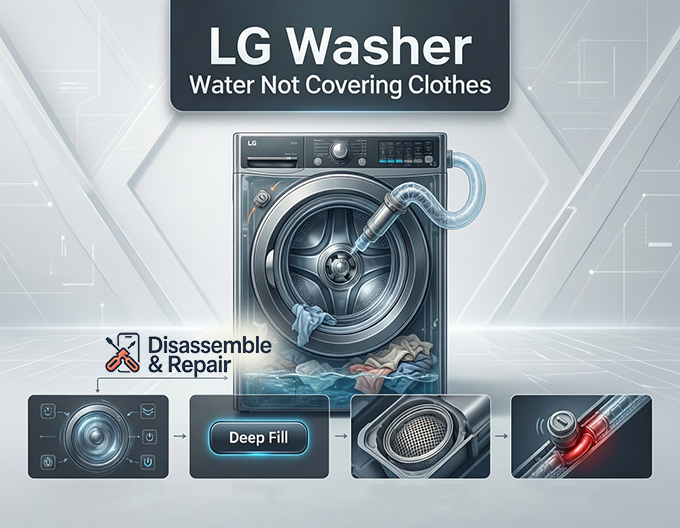
The “Deep Fill” and “Water Plus” Options
Most modern LG panels include a Deep Fill cycle or a Water Plus modifier.
- Deep Fill: Pressing this button once usually adds a specific amount of extra water (e.g., 3 gallons). Holding it down for 3 seconds (on some models) can trigger a “Max Fill” mode that fills the tub near capacity.
- Bedding / Bulky Cycle: If your model lacks a dedicated Deep Fill button, switch your cycle to “Bedding.” The software for this cycle commands the water inlet valve to stay open longer because the system assumes you are washing absorbent comforters that require high water volume.
The “Wet Towel” Trick
A common workaround to “trick” the load sensing system is to wet the clothes before starting the cycle. Since the sensor determines water level based on weight:
- Soak your clothes or throw in a heavy, wet towel.
- Start the cycle.
- The heavier load will register as a “large load” to the sensor, prompting the machine to add more water than it would for a dry pile.
Troubleshooting Why LG Washer Water Not Covering Clothes
If you are using deep fill settings and the water level is still barely wetting the bottom of the drum, you likely have a hardware failure.
Check the Water Inlet Valve
The water inlet valve is the gatekeeper that connects your house’s water supply to the washer.
- Symptoms: The washer fills very slowly, makes a buzzing noise but no water enters, or stops filling prematurely.
- The Fix:
- Turn off the water supply and unscrew the hoses from the back of the washer.
- Check the small mesh filter screens inside the valve ports. If they are clogged with sediment, the water flow will be restricted, causing the machine to “time out” and stop filling before the clothes are covered.
- Clean the screens carefully. If the screens are clear but water still does not flow, the solenoid on the valve may have failed and the valve assembly needs replacement.
Inspect the Pressure Switch (Water Level Sensor)
The pressure switch (or water level sensor) tells the control board how much water is currently in the tub. It works by measuring air pressure in a small tube connected to the drum.
- The Problem: If the tube is clogged with “gunk” or the switch is electrically faulty, it may send a “Full” signal to the control board even when the tub is nearly empty.
- The Test:
- Access the pressure switch (usually under the top console).
- Check the clear plastic air tube connecting the switch to the tub. Ensure it is not kinked or punctured.
- Disconnect the tube and blow through it to clear any blockage.
- If the tube is clear, the switch itself may need to be tested for continuity with a multimeter or replaced.
Evaluating the Control Board
The main control board is the brain of the operation. If it fails to interpret data from the pressure switch or send voltage to the inlet valves, the fill cycle will be erratic. This is the most expensive repair and should only be considered after the inlet valves and pressure switch have been ruled out.
Proper Loading Techniques
Improper loading can confuse the load sensing logic.
- Don’t Block the Center: Even if your washer uses a low-profile impeller instead of a tall agitator, you must leave the center of the drum visible (like a donut). piling clothes directly over the center sensor prevents the washer from accurately weighing the load.
- Loose Loading: Do not pack clothes down. If clothes are compressed, the water cannot penetrate the fabric bundle, leading to poor fabric saturation.
Summary Checklist
If you are frustrated by your LG washer water not covering clothes, follow this order of operations:
Read more LG washing machine E7 error
- Confirm: Is it actually cleaning poorly, or does it just look dry?
- Adjust: Use “Deep Fill,” “Water Plus,” or the “Bedding” cycle.
- Inspect: Clean the inlet valve filter screens.
- Repair: Test the pressure switch and air tube for blockages.
Frequently Asked Questions
Is it normal for my LG washer to have a very low water level?
Yes, it is often normal. Modern LG washers are High-Efficiency (HE) machines designed for fabric saturation rather than total submersion. Instead of filling the drum with water to float the clothes, these machines use an impeller to rub damp fabrics together. If your clothes are coming out clean and odor-free, the low water level is a design feature intended to save resources.
How can I force my LG washer to use more water?
You can increase the water level by selecting the “Deep Fill” or “Water Plus” options on your control panel. If your specific model does not have these buttons, switching to the “Bedding” or “Bulky” cycle will trigger the machine to use a higher volume of water. Additionally, you can “trick” the load sensor by wetting a few items or adding a heavy wet towel to the drum before starting the cycle, which makes the machine think the load is heavier than it is.
What should I check if my clothes have dry spots after a wash?
Dry spots usually indicate the water isn’t penetrating the load correctly. First, ensure you are loading the machine properly by leaving the center of the drum clear and not packing clothes down. If loading isn’t the issue, check the mesh filter screens in the water inlet valves at the back of the machine. Clogged screens can restrict water flow, causing the machine to stop filling before the clothes are adequately saturated.
Read more LG washer Cancel cycle and drain
Could a mechanical part be causing my low water levels?
If settings and loading techniques don’t help, you may have a faulty pressure switch or a clogged air tube. The pressure switch tells the washer when it has reached the correct water level. If the clear plastic tube connected to the switch is blocked with residue or “gunk,” it may send a false “full” signal to the control board, causing the machine to stop filling prematurely.
Why does my washer spin the drum without water at the start of the cycle?
This is the “sensing cycle.” The washer spins the dry load to measure the resistance on the motor, which allows the control board to calculate the weight of the laundry. Based on this weight, the machine determines exactly how much water is required to clean the load efficiently. Filling only begins once this sensing phase is complete.
Read more LG washing machine LE error


