

The LG washing machine BE error is a specific fault code that typically indicates a malfunction with the appliance’s load sensing system. While often associated with the classic “Ball Sensor” in older models, this error highlights a critical failure in how your washer detects unbalanced loads or motor stress.
Addressing the LG washing machine BE error requires checking specific components like the load sensors, leveling mechanisms, and motor assembly to restore proper function.
Understanding the BE Error Code
In technical terms, the “bE” code stands for Ball Sensor Error. On older LG front-load washers, a physical sensor (the ball sensor) was mounted on the back of the tub to detect excessive movement or vibration. If the tub hits this sensor repeatedly or if the sensor itself is defective, the machine triggers the BE error to prevent damage.
However, modern washing machines have evolved. Newer models use advanced electronic components like the Hall sensor (rotor position sensor) and a Vibration sensor to perform the same duty. Consequently, if you see a BE error (or its modern cousins like UE or LE), it points to a failure in this “unbalance detection” ecosystem.
Common Causes of the Error
Several factors can trip this sensor system, ranging from user habits to hardware failure.
- Defective Ball Sensor: In older units, the sensor itself may be bent, disconnected, or broken.
- Unbalanced Load: Washing a single heavy item (like a wet blanket) or a clump of clothes can cause the tub to oscillate violently, tripping the sensor.
- Excessive Suds: Using non-HE detergent can create a “cushion” of suds between the drum and the outer tub. This creates drag on the motor, confusing the Control board and triggering an error.
- Faulty Hall Sensor: On the Motor assembly, the Hall sensor monitors the speed and direction of the Rotor. If this sensor fails, the machine cannot determine if the load is balanced.
- Leveling Issues: If the Leveling legs are not adjusted correctly, the entire machine will rock during the spin cycle, mechanically triggering the vibration sensors.
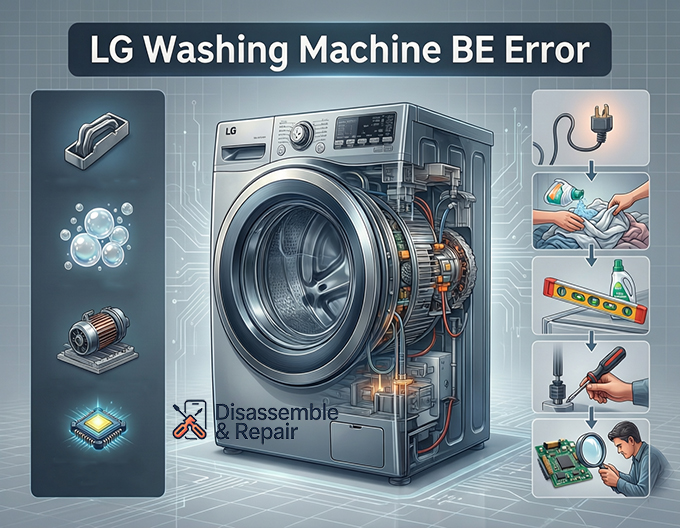
Step-by-Step Troubleshooting Guide
Follow these steps to diagnose and fix the issue.
1. Reset and Redistribute
Before opening the machine, perform a simple reset.
- Power off the washer and unplug it for 5 minutes.
- Open the door and manually redistribute the laundry. Ensure that heavy items are not clumped together.
- Restart a spin cycle. If the load was simply unbalanced, this may clear the LG washing machine BE error immediately.
2. Check for Suds and Detergent Type
A common false positive for motor errors is “oversudsing.”
- Verify you are using HE detergent (High Efficiency) specifically made for a Front-load washer.
- If you see visible bubbles remaining in the drum, run a “Rinse + Spin” cycle with no detergent to flush the system. Excess soap creates resistance that the motor sensors interpret as a mechanical fault.
3. Verify Machine Leveling
Physical instability is the leading cause of sensor trips.
- Place a spirit level on top of the washer.
- Adjust the Leveling legs at the bottom of the unit until the bubble is perfectly centered.
- Press down on opposite corners of the machine; there should be zero wobble. Solid footing prevents the tub from hitting the internal vibration sensors.
4. Inspect the Ball Sensor (Older Models)
If you have an older model (pre-2010), the physical ball sensor is likely the culprit.
- Access: Remove the rear access panel of the washer.
- Locate: Look for a small plastic box or arm mounted on the rear casing, often near the bottom.
- Fix: Ensure the metal bracket holding it is not bent inward. If the tub strikes this sensor too easily, gently bend the bracket back to give the tub more clearance. If the sensor is loose, tighten it or use a zip tie to secure it away from the tub wall (as a temporary bypass).
5. Inspect the Hall Sensor and Motor (Newer Models)
If your machine is newer and lacks a physical ball sensor, the “bE” or related symptoms likely point to the Hall sensor on the motor.
- Access: Unplug the washer and remove the rear panel.
- Remove Rotor: You will see the large Motor assembly. Remove the center bolt to take off the Rotor (the large metal flywheel).
- Check Stator: Behind the rotor is the stator (coil windings). The Hall sensor is a small white or plastic clip attached to the bottom of the stator.
- Test/Replace: Check for loose wires connecting to the Hall sensor. If the wiring is intact, the sensor itself may be defective and require replacement. A faulty Hall sensor sends erratic speed data to the Control board, causing the machine to halt for safety.
6. Examine the Vibration Sensor
Some modern units have a dedicated Vibration sensor mounted directly on the tub or the cabinet frame.
Read more LG washing machine SE error
- Check the wiring harness connected to this sensor. Vibration during the spin cycle can cause plugs to rattle loose.
- Ensure the sensor is securely screwed down. A loose sensor will vibrate independently of the tub, sending false “danger” signals to the main computer.
Summary
The LG washing machine BE error serves as a guardian for your appliance, stopping the spin cycle before violent vibrations cause permanent damage. By ensuring you use the correct HE detergent, keeping your machine level, and inspecting the Hall sensor or Ball sensor for physical faults, you can resolve this error and return to your laundry routine.
Frequently Asked Questions
What does the BE error code mean on an LG washing machine?
The BE code stands for Ball Sensor Error. It indicates that the washing machine’s load sensing system has detected an issue, such as an unbalanced load, excessive vibration, or a malfunction in the sensors (like the Ball sensor or Hall sensor) that monitor the drum’s movement.
Can using too much soap cause a BE error?
Yes. Using non-HE detergent or excessive amounts of soap creates “oversudsing.” These extra suds create mechanical resistance between the inner drum and outer tub, which the control board may interpret as a motor fault or an unbalance, triggering the error code.
Read more LG washer showing error but no code
How do I perform a hard reset to clear the BE error?
To reset the machine, power it off and unplug it from the wall for at least 5 minutes. During this time, open the door and manually redistribute the clothing to ensure the weight is even. Plug the unit back in and select a “Spin Only” or “Rinse + Spin” cycle to see if the code clears.
What is the difference between a Ball sensor and a Hall sensor?
A Ball sensor is a physical component found on older LG models (usually pre-2010) that triggers when the tub physically strikes it. A Hall sensor (or rotor position sensor) is an electronic component found in modern Direct Drive motors that monitors the speed and direction of the rotor. Both are part of the system that detects if a load is balanced.
Read more LG washer stuck on load sensing
Why does the BE error appear during the spin cycle?
The error often appears during the spin cycle because this is when the machine reaches its highest speeds. If the leveling legs are not properly adjusted or if the laundry is clumped together, the resulting vibration or “thumping” will trip the vibration sensors to prevent the machine from damaging itself.


