

If you see the Lg Washing Machine Cl Error flashing on your display, there is no need to panic about a broken appliance. This code simply indicates that the “Child Lock” safety feature has been activated, preventing accidental changes to the wash cycle.
This guide will explain exactly what this code means, how to disable it on various models, and troubleshooting steps if the standard methods do not work.
Read more How to turn off wifi on LG washer
Understanding the LG washing machine CL error
The “CL” code is not a malfunction indicator like other error codes that signal drainage or motor issues. Instead, it stands for Child Lock (or sometimes Control Lock). This Safety Feature is designed to lock the Control Panel settings so that children or other users cannot accidentally interrupt a cycle or change the wash parameters.
When the Child Lock is active, all buttons on the machine will become unresponsive, with the exception of the Power Button. Even if you turn the machine off and back on, the lock often remains engaged until manually deactivated.
How to disable child lock on front load washers
Disabling the CL code on a Front Load Washer typically involves a specific Button Combination. The exact buttons vary by model series, but the process is generally consistent.
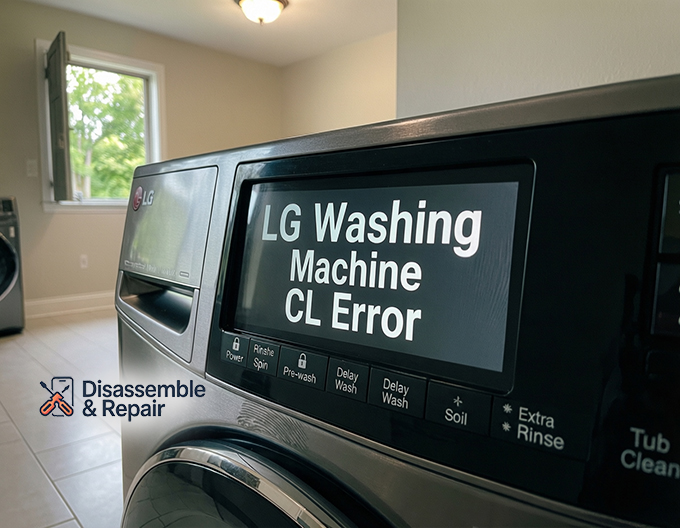
Common button combinations
Look for a lock icon or a face icon printed between or below two buttons on your control panel.
- Rinse + Spin: This is the most frequent combination. Press and hold both buttons simultaneously for 3 to 5 seconds.
- Pre-wash + Delay Wash: On some newer models, this pair controls the lock.
- Temp + Options: Older front loaders often use this combination.
- Dedicated “Child Lock” Button: Some premium models have a specific button labeled “Child Lock” that simply requires a long press.
Once held for the correct duration, the machine will usually chime, and the “CL” error code will disappear from the display, restoring full access to the control panel.
Read more LG washer spinning too fast
How to disable child lock on top load washers
For an LG Top Load Washer, the process is similar but may use different keys.
Standard top load methods
- Soil + Rinse: Look for the lock symbol connecting these two keys.
- Extra Rinse + Delay Wash: In certain top-load models, pressing these two together deactivates the feature.
- Tub Clean: On specific digital control panels, holding the “Tub Clean” button alone for 3 seconds acts as the trigger.
Always inspect your Control Panel closely. LG often prints an asterisk (*) or a small lock icon next to the secondary function of a button to indicate its role in the Child Lock system.
Troubleshooting the CL code
If holding the standard buttons does not clear the Lg Washing Machine Cl Error, follow this Troubleshooting Guide to resolve the issue.
1. Perform a power reset
Sometimes the electronic control board needs a hard reset.
Read more LG washing machine E1 error
- Turn off the washer using the Power Button.
- Unplug the machine from the wall outlet.
- Wait for at least 60 seconds (some technicians recommend 5 minutes).
- Plug the machine back in and turn it on.
- Attempt the button combination again.
2. Check for stuck buttons
Debris, soap residue, or spilled liquid can cause buttons to stick, making the machine think you are not pressing them correctly.
- Gently wipe around the Delay Wash, Extra Rinse, and other function buttons with a damp cloth.
- Press each button individually to ensure they click and retract physically.
3. Consult the user manual
If the common combinations listed above do not work, your specific model might have a unique setup. Refer to your User Manual under the “Settings” or “Safety Features” section. If you have lost the physical manual, you can usually find a digital copy on the LG support website by searching your model number.
Summary of key button functions
- Child Lock: The primary feature causing the “CL” display.
- Delay Wash: Often used in combination with other keys to toggle the lock on newer units.
- Extra Rinse: Frequently paired with the “Spin” or “Delay Wash” button on top loaders.
- Power Button: The only button that remains active while CL is engaged, allowing you to turn the unit off safely.
By identifying the correct button combination for your specific washer, you can easily clear the CL code and resume your laundry routine without calling for service.
Read more LG washer showing error but no code
Frequently asked questions
What does the “CL” code mean on my LG washing machine?
The “CL” code stands for Child Lock (or Control Lock). It is a safety feature, not a malfunction, designed to lock the control panel so that children or other users cannot accidentally change the settings or interrupt a wash cycle.
Is it normal for the CL code to stay on after I turn the power off and on?
Yes. The Child Lock feature is designed to remain active even if the machine is powered down. This ensures that the settings stay protected until you manually deactivate the lock using the correct button combination.
Which buttons should I press to disable the Child Lock?
The specific buttons vary depending on whether you have a front-load or top-load model. The most common combinations are “Rinse + Spin,” “Pre-wash + Delay Wash,” or “Soil + Rinse.” Look for a small lock icon or an asterisk (*) between two buttons on your control panel to identify the correct pair.
Why are my buttons not responding even when I press the correct combination?
If the code won’t clear, ensure you are holding the buttons down simultaneously for at least 3 to 5 seconds. If it still fails, check for soap residue or debris that might be causing a button to stick, or perform a power reset by unplugging the machine for one minute.
Can I still turn my washing machine off while the CL code is active?
Yes. While the Child Lock disables most functions to prevent cycle interference, the Power button remains functional so that you can turn the unit off safely at any time.


