

If you are dealing with an LG washing machine E4 error, you are likely frustrated by a machine that refuses to complete its spin cycle. While this specific code is less common than others, it is frequently associated with load balancing issues or misread displays where the standard “UE” code appears.
This guide will walk you through diagnosing and fixing the underlying causes of this error, ensuring your washer returns to peak performance.
Read more lg washing machine not filling with water
What Does the LG Washing Machine E4 Error Mean?
In the context of LG laundry appliances, an LG washing machine E4 error is often a point of confusion. On LG Stylers (steam closets), E4 indicates a heater or water tank issue. However, for washing machines, users often search for “E4” when they encounter symptoms of an unbalanced load.
In many cases, the digital display might be showing “uE” (small ‘u’, big ‘E’), which can look remarkably like “E4” on certain 7-segment displays. Whether it is a specific model code or a visual misinterpretation, the symptoms are identical: the washer vibrates excessively, makes loud banging noises, or gets stuck during the spin cycle.
The error essentially means the drum balance is off, and the machine’s vibration sensor has stopped the cycle to prevent damage.
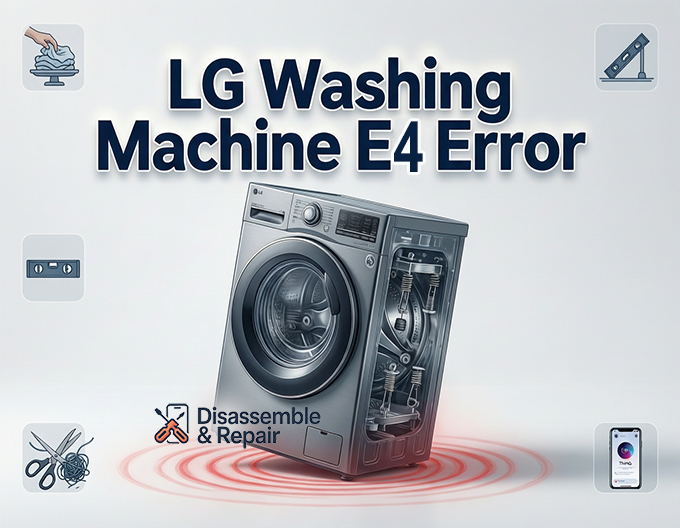
Common Causes of Balance Errors
Understanding why your machine is flagging this error is the first step toward a fix. The primary culprits include:
- Poorly Distributed Laundry: A single heavy item, like a wet towel or blanket, stuck on one side of the drum.
- Improper Leveling: If the washer is not sitting flat on the floor, it cannot balance the drum at high speeds.
- Mechanical Wear: Worn-out shock absorbers or suspension springs in older machines.
- Mixed Loads: Washing heavy fabrics (jeans) with light fabrics (t-shirts), causing uneven water absorption and weight distribution.
Step-by-Step Troubleshooting Guide
Follow these steps to clear the error and finish your laundry.
1. Redistribute the Laundry manually
The most common fix is also the simplest. When the LG washing machine E4 error or UE code appears, the machine will often try to agitate the load to fix it automatically. If it fails, it will pause.
- Open the door (you may need to wait for the door lock to release).
- Manually redistribute laundry inside the drum. Untangle items that have knotted together.
- If you are washing a single heavy item, add a few smaller towels to counterbalance the weight.
- Close the door and restart the spin cycle.
2. Check the Leveling Feet
For the vibration sensor to work correctly, your machine must be perfectly level.
Read more LG washing machine beeps and won’t start
- Place a spirit level on top of the washer. Check both side-to-side and front-to-back.
- If the bubble is off-center, adjust the leveling feet at the bottom of the unit.
- Turn the feet clockwise to lower or counter-clockwise to raise the corner until the machine is stable.
- Once level, tighten the locking nuts against the base of the washer to secure them.
3. Verify the Load Size
Unbalanced load errors occur in both extremes: overloading and underloading.
- Overloading: Packing clothes too tightly prevents them from moving freely to balance themselves.
- Underloading: A single pair of jeans in a large drum will slap against the sides. Always wash a medium-sized load for the best results.
4. Run the Tub Clean Cycle
Sometimes, the sensors can be thrown off by residue or minor mechanical stiffness. Running a maintenance cycle can help reset the system.
Advanced Troubleshooting: Mechanical Issues
If the error persists despite a balanced load and a level floor, you may be facing a hardware issue. The diagnosis differs slightly between a top load washer and a front load washer.
Inspecting Shock Absorbers (Front Load)
Front-loading washers use shock absorbers attached to the base frame and the outer tub to dampen movement.
- Remove the back or front panel (ensure power is disconnected).
- Inspect the absorbers for fluid leaks or cracks.
- If an absorber is easily compressed with no resistance, it is worn out and needs replacement.
Checking Suspension Springs (Top Load)
Top-loading machines hang the tub from suspension springs or rods.
Read more LG front load washing machine not filling with water
- If the washer tub leans noticeably to one side even when empty, a spring may be detached or stretched.
- Press down on the tub; it should bounce back smoothly. If it bounces like a pogo stick, the suspension rods may need replacing.
Using the LG ThinQ App for Diagnosis
Modern LG appliances are equipped with smart technology to assist in troubleshooting. If you cannot identify the cause of the error manually, use the LG ThinQ app.
- Open the app on your smartphone and connect it to your washer.
- Navigate to the “Smart Diagnosis” feature.
- The app will communicate with your washer (often using sound data or Wi-Fi) to identify the specific fault.
- It will confirm if the issue is indeed an UE error code (unbalance) or if the LG washing machine E4 error indicates a different sensor malfunction specific to your model.
Summary
While the LG washing machine E4 error can be confusing, treating it as a standard balance issue usually resolves the problem. Start by ensuring your laundry is evenly distributed and your machine is level. If the problem continues, inspect the leveling feet, suspension springs, and shock absorbers. By addressing these mechanical factors, you can stop the vibration and get your spin cycle running smoothly again.
Frequently Asked Questions
Why does my LG washing machine display E4 instead of UE?
On many LG 7-segment digital displays, a small “u” followed by a capital “E” (uE) can look very similar to the number “E4.” In the context of LG washers, both typically point to an unbalanced load issue where the drum cannot reach high spin speeds safely.
How do I quickly clear an LG washing machine E4 error?
The fastest solution is to pause the machine and manually redistribute the laundry inside the drum. Ensure that heavy items like blankets aren’t clumped on one side and untangle any knotted clothing. Once the weight is balanced, close the door and resume the spin cycle.
Can washing a single item cause this error?
Yes. Underloading the machine with a single heavy item, such as a large towel or a heavy pair of jeans, often causes balance errors because the weight cannot be distributed evenly around the drum. Adding a few smaller items to the load can provide the necessary counterbalance.
When should I check the leveling feet for an E4 error?
If your washing machine frequently triggers balance errors or vibrates excessively even with normal-sized loads, you should check the leveling feet. If the washer isn’t perfectly flat on the floor, the internal sensors will detect uneven movement and stop the cycle to prevent mechanical damage.
What should I do if the E4 error persists after I balance the load?
If redistributing the clothes doesn’t work, use the LG ThinQ app’s “Smart Diagnosis” feature to check for specific sensor or hardware faults. If the app indicates a mechanical failure, you may need to inspect the shock absorbers (for front loaders) or suspension springs (for top loaders) for signs of wear or damage.


