

When your laundry routine is interrupted by flashing lights and cryptic letters, consulting a reliable Lg Washing Machine Error Code List is the most effective first step toward a solution. This guide provides a detailed Lg Washing Machine Error Code List and expert insights to help you identify, diagnose, and resolve common issues with your appliance. By understanding these codes, you can often avoid expensive service calls and perform necessary maintenance yourself.
Modern appliances are sophisticated pieces of technology, often equipped with Smart Diagnosis features that communicate directly with your smartphone. However, understanding the manual definitions of these codes remains a critical skill for any homeowner. Whether you own a Front Load Washer or a top-loading model, the underlying technology regarding motors, valves, and sensors is remarkably similar.
Understanding the LG Smart Diagnosis System
Before manually dissecting specific error codes, it is important to utilize the technology built into your machine. Most modern LG washers are compatible with the LG ThinQ app. This ecosystem allows users to troubleshoot issues remotely.
If your washer stops mid-cycle, the Smart Diagnosis feature can send data to the LG customer information center or directly to your phone. This often pinpoints whether the issue is a mechanical failure, such as a faulty Drain Pump, or an environmental issue, like a kinked hose. However, if you prefer manual troubleshooting or have an older model, the following comprehensive list is your best resource.
Read more LG washing machine water not stopping
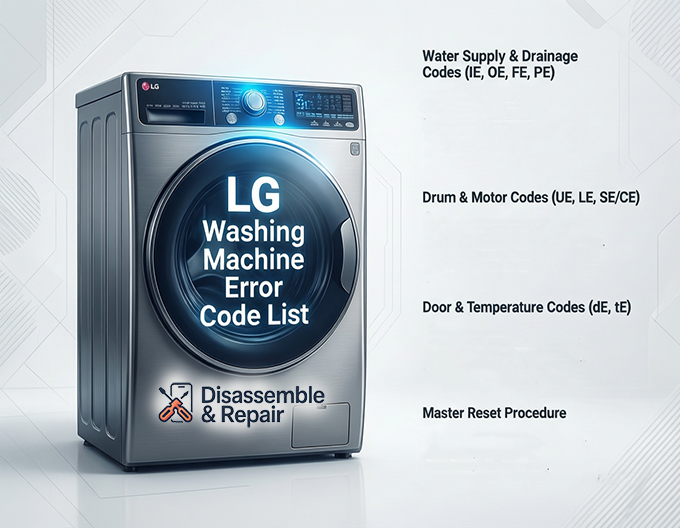
Lg Washing Machine Error Code List and Solutions
This section breaks down the most frequent fault codes. We have categorized them by the system they affect to help you navigate the repair process efficiently.
Water Supply and Drainage Codes (IE, OE, FE, PE)
Water flow is the lifeline of your washer. When the machine cannot fill or drain, it triggers specific safety protocols.
IE (Input Error) – Water Inlet Issues
The IE code indicates that the washer is unable to fill with water within a specified time limit.
Read more How to clean LG washer drum
- Causes: Closed water taps, frozen pipes, kinked inlet hoses, or a clogged mesh filter on the Water Inlet Valve.
- Troubleshooting: Verify that your home’s water supply is turned on. Disconnect the inlet hoses from the back of the machine and clean the mesh filters inside the valve. If the filters are clean and water is flowing, the Water Inlet Valve solenoid may be defective and require replacement.
OE (Output Error) – Drainage Issues
This is perhaps the most common error code. It signifies that the machine cannot drain water.
- Causes: A clogged drain filter, a kinked drain hose, or a malfunctioning Drain Pump.
- Troubleshooting: First, check the drain filter located at the bottom front of the machine (often behind a small door). Debris, coins, or lint often block the flow here. If the filter is clear, inspect the drain hose for kinks. If the machine still hums but does not drain, the Drain Pump motor may have failed.
FE (Fill Error) – Overfilling
The FE code appears when the water level gets too high, triggering the Drain Pump automatically to prevent flooding.
- Causes: A faulty Water Inlet Valve that won’t close or a defective Pressure Switch (sensor).
- Troubleshooting: Turn off the water supply immediately. If water continues to fill the drum even when the machine is off, the valve is mechanically stuck. If it only overfills during a cycle, the pressure sensor system is likely at fault.
PE (Pressure Sensor Error)
This code points directly to the Pressure Switch, which monitors the water level in the tub.
- Causes: Wiring issues connecting to the sensor or a failed sensor unit.
- Troubleshooting: Check the wiring harness connecting to the main Control Board. If the wiring looks intact, the pressure sensor usually needs to be replaced.
Drum and Motor Codes (UE, LE, SE/CE)
These codes relate to the movement of the drum and the motor powering it.
UE / UB (Unbalanced Error) – Load Balance
The UE code indicates an Imbalanced Load. This is rarely a mechanical failure and usually a user error.
- Causes: Washing a single heavy item (like a blanket), or the machine is not level on the floor.
- Troubleshooting: Pause the cycle. Open the door and redistribute the laundry manually. Ensure the machine is level by adjusting the feet. If this happens continuously with small loads, the suspension rods or springs might be worn out.
LE (Locked Motor Error)
The LE code suggests the motor is locked and cannot spin.
- Causes: Heavy overlapping of clothes, a foreign object sticking in the drum, or a failing Hall Sensor on the rotor.
- Troubleshooting: Perform a Reset Procedure (detailed below). If the code returns, check the drum for obstructions. In older models, this often points to a failure in the rotor position sensor.
CE (Current Error)
This indicates an over-current in the motor’s electric circuit.
- Causes: Short circuit in the motor, wiring issues, or a main Control Board failure.
- Troubleshooting: Unplug the machine for 10 minutes to reset the capacitor. If it persists, professional diagnostics on the Control Board are required.
Door and Temperature Codes (dE, tE)
Safety mechanisms prevent the washer from operating if the environment inside or outside the drum is unsafe.
dE / dE1 / dE2 (Door Error)
The machine detects that the door is not locked.
- Causes: Obstructions blocking the door, a misaligned door hinge, or a broken Door Latch assembly.
- Troubleshooting: Push the door firmly to ensure it clicks. Check for clothes trapped between the glass and the gasket. If the physical latch is broken or the sensor inside the Door Latch fails, the assembly must be replaced to allow the cycle to start.
tE (Temperature Error)
This code relates to the heating element or thermistor.
Read more LG washer leaves clothes wet after spin
- Causes: A loose connection or a faulty thermistor (temperature sensor).
- Troubleshooting: This typically requires removing the back panel to check the resistance of the heating sensor. It is a technical repair often best left to professionals.
The Master Reset Procedure
Before stripping down your machine to replace a Drain Pump or Water Inlet Valve, you should always attempt a hard reset. Electronic glitches in the Control Board can sometimes mimic mechanical failures.
How to Perform a Hard Reset:
Read more LG washing machine drum dirty residue
- Turn the washing machine off.
- Unplug the power cord from the outlet.
- Press and hold the Start/Pause button for 5 seconds.
- Press and hold the Power button for 5 seconds.
- Plug the washer back in and turn it on.
- Run a test cycle (Rinse + Spin) to see if the code clears.
This procedure drains residual electricity from the capacitors on the main board, effectively rebooting the system logic.
Front Load Washer Specific Maintenance
Owners of a Front Load Washer face unique challenges that can lead to error codes if not managed. The airtight seal required for front loaders makes them prone to mold and mildew, which can eventually affect sensors.
To prevent sensor errors and mechanical strain:
- Clean the Drain Filter: Do this monthly. A blocked filter is the leading cause of OE errors.
- Tub Clean Cycle: Use the specialized tub clean setting with a cleaning tablet to remove detergent buildup that can confuse the Pressure Switch.
- Door Gasket Care: Wipe down the rubber gasket after every wash. This prevents debris from hardening and damaging the Door Latch alignment.
When to Consult the Owner’s Manual
While this guide covers the most prevalent issues, your Owner’s Manual contains model-specific variations of these codes. For example, some high-end models may have sub-codes for the LG ThinQ system that provide more granular data than the standard two-letter display.
Always keep your manual accessible. If you have lost the physical copy, LG provides digital versions on their support website. The manual is particularly useful for identifying the specific part numbers for a Water Inlet Valve or Control Board compatible with your specific serial number.
Conclusion
Facing an appliance breakdown is stressful, but a clear understanding of the Lg Washing Machine Error Code List empowers you to take control of the situation. Whether the fix is as simple as rebalancing an Imbalanced Load or as involved as replacing a Drain Pump, accurate diagnosis is key.
Start with Smart Diagnosis if available, move to the manual reset, and then inspect the specific components related to the code. By systematically troubleshooting the Door Latch, water valves, and sensors, you can extend the life of your washer and ensure your laundry routine returns to normal with minimal downtime. If a problem persists despite your best efforts, contacting a certified technician to inspect the Control Board or motor assembly is the recommended final step.
Read more LG washing machine SUD error
Frequently Asked Questions
What should I do if my LG washer shows an OE error code?
The OE code indicates a drainage issue. Start by checking the drain filter located behind the small door at the bottom front of your machine; clean out any debris like lint or coins. Next, ensure the drain hose is not kinked or pinched. If the filter and hose are clear but the machine still won’t drain, the drain pump may need to be inspected or replaced.
How do I perform a hard reset on my LG washing machine?
To perform a hard reset, turn off the washer and unplug it from the power outlet. Press and hold the Start/Pause button for 5 seconds, then press and hold the Power button for another 5 seconds. Plug the machine back in and run a “Rinse + Spin” cycle to see if the error code has cleared. This process can often resolve electronic glitches in the control board.
What causes the UE/UB error and how can I fix it?
A UE or UB code means the washer has detected an imbalanced load. This usually happens when washing a single heavy item, like a large comforter, or if the machine is not level. To fix it, pause the cycle and manually redistribute the laundry inside the drum. You should also check the feet of the washer to ensure the appliance is perfectly level on the floor.
How does the LG Smart Diagnosis feature work?
If you have a modern LG washer, you can use the LG ThinQ app on your smartphone to perform a Smart Diagnosis. This feature allows the machine to communicate directly with the app or the LG customer information center to pinpoint specific mechanical or environmental issues. It is a helpful first step before attempting manual repairs or calling a technician.
Why is my washer showing a dE error code?
The dE (Door Error) code signifies that the door is not properly closed or locked. Ensure there are no clothes trapped between the door glass and the rubber gasket. Push the door firmly until you hear it click. If the code persists and the door is clearly shut, the door latch assembly or sensor may be faulty and require replacement.


