Mastering your laundry routine requires a deep understanding of how your appliance interacts with different fabrics and soil levels. Specifically, knowing how to properly configure your Samsung washer temperature settings ensures your clothes come out impeccably clean while preserving their lifespan and texture. While modern washing machines are designed to be user-friendly, the nuances between settings like “Eco-warm” and standard “Warm” can often be confusing for the average consumer.
As a Senior SEO Specialist and appliance expert, I have compiled this detailed guide to help you navigate the control panel of your Samsung washer. We will explore the mechanics behind water temperature, the specific roles of internal heating elements, and how to utilize smart features for maximum energy efficiency and fabric care.
Detailed Breakdown of Samsung Washer Temperature Settings
To achieve optimal wash results, you must move beyond the default settings provided by standard wash cycles. Samsung washers typically offer five distinct temperature levels, each engineered for specific laundry scenarios. Understanding the thermal properties of each setting is crucial for effective stain removal and garment preservation.
Read more Samsung washer mold in detergent dispenser
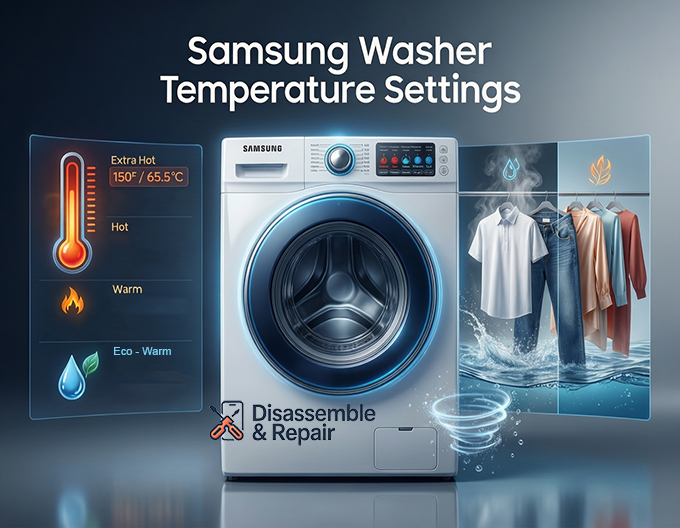
Extra Hot and the Sanitize Cycle
The “Extra Hot” setting is the pinnacle of your washer’s thermal capability. On many Samsung models, this temperature is only achievable when using the Sanitize cycle or specific heavy-duty settings. Because standard residential hot water heaters are typically set to 120°F (49°C), the washer utilizes an internal water heater and a heating element to boost the water temperature significantly, often reaching roughly 150°F (65.5°C) or higher.
This setting is designed for heavily soiled colorfast items, cloth diapers, and bedding. The high heat is essential for killing bacteria and allergens, but it must be used with caution as it can shrink natural fibers and damage delicate elastics.
Hot
The standard “Hot” setting draws water primarily from your home’s hot water connection. However, modern Samsung washers monitor this intake using a thermistor, a sensor that regulates temperature. If the water entering the drum is not hot enough due to pipe distance or water heater settings, the washer may engage the internal heater to maintain the target temperature.
Read more Samsung front load washer smells bad
Hot water is the most effective solvent for oily stains, grease, and heavy soils. It is best suited for whites, cottons, linens, and durable synthetics.
Warm
“Warm” is the most versatile setting on the control panel. It typically mixes hot and cold water to achieve a temperature range between 90°F and 105°F (32°C – 40°C). This range is ideal for permanent press items, jeans, and moderately soiled loads. It provides enough thermal energy to activate detergent enzymes without posing a high risk of fading or shrinking.
Eco-Warm
This is often the most misunderstood setting on a Samsung washer. Eco-warm is designed to comply with strict energy efficiency standards. While it is labeled as “warm,” the water temperature is deliberately kept lower than the standard warm setting—usually around 75°F to 85°F (24°C – 29°C).
The logic behind Eco-warm is to provide a temperature slightly higher than cold to help dissolve detergents, but cool enough to significantly reduce the energy required for heating. It is an excellent choice for casual loads where energy conservation is a priority, but it may not be sufficient for dissolving powder detergents in colder climates.
Cool and Cold
The “Cool” and “Cold” settings rely almost exclusively on the cold water inlet. A true Cold wash is the gentlest option for fabric care, preventing shrinking, bleeding of dyes, and setting of protein-based stains (like blood or sweat).
Tap Cold
Some models feature a “Tap Cold” setting. Unlike the standard Cold setting, which might add a small amount of hot water to ensure the temperature doesn’t drop below a certain threshold (e.g., 60°F) in freezing winter climates, Tap Cold uses strictly whatever flows from your cold water pipe. This is the most energy-efficient setting available but relies entirely on the chemical action of the detergent rather than thermal energy.
The Science of Fabric Care and Stain Removal
Selecting the correct water temperature is not just about preference; it is a matter of chemistry. Laundry detergents contain enzymes and surfactants that react differently depending on thermal conditions.
Read more Samsung washer clothes don’t smell clean
Protecting Delicate Fibers
High temperatures cause fibers to expand. While this releases dirt, it also relaxes the tension in the weave, leading to shrinkage in wool and cotton or warping in synthetics. By utilizing the Samsung washer temperature settings correctly, you can mitigate this damage. For example, using a Cold setting for bright colors prevents the dye from leaching out, keeping your garments looking newer for longer.
Targeting Specific Stains
- Protein Stains: Blood, dairy, and egg stains should always be washed in cold water. Hot water will “cook” the protein into the fiber, making the stain permanent.
- Oil and Grease: Fats solidify in cold water. To remove oily residues, you need the Hot or Extra Hot settings to liquefy the grease so the surfactants can lift it away.
- Synthetic Stains: Man-made stains like ink or makeup often respond best to Warm water, which strikes a balance between chemical activation and fiber protection.
Mechanics: The Internal Heater and Thermistor
The reliability of your wash depends on the machine’s ability to regulate heat. Samsung washers are equipped with advanced sensors and heating components that differentiate them from older, analog machines.
The Role of the Thermistor
The thermistor is a resistor that changes its resistance based on temperature. It acts as the brain of the temperature control system. Throughout the wash cycle, the thermistor continuously monitors the water temperature inside the drum. If the temperature drops below the threshold for the selected cycle—perhaps due to a cold drum shell or cold clothes—the thermistor signals the main PCB (Printed Circuit Board) to engage the heating element or adjust the water inlet valves.
Read more How to clean drain pump on Samsung Washer
The Internal Water Heater
Found primarily in front-load models and high-end top-loaders, the internal water heater allows the machine to achieve temperatures higher than your domestic water supply. This is critical for the Sanitize cycle and the “Steam” function. Without this component, the machine would be limited to the maximum temperature of your home’s water heater, which decreases as it travels through pipes.
Optimizing Energy Efficiency with Smart Features
In the modern era of smart appliances, efficiency is a key performance metric. Samsung has integrated several technologies to minimize the ecological footprint of your laundry routine without sacrificing performance.
SmartThings App Integration
Samsung’s SmartThings app transforms how you interact with your washer. By connecting your appliance to Wi-Fi, you gain access to the “Laundry Recipe” feature. You simply input the types of fabric, the color, and the soil level into the app, and it recommends the optimal cycle and temperature combination.
This eliminates the guesswork and prevents energy waste. For instance, if you select a load of “Normal” soil and “Delicate” fabric, the SmartThings app will automatically suggest a cycle that utilizes a cold or eco-warm setting, preventing you from accidentally using an energy-intensive Hot wash on clothes that don’t require it.
The Economics of Cold Wash
Heating water accounts for approximately 90% of the energy used during a wash cycle. By shifting from Hot to Eco-warm or Cold wash, you can significantly reduce your utility bills. Samsung’s specific drum mechanics, such as the “Ecobubble” feature on select models, froth the detergent with air and water before the cycle begins. This allows the detergent to penetrate fabrics rapidly even in cold water, ensuring a deep clean without the thermal cost.
Troubleshooting Temperature Issues
If you find that your Samsung washer temperature settings are not performing as expected—for example, the water is cold when set to Hot—there are several troubleshooting steps you can take before calling a technician.
- Check Inlet Hoses: Ensure that the hot and cold water hoses are connected to the correct corresponding valves on the back of the washer. A crossed connection is a common installation error.
- Inspect Inlet Filters: The mesh filters inside the water inlet valves can become clogged with sediment. If the hot water flow is restricted, the machine may default to cold water to fill the drum in time, regardless of your setting.
- Calibrate the Machine: New Samsung washers often run a calibration mode upon installation to weigh the drum and check motor resistance. However, if the water level or temperature seems off, re-running the calibration mode (consult your user manual for the specific button combination) can reset the sensors.
- Error Codes: Watch for codes on the digital display. Codes related to heating sensors (like tE, tE1, or tE2 on some models) indicate a malfunction with the thermistor or the heating element wiring.
Conclusion
Understanding your Samsung washer temperature settings is the bridge between owning a high-tech appliance and actually utilizing its full potential. From the bacteria-killing power of the Sanitize cycle to the energy-saving capabilities of Eco-warm and Cold wash, every setting serves a distinct purpose in fabric care.
By leveraging the precision of the thermistor, the power of the internal water heater, and the intelligence of the SmartThings app, you can ensure that every load of laundry is optimized for cleanliness, efficiency, and garment longevity. Always refer to your garment’s care label first, and then match it to the sophisticated options available on your Samsung control panel for the best results.
Frequently Asked Questions
Why does my “Warm” water setting feel cooler than expected?
Modern high-efficiency Samsung washers use significantly less water than older models, which causes the water to lose heat rapidly as it contacts the cool metal drum and the laundry. Additionally, the “Eco-warm” setting is specifically engineered to be cooler than standard warm settings (usually between 75°F and 85°F) to meet strict energy efficiency standards.
What is the difference between the “Cold” and “Tap Cold” settings?
The “Cold” setting is regulated by the washer’s thermistor; if the incoming water is too cold to dissolve detergent (especially in winter), the machine may add a small amount of hot water to reach a functional threshold. “Tap Cold” bypasses this regulation and uses water exactly as it flows from your home’s cold water pipe, making it the most energy-efficient but least effective for dissolving powder detergents.
Why are some temperature settings locked or unavailable for certain cycles?
The control panel is programmed to protect your garments. For instance, “Delicate” or “Wool” cycles will automatically disable “Hot” and “Extra Hot” settings to prevent fabric shrinkage and damage. Conversely, specialized cycles like “Sanitize” require high thermal energy to kill bacteria, so they will lock the machine into a high-temperature setting and disable cold options.
How does the internal water heater benefit the wash cycle?
While the washer draws water from your home’s hot water tank, that water often loses heat while traveling through pipes. The internal heater boosts the water to much higher temperatures—up to 150°F or more—which is necessary for the Sanitize and Steam cycles. This component allows the machine to achieve a level of cleanliness and allergen removal that a standard domestic water heater cannot provide.