

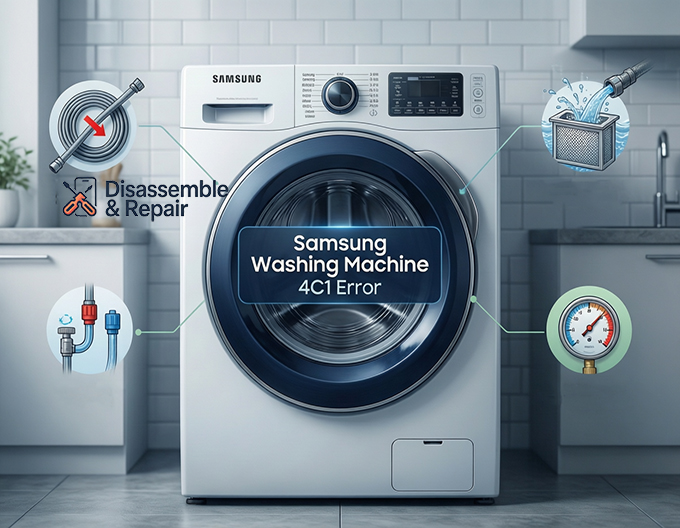
If you see the Samsung washing machine 4C1 error flashing on your display, your appliance is telling you it has a problem with the water supply. This specific code typically appears when the washer cannot fill with water properly, or it detects an issue with the water temperature entering the drum, such as hot water entering the cold inlet.
While this error can halt your laundry day, it is often caused by simple external factors rather than a mechanical failure. In this guide, we will walk you through the professional troubleshooting steps to clear the 4C1 code and get your machine running again.
Understanding the Samsung Washing Machine 4C1 Error
The 4C1 error is part of the “4C” or “4E” family of error codes, all of which relate to the water supply. However, the “1” suffix can sometimes indicate a more specific issue regarding the cold water tap connection or the temperature of the water being supplied.
Read more Samsung washing machine not rinsing
When this error triggers, the washing machine has detected that water is either not entering the drum fast enough or the water entering the machine does not match the cycle’s requirements (e.g., hot water flowing into a cold wash cycle).
Common Causes of the Error
Before taking your machine apart, it is helpful to understand what triggers this alert. The most frequent culprits include:
- Kinked or Blocked Hoses: A water inlet hose that is twisted behind the machine prevents water from flowing freely.
- Clogged Mesh Filter: The small filters inside the water inlet valve often trap sediment and calcium buildup.
- Reversed Water Connections: If the hot water hose is connected to the cold valve (or vice versa), the machine may trigger a 4C1 error to prevent garment damage.
- Low Water Pressure: If your home’s water pressure is unstable or too low, the valve cannot remain open long enough to fill the drum.
- Closed Supply Taps: Sometimes, the cold water tap or hot tap may have been accidentally turned off.
Step-by-Step Troubleshooting Guide
Follow these steps in order to diagnose and fix the issue.
Read more Samsung washer drum not spinning
1. Check the Water Supply Taps and Hoses
The first and easiest check is ensuring your water supply is fully open.
- Locate the taps behind your top loader or front loader machine.
- Turn both the hot and cold water tap counter-clockwise until they are fully open.
- Inspect the length of the water inlet hose. If the machine was pushed back too hard against the wall, the hose might be a kinked hose, restricting water flow. Straighten any bends to ensure a clear path for the water.
2. Verify Hose Connections (Hot vs. Cold)
A unique trigger for the Samsung washing machine 4C1 error is the cross-connection of supply hoses. Samsung washers are sensitive to water temperature.
- Check that the hose connected to the cold water tap (usually blue) leads to the Cold inlet on the back of the washer.
- Check that the Hot hose (usually red) connects to the Hot inlet.
- If these are swapped, the machine may detect hot water when it expects cold, triggering the 4C1 code to protect delicate fabrics from heat damage.
3. Clean the Mesh Filter
Over time, minerals and debris from your pipes can clog the mesh filter located inside the water inlet valve. This is a primary cause of low water flow.
Read more Samsung eco bubble washing machine not starting
- Turn off the water taps and unplug the washing machine.
- Unscrew the water inlet hoses from the back of the machine. Have a towel ready to catch residual water.
- Look inside the intake port on the machine; you will see a small plastic or metal screen.
- Use a pair of needle-nose pliers to gently pull the mesh filter out.
- Rinse the filter under warm running water. Use a soft brush to remove any stubborn debris.
- Reinsert the clean filters, reconnect the hoses securely, and turn the water back on.
4. Check the Detergent Drawer
While less common for the 4C1 specifically, a blockage in the detergent drawer can sometimes restrict water flow into the drum.
- Remove the detergent drawer by pressing the release lever (usually inside the softener compartment).
- Rinse the drawer thoroughly to remove caked-on soap.
- Check the housing slot where the drawer slides in. Ensure the water jets at the top of the compartment are not blocked by mold or detergent residue.
5. Assess Water Pressure
Your Samsung washer requires adequate water pressure to operate the water inlet valve.
- Disconnect the water hose from the machine end and hold it over a bucket.
- Turn on the tap slightly to observe the flow.
- The water should spray out with force, not just a weak trickle. If the flow is weak from the tap itself, the issue lies with your home’s plumbing, not the machine.
Using Samsung Smart Care
If your machine is a newer model equipped with Samsung Smart Care, you can use the Samsung app to diagnose the issue more precisely.
- Open the app on your smartphone and select the Smart Care option.
- Press the Smart Care button on your washing machine (often a combination of buttons like ‘Spin’ + ‘Soil Level’ held for 3 seconds).
- Scan the code displayed on the washer’s screen. The app will confirm if the Samsung washing machine 4C1 error is indeed a supply issue and may offer model-specific advice.
When to Call a Professional
If you have verified that the water taps are open, the hoses are straight and correctly connected, the filters are clean, and the water pressure is good, the fault may lie with the water inlet valve itself. This is an internal electrical component that opens to let water in. If this valve fails electrically, it will not open even if water is available. In this case, professional repair or part replacement is required.
By systematically checking these areas—starting with the water inlet hose and mesh filter—you can resolve the 4C1 error and return to your laundry routine without an expensive service call.
Frequently Asked Questions
What is the difference between the 4C and 4C1 error codes?
While both codes relate to water supply issues, the 4C code is a general alert that the machine isn’t filling properly. The 4C1 code is more specific, often indicating that the machine is detecting hot water entering the drum when it expects cold water, or that there is a specific restriction at the cold water inlet.
Can I fix the 4C1 error myself without a technician?
Yes, in most cases. Most 4C1 errors are caused by external factors such as a kinked water inlet hose, a clogged mesh filter, or a closed water tap. By following the troubleshooting steps like cleaning the filters and straightening the hoses, you can usually clear the code without professional help.
Why does my Samsung washer care if the hot and cold hoses are swapped?
Samsung washing machines are designed to protect your clothing. If the hoses are reversed and hot water enters during a cold-water cycle, it could shrink or damage delicate fabrics. The 4C1 error acts as a safety measure to stop the cycle before the wrong water temperature affects your laundry.
How often should I clean the mesh filters in the water inlet valve?
It is recommended to check and clean the mesh filters at least once or twice a year. However, if you live in an area with hard water or high mineral content, you may need to clean them more frequently to prevent sediment buildup from restricting the water flow and triggering error codes.
What if the error remains after I have cleaned everything and checked the hoses?
If you have verified that the water supply is fully turned on, the hoses are straight and correctly connected, and the filters are clear, the problem may be a mechanical failure of the internal water inlet valve. At this stage, you should contact Samsung support or a professional repair service to replace the faulty valve.


