

Encountering a Samsung washing machine IE error can be a frustrating interruption to your laundry routine, often leaving your clothes soaking wet or the cycle halted before it begins. This error code, which frequently appears on the digital display as “1E” or “IE,” specifically indicates a communication issue regarding the water level sensor, though it is inextricably linked to the machine’s water supply system.
When this error flashes on your Front load washer, it signals that the control module cannot accurately detect the water level inside the drum. While this sounds like a purely electrical issue, the root cause is often a combination of hydraulic and mechanical factors ranging from a faulty Pressure switch to a simple blockage in the Water supply hose. This comprehensive Troubleshooting guide will walk you through the diagnostic process, helping you interpret the Samsung washing machine IE error and resolve it using professional-grade repair strategies.
Understanding the Samsung Washing Machine IE Error
To effectively repair your appliance, it is crucial to understand what the logic board is trying to communicate. In the realm of Samsung appliances, the code displayed as “IE” is technically “1E.” This code represents a Water Level Sensor Error. The washing machine utilizes a Pressure switch (also known as a water level sensor) to monitor how much water is in the drum.
This switch operates via air pressure. As water fills the tub, air is compressed in a small tube connected to the switch. When the pressure reaches a specific threshold, the switch tells the Control board to stop the water flow. If the control board does not receive a signal from the pressure switch, or if the signal is erratic, the machine halts operations for safety and displays the Samsung washing machine IE error.
Read more Samsung washing machine 5C error
However, because the system relies on water entering the machine to create pressure, this error is occasionally confused with an Inlet error (typically code 4E or 4C). Therefore, a holistic approach to troubleshooting requires inspecting both the sensor electronics and the physical water supply components.
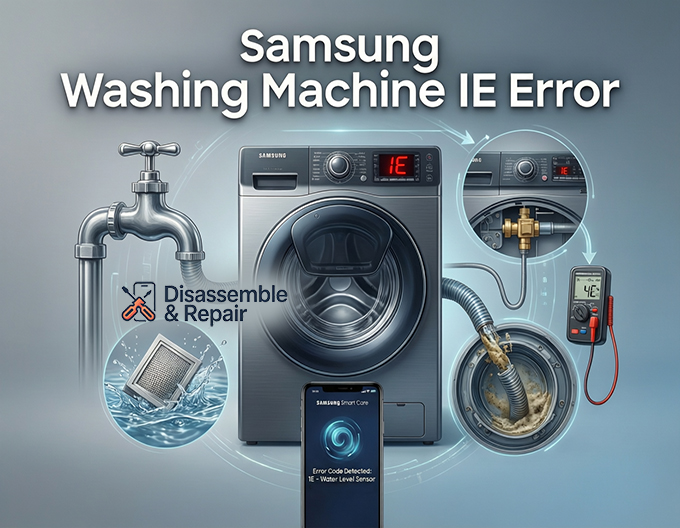
Phase 1: Checking the Water Supply System
Before dismantling the machine to access internal electronics, you must rule out external water supply issues. Even though “IE” points to the sensor, a complete lack of Water pressure can sometimes trigger confusing fault logic.
Read more Samsung washer pump running but not draining
Verify the Water Tap and Hoses
The first step is the simplest: ensure your Water tap is fully open. It is not uncommon for a tap to be accidentally bumped partially closed, reducing the flow rate.
- Turn off the washing machine and unplug it.
- Locate the hot and cold water taps behind the unit.
- Ensure they are turned completely to the “Open” position.
- Inspect the Water supply hose for kinks, crimps, or heavy bends. If the machine has been pushed back too far against the wall, the hose may be pinched, preventing water from reaching the Water inlet valve.
Clean the Mesh Filter
Sediment and mineral deposits are silent killers of washing machine efficiency. Located inside the connection point between the hose and the machine is a Mesh filter designed to catch debris.
- Turn off the water taps.
- Unscrew the water supply hoses from the back of the washing machine. Have a towel ready for minor spills.
- Look inside the threaded inlet port on the machine. You will see a small plastic or metal screen.
- Use a pair of needle-nose pliers to gently pull the Mesh filter out.
- Rinse the filter under running water. If there is stubborn buildup, use a soft brush to clean it.
- Reinstall the filter, reconnect the hoses, and turn on the water.
If the water supply is robust and the filters are clean, but the Samsung washing machine IE error persists, the issue lies internally.
Phase 2: Inspecting the Pressure Switch System
The Pressure switch is the primary suspect for the IE/1E error. On most Samsung front load washers, this component is located under the top panel, usually mounted to the side frame.
Read more Removing detergent suds Samsung washing machine
Accessing the Sensor
- Safety First: Ensure the machine is unplugged.
- Remove the screws securing the top panel (usually located at the back of the unit).
- Slide the top panel back and lift it off.
- Locate the pressure switch. It is typically a round, plastic component with a small rubber hose and a wire harness attached to it.
Checking the Air Tube
The pressure switch relies on a small rubber tube to sense water levels. If this tube is damaged, the sensor cannot function.
- Inspect the tube connecting the bottom of the tub to the pressure switch.
- Look for pinholes, cracks, or loose connections.
- Ensure the tube is not clogged with detergent residue or debris. You can detach the tube from the switch and blow through it towards the tub to ensure it is clear.
Inspecting Wiring and Connections
Vibration from the spin cycle can loosen electrical connections over time.
- Check the wire harness connecting the pressure switch to the main Control board.
- Unplug the connector and inspect the pins for corrosion or oxidation.
- Reconnect the harness firmly.
- Follow the wires back to the control board to ensure there are no breaks or frayed insulation.
Phase 3: The Water Inlet Valve and Solenoids
While the IE error focuses on the level sensor, if you have ruled out the switch and the air tube, you must ensure the Water inlet valve is mechanically sound. The inlet valve assembly contains a Solenoid valve—an electromagnetic switch that opens to let water in.
If the Solenoid valve fails electrically, or if the valve is mechanically stuck in the closed position, the machine may time out and display an error. Conversely, if the valve is stuck open, the machine may overfill, which can also trigger sensor range errors.
Testing the Solenoid Valve:
- With the top panel removed, locate the inlet valves where the hoses connect.
- Use a multimeter to test the resistance of the solenoid coils.
- A functional solenoid should show a resistance reading typically between 1k to 4k Ohms (refer to your specific model’s technical manual).
- If the reading is infinite (Open Line) or zero, the valve is defective and requires replacement.
Phase 4: Advanced Diagnostics and the Control Board
If the pressure switch, air tube, and inlet valves are functioning correctly, the issue may stem from the main Control board (PCB). The board provides the voltage to the pressure switch and interprets the frequency signal sent back.
Resetting the System
Before replacing expensive electronics, perform a hard reset (power cycle):
- Unplug the washer.
- Hold down the Start/Pause button for 10-15 seconds to drain residual power from the capacitors.
- Plug the washer back in and attempt a cycle.
Using the Smart Care App
Modern Samsung washers are equipped with a diagnostic feature accessible via the Smart Care app. This can provide a more specific sub-code or confirmation of the error.
- Download the Samsung Smart Washer/Dryer app on your smartphone.
- Press the Smart Care button on your washer (or the combination of buttons indicated in your manual) until the display shows a spinning sequence or a specific pattern.
- Open the app and scan the code displayed on the washer’s screen.
- The app will analyze the Samsung washing machine IE error and provide a tailored diagnosis, confirming if the issue requires a sensor replacement or a main board repair.
If the diagnosis points to the Main PCB, inspect the board visually for burn marks, swollen capacitors, or loose soldering. Replacing the control board is a complex task and usually requires a certified technician or an experienced DIYer.
Maintenance Tips to Prevent Future Errors
Preventing the recurrence of the Samsung washing machine IE error involves regular maintenance of both the water supply and the drum environment.
- Monthly Filter Cleaning: Make it a habit to clean the Mesh filter in the inlet valves every 3 to 6 months, especially if you live in an area with hard water.
- Hose Inspection: Replace your Water supply hose every 5 years. Rubber degrades over time, and debris from deteriorating hoses can clog the inlet screens.
- Use High-Efficiency Detergent: Excess suds can confuse the pressure sensor system. Always use HE detergent in a Front load washer and do not exceed the recommended amount.
- Tub Clean Cycles: Run a tub clean cycle periodically to remove detergent buildup and mold, which can block the pressure switch air tube.
Conclusion
The Samsung washing machine IE error is a clear signal that your appliance has lost its ability to regulate water levels effectively. While the error code specifically targets the Pressure switch, a successful repair often requires a broad look at the Water inlet valve, the Water supply hose, and the integrity of the Control board wiring.
By systematically checking the Water tap flow, cleaning the Mesh filter, and inspecting the pressure sensor’s air tube, most users can resolve this issue without purchasing a new machine. Whether the fault lies in a simple clogged hose or a failed Solenoid valve, this guide provides the roadmap to getting your laundry routine back on track. If the problem persists after these steps, utilizing the Smart Care app or contacting a professional service technician is the recommended final step.
Read more Samsung addwash door leaking
Frequently Asked Questions
What is the difference between an IE error and a 4E error?
While both codes involve the water system, the IE (or 1E) error specifically indicates a communication issue with the Water Level Sensor (pressure switch). A 4E or 4C error is an “Inlet Error,” which usually means the machine is physically not receiving enough water through the supply lines.
Can I fix the Samsung IE error without calling a technician?
Yes, many causes of the IE error are DIY-friendly. You can often resolve the issue by ensuring your water taps are fully open, straightening kinked hoses, or cleaning the small mesh filters located inside the water inlet ports. Checking the pressure switch’s air tube for blockages is another common fix that does not require professional help.
How do I perform a hard reset to clear the error code?
To perform a power cycle, unplug the washing machine from the wall. Press and hold the Start/Pause button for about 10 to 15 seconds to drain any residual power from the internal components. Plug the unit back in and attempt to start a new cycle to see if the error persists.
Why does detergent choice matter for preventing IE errors?
Using a non-HE (High-Efficiency) detergent or using too much soap can create excessive suds. These suds can enter the air tube connected to the pressure switch, causing the sensor to provide erratic readings or fail entirely, which triggers the IE error code.
Where is the water level sensor located?
In most Samsung front-load washers, the water level sensor (pressure switch) is located underneath the top panel of the machine. It is typically a small, round plastic component mounted to the side frame with a thin rubber hose and a wire harness attached to it.


