

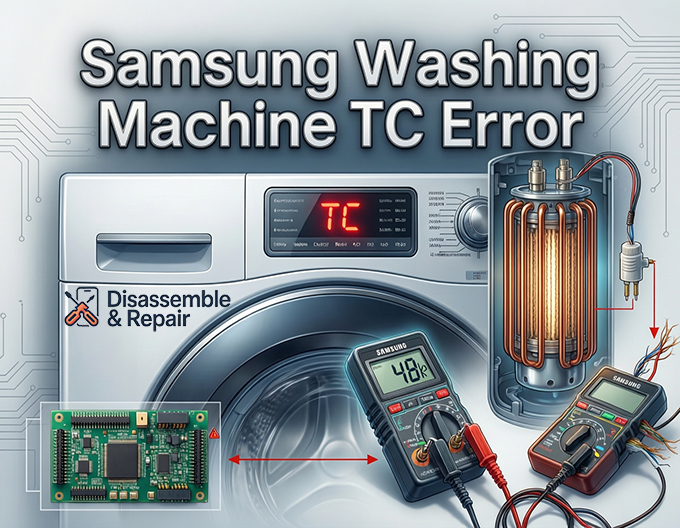
If you see the Samsung washing machine TC error code flashing on your display, it means your appliance is detecting an issue with the temperature monitoring system. This code (often interchangeable with tE, tC1, or tC2 depending on the model) specifically indicates that the Temperature sensor (or Thermistor) is sending irregular signals to the main Control board.
Ignoring this error can lead to cycles that won’t start, water not heating properly, or the washer stopping mid-cycle to prevent overheating. This guide provides a professional, step-by-step approach to diagnosing and fixing the issue, covering everything from entering Diagnostic mode to testing components with a Multimeter.
Read more Samsung washing machine water drain problem
Understanding the Samsung Washing Machine TC Error
The TC error code is a protective measure. Your Samsung washer uses a Thermistor—a resistor that changes its resistance based on temperature—to monitor the water heat levels. If the PCB (Printed Circuit Board) receives a resistance reading that is out of the expected range (typically meaning an open or short circuit), it triggers the TC error to prevent the Heating element from operating unsafely.
While the sensor itself is the most common culprit, the error can also stem from damaged wiring, a faulty heating element, or rarely, a corrupted control board.
Step 1: Preliminary Checks and Reset
Before opening the machine, perform these non-invasive steps to rule out temporary glitches.
- Power Cycle the Washer: Unplug the machine from the power outlet for at least 60 seconds. This drains residual power from the capacitors on the Control board, potentially clearing a temporary logic error.
- Check Connections: Ensure the hot and cold water supply hoses are not reversed. While less likely to cause a TC error specifically, improper water supply can confuse the sensor if the temperature changes too rapidly.
- Consult the User Manual: Refer to your specific model’s User manual for any model-specific reset procedures.
Step 2: Entering Diagnostic Mode
To get a clearer picture of the problem, you can enter the washer’s service or Diagnostic mode. This allows you to view active error codes and test individual components.
Read more Samsung washing machine no power
Note: The key combination varies by model (especially between Front load washer and top load units). Common combinations include:
- Delay Start + Eco Rinse (hold for 3-5 seconds)
- Spin + Soil Level + Power
- Signal + Extra Rinse
Once in diagnostic mode, check if the TC or tE code persists. If the error is active, the system is confirming a hard failure in the temperature sensing circuit.
Step 3: Accessing the Components
To test the internal components, you will need to access the back or bottom of the washer.
Safety Warning: Always unplug the washing machine and turn off the water supply before removing any panels.
- Remove the Back Panel: Use a screwdriver to remove the screws securing the rear metal cover.
- Locate the Heating Assembly: On a Front load washer, the heating element and thermistor are typically located at the bottom of the tub. You will see the heating element terminals (metal prongs) and a smaller plastic connector for the Temperature sensor embedded near or inside the heating assembly.
Step 4: Testing the Thermistor with a Multimeter
This is the most critical step. You will need a Multimeter capable of measuring Resistance (Ohms).
Read more Samsung washer door won’t lock
- Disconnect the Sensor: Gently unplug the wire connector attached to the thermistor. Do not pull on the wires themselves; grip the plastic housing.
- Set Multimeter to Ohms: Set your meter to the 200k Ohm setting.
- Measure Resistance: Place the multimeter probes on the two metal pins of the thermistor.
- Normal Readings: At room temperature (approx. 68°F / 20°C), a healthy Samsung thermistor should read between 35k to 66k Ohms. (Specifically, many manuals state ~61.2kΩ at 68°F).
- Faulty Readings: If the meter reads “OL” (Open Loop/Infinite) or “0” (Short Circuit), the thermistor is electrically dead and must be replaced.
If the reading is within the correct range, applying gentle heat (like holding it in your hand) should cause the resistance to drop immediately. If the resistance is “stuck” despite temperature changes, the sensor is faulty.
Step 5: Inspecting the Wiring Harness
If the sensor tests fine, the issue might lie in the connection between the sensor and the main board.
Read more Samsung washer leaking during fill
- Visual Inspection: Trace the wires from the thermistor back toward the control board. Look for any signs of pinching, burning, or breaks. Vibration during the spin cycle can sometimes cause the Wiring harness to rub against the tub or frame, stripping the insulation.
- Continuity Test: If you suspect a broken wire, use your multimeter’s continuity mode (beep mode) to check the wire from the sensor plug end to the main PCB plug end.
Step 6: Checking the Heating Element
Sometimes, a compromised Heating element can leak voltage into the thermistor circuit, confusing the control board.
- Test for Resistance: With the wires disconnected, measure the resistance across the two large terminals of the heating element. It should typically read between 10 and 30 Ohms.
- Test for Ground Fault: Place one probe on a heater terminal and the other on the metal casing of the heater or the washer frame. The meter should read “OL” (Infinite). If you get a resistance reading, the element is shorted to the ground (earth) and is likely causing the error.
Step 7: Replacing the Faulty Component
If you have identified a bad thermistor or heating element:
- Remove the Part: Loosen the central nut on the heating assembly (do not remove it completely) and push the bolt in to release the pressure on the rubber seal. Slide the heater or pull the thermistor out.
- Install the New Part: Insert the new component. For the heating element, ensure it slides correctly into the bracket inside the tub so it doesn’t touch the plastic drum. Tighten the nut securely to create a water-tight seal.
- Reassemble: Reconnect the Wiring harness, screw the back panel on, and plug the machine back in.
Conclusion
The Samsung washing machine TC error is a clear indicator of a failure in the temperature regulation system. By systematically testing the Thermistor, checking the Resistance values, and inspecting the Wiring harness, you can often resolve this issue without the need for a costly service call.
However, if the sensor, wiring, and heating element all test perfectly, the fault may lie within the PCB (main control board), which may require professional programming or replacement. Always ensure you are using OEM parts compatible with your specific model number to ensure longevity and safety.
Frequently Asked Questions
What does the TC error code mean on a Samsung washer?
The TC error indicates a failure in the temperature monitoring system. It means the washing machine’s main control board is receiving an irregular or non-existent signal from the thermistor (temperature sensor). This error is a safety feature designed to prevent the machine from overheating or washing at incorrect temperatures.
Can I fix a TC error just by resetting the washing machine?
You can attempt a reset by unplugging the washer for at least 60 seconds to clear the control board’s memory. While this might resolve a temporary communication glitch, a TC error usually points to a physical hardware issue—such as a faulty sensor or damaged wiring—that will require a manual repair if the code returns.
What is the correct multimeter reading for a Samsung thermistor?
When testing the thermistor at room temperature (about 68°F or 20°C), you should see a resistance reading between 35k and 66k Ohms. If your multimeter displays “OL” (Open Loop) or “0” (Short Circuit), the sensor is defective and must be replaced.
Are the TC, tE, and tC1 error codes different?
No, these codes are generally interchangeable and point to the same thermal sensing issue. Different Samsung models use different naming conventions: “tE” is common on older units, while “TC,” “tC1,” and “tC2” are frequently seen on newer front-load and top-load models.
Can a faulty heating element cause a TC error?
Yes. Although the thermistor is the most common cause, a heating element that has a ground fault or is shorting out can interfere with the sensor circuit. If your thermistor tests fine, you should check the heating element for resistance (10–30 Ohms) and ensure it is not shorted to the machine’s frame.


