

If you see a Samsung washing machine UB error flashing on your display, don’t panic; your appliance is simply telling you that the laundry load has become unbalanced. This safety feature pauses the spin cycle to prevent violent shaking that could damage the washer drum or the surrounding area. While this error code (sometimes displayed as “UE” on older models) can be frustrating, it is often resolved with a few simple adjustments before requiring any mechanical repairs.
In this guide, we will explore why this error happens, how to troubleshoot it, and when you might need to dig deeper into hardware fixes like suspension rods or leveling legs.
Understanding the Samsung Washing Machine UB Error
The “UB” code stands for Unbalanced Load. Modern Samsung washers are equipped with a sensitive vibration sensor designed to protect the machine. When the washer drum spins at high speeds (often exceeding 1000 RPM), even a slight weight imbalance can cause excessive wobbling.
To prevent the machine from “walking” across your laundry room floor or banging against the cabinet, the sensor triggers the UB code and stops the spin cycle.
Is “UE” the Same as “UB”?
Yes, effectively. The UE error code is the older designation for the same issue. If your manual or display shows UE, you can follow the exact same troubleshooting steps as you would for the UB error.
Common Causes of an Unbalanced Load
Before taking your washer apart, it is helpful to understand the root causes. The issue usually stems from one of three areas:
- Laundry Distribution: The most common culprit. A single heavy towel or a ball of tangled sheets can throw the weight off-center.
- Leveling Issues: If the leveling legs aren’t adjusted correctly, the machine will rock, falsely mimicking an unbalanced load.
- Hardware Wear: On older machines, components like suspension rods (top load) or shock absorbers (front load) may have lost their ability to dampen vibration.
Troubleshooting the Samsung Washing Machine UB Error
Follow these steps in order. Most users find their solution in the first two steps without needing tools.
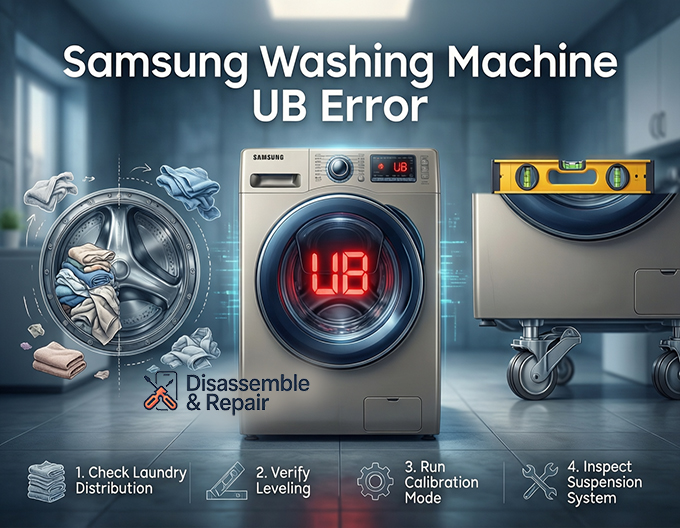
Step 1: Check and Redistribute the Laundry
Your first move should always be to open the door and check the laundry distribution.
Read more Samsung washing machine ND error
- For Top Load Washers: Items often clump on one side of the agitator or impeller. Manually spread the clothes out so they form a loose “donut” shape around the center.
- For Front Load Washers: Heavy items like jeans or towels can get stuck in a ball. Untangle them and spread them loosely.
- The “One Item” Rule: Avoid washing a single heavy item (like a bath mat or heavy jacket) alone. The machine cannot balance a single heavy weight. Add a few towels to counterbalance the load.
Step 2: Verify the Machine is Level
If the load is balanced but the error persists, check the machine’s stability.
- Place a carpenter’s level on top of the machine (check both front-to-back and side-to-side).
- If the bubble isn’t centered, adjust the leveling legs at the bottom corners of the washer.
- Turn the legs clockwise to lower them or counter-clockwise to raise them until the washer sits perfectly flat.
- Ensure all four legs are touching the floor firmly. You should not be able to rock the machine by pushing on the corners.
Step 3: Run the Calibration Mode
Samsung washers have a built-in calibration mode that resets the weight sensors. This is a crucial step that many owners overlook.
Read more Samsung washer pump running but not draining
- Remove all laundry from the drum (it must be empty).
- Turn the washer off and then back on.
- Hold down the Temp and Delay End buttons simultaneously for about 3 seconds (Note: key combinations can vary by model, so check your manual if this doesn’t work).
- The display should show “Cb” or “CLB”.
- Press the Start/Pause button. The drum will rotate back and forth for a few minutes to recalibrate.
- Once finished, run a Rinse+Spin cycle to test.
Step 4: Inspect the Suspension System
If the Samsung washing machine UB error persists after balancing and calibrating, you may have a hardware failure. The specific part depends on your washer type:
Top Load Washer: Suspension Rods
Top loaders hang the tub on four suspension rods. Over time, the springs or plastic dampers on these rods wear out, causing the tub to bounce uncontrollably.
Read more Samsung washer shaking violently
- The Bounce Test: Open the lid and push down hard on the tub. It should pop back up and stop immediately. If it bounces up and down multiple times like a pogo stick, your suspension rods are likely shot and need replacement.
Front Load Washer: Shock Absorbers
Front loaders use shock absorbers at the bottom of the drum to manage movement. If these wear out, you will hear loud banging sounds accompanying the UB error. This is a more involved repair that usually requires removing the front or rear panels.
Preventative Tips for Appliance Troubleshooting
To ensure the error doesn’t return, follow these best practices for appliance troubleshooting and maintenance:
- Use Mesh Bags: Small items like socks can get stuck in the drum seals or filters; wash them in mesh bags to keep them contained.
- Don’t Overload: Stuffing the washer drum too full prevents clothes from moving freely, making it impossible for the machine to balance itself.
- Check the Filter: A clogged debris filter (especially on front loaders) can sometimes cause drainage issues that trick the sensor into thinking the load is heavier than it is (due to retained water).
Conclusion
The Samsung washing machine UB error is a protective measure, not a death sentence for your appliance. By focusing on proper laundry distribution, ensuring your machine is level, and utilizing the calibration mode, you can fix the majority of these errors yourself. However, if the machine fails the “bounce test,” replacing the suspension rods is a cost-effective DIY repair that can extend the life of your washer for years to come.
Frequently Asked Questions
What does the UB error code mean on a Samsung washing machine?
The UB code stands for “Unbalanced Load.” This error occurs when the washer’s internal vibration sensor detects that the laundry is distributed unevenly. To prevent the drum from shaking violently and causing damage, the machine automatically pauses the spin cycle.
Are the UB and UE error codes different?
No, they represent the same issue. “UE” is simply the older designation for an unbalanced load found on previous Samsung models. If your display shows UE, you should follow the same troubleshooting steps used for the UB error.
Why does the error persist even when I am only washing one or two items?
Washing a single heavy item, such as a bath mat or a large jacket, makes it impossible for the machine to distribute weight evenly. This is known as the “one item rule.” To fix this, add a few towels to the load to help counterbalance the weight of the heavy item.
How do I know if my washer has mechanical damage rather than just a load issue?
You can perform a “bounce test” on top-load washers. Open the lid and push down firmly on the empty drum. If the drum pops back up and stops immediately, the hardware is likely fine. If it bounces up and down multiple times like a pogo stick, your suspension rods are likely worn out and need to be replaced.
What is Calibration Mode and when should I use it?
Calibration Mode is a built-in feature that resets the washer’s weight sensors. You should run this if the UB error persists after you have leveled the machine and redistributed the laundry. To start it, empty the drum, turn the power on, and hold the Temp and Delay End buttons for three seconds until “Cb” or “CLB” appears on the display.


