

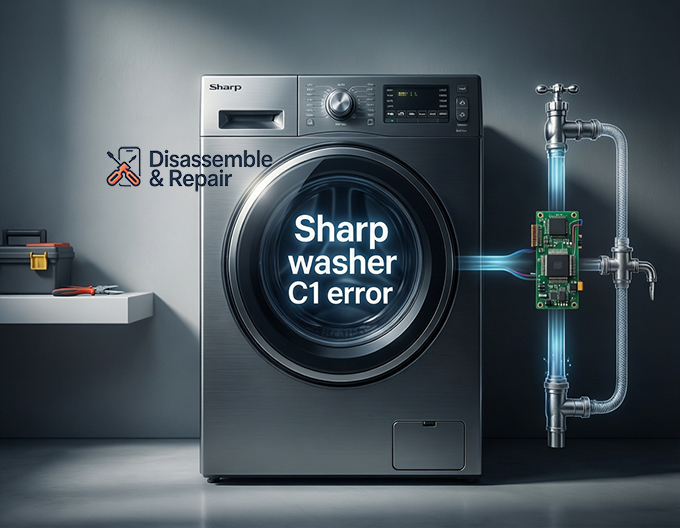
Encountering a sudden stoppage during your laundry routine can be a source of significant frustration, especially when the digital display flashes the Sharp washer C1 error. This specific fault code is designed to alert the user that there is a critical issue with the water supply, effectively preventing the appliance from filling the drum to the required level. As a Senior SEO Specialist and appliance troubleshooting expert, I have compiled this detailed guide to help you diagnose, repair, and prevent this common issue. By understanding the mechanical interactions between the water inlet valve, pressure sensors, and your home’s plumbing, you can often resolve the issue without requiring professional washing machine repair.
Understanding the C1 Fault Code
Modern appliances, particularly the sophisticated front-load washer models manufactured by Sharp, rely on a network of sensors to monitor performance. The C1 error is explicitly a water intake timeout error.
When you start a cycle, the main circuit board sends a signal to the solenoid valve to open, allowing water to flow into the machine. Simultaneously, the machine monitors the pressure switch (also known as the water level sensor). If the sensor does not detect the correct water level within a specific timeframe—typically a few minutes—the system triggers a safety protocol. The machine stops the cycle and displays the C1 code to prevent dry running or overheating the water heater.
Common Causes of the Sharp Washer C1 Error
To effectively fix the problem, one must first identify the root cause. While the error indicates a lack of water, the reason behind it can range from simple user oversight to complex mechanical failure. The following are the most frequent culprits:
- Interrupted Water Supply: The most basic cause is that the water faucet connecting to the machine is turned off or the municipal water supply has been cut.
- Clogged Filter Mesh: Over time, sediment, calcium deposits, and debris from your pipes can accumulate in the small filters located inside the inlet valve.
- Kinked or Damaged Inlet Hose: If the hose delivering water to the machine is twisted, crushed behind the unit, or frozen, flow is restricted.
- Low Water Pressure: The machine requires a specific psi (pounds per square inch) to operate the valves. If your home’s water pressure is too low, the machine cannot fill fast enough.
- Faulty Water Inlet Valve: The solenoid valve is an electromechanical component that opens and closes the water flow. If the solenoid fails, the valve remains shut regardless of signals from the computer.
- Pressure Switch Malfunction: If the pressure switch or its air hose is blocked, the machine may actually be full of water, but the computer “thinks” it is empty, triggering the C1 error.
Step-by-Step Troubleshooting Guide
Before attempting any repairs, ensure safety by unplugging the machine from the power outlet. This troubleshooting guide follows a logical progression from the easiest fixes to more advanced hardware inspections.
1. Verify the Water Source
The first step is the simplest. Check the faucets behind the washing machine. Ensure they are fully turned open. If you have recently moved the machine or installed it, it is common to forget to open the supply valves. additionally, check other taps in your home to ensure there is running water and that the water pressure is sufficient.
2. Inspect the Inlet Hose
Pull the washing machine slightly away from the wall to inspect the inlet hose.
- Kinks: Look for any sharp bends or twists in the hose that could be choking off the water flow. Straighten them out.
- Compression: Ensure the heavy machine is not pushing against the hose, crushing it against the wall.
- Freezing: If the washer is located in a garage or unheated utility room during winter, the water inside the hose may have frozen. Thaw the hose with warm towels if suspected.
3. Clean the Filter Mesh
This is the most common technical solution for the Sharp washer C1 error. The water inlet valve on the back of the machine contains a small filter mesh designed to catch grit.
- Step A: Turn off the water faucet at the wall.
- Step B: Unscrew the inlet hose from the back of the washing machine. Have a towel ready for minor spills.
- Step C: Look inside the threaded port on the machine. You will see a small plastic or wire mesh.
- Step D: Using needle-nose pliers, gently pull the filter out.
- Step E: Rinse the mesh under running water and use a soft brush to remove sediment.
- Step F: Reinsert the filter, reconnect the hose, turn on the water, and test the machine.
4. Test the Water Inlet Valve (Solenoid)
If the water supply is good and the filters are clean, but water still does not enter, the water inlet valve itself may be faulty.
- Auditory Test: Start a wash cycle and listen near the water intake area. You should hear a distinct humming or clicking sound. This is the solenoid valve energizing.
- The Result: If you hear the hum but no water enters (and filters are clean), the valve is mechanically stuck. If you hear silence, the solenoid may be electrically dead or not receiving power.
Advanced Technical Inspection
If the basic steps above do not resolve the issue, the problem likely lies within the internal components. These steps require a higher level of technical comfort. Always consult your user manual for disassembly instructions specific to your model.
Checking the Pressure Switch
The pressure switch determines water level via a small air tube.
- Remove the top cover of the washer.
- Locate the pressure switch (usually a round disc with wires and a small tube attached).
- Check the tube connecting the switch to the drum. If this tube has a hole, is disconnected, or is clogged with “sludge” (detergent residue), the switch cannot operate.
- Blow gently through the tube towards the drum to clear potential blockages.
Electrical Continuity
Using a multimeter, a technician can check the resistance of the solenoid valve coils. If the resistance reads infinity (open loop), the valve coil is burnt out and the valve assembly must be replaced. Similarly, the wiring harness between the main PCB and the valve should be inspected for corrosion or loose connections.
The Role of the Drain Pump in C1 Errors
While the C1 error is an intake fault, it is important to verify the status of the drain pump. Why? Because most Sharp washing machines perform a brief “drain check” before starting a fill cycle to ensure the drum is empty. If the drain pump is blocked or faulty, the cycle might hang before the filling stage begins, which can sometimes lead to confusing error codes or a machine that simply sits idle. Ensure your drain filter (usually located at the bottom front) is also clean.
Maintenance Tips to Prevent Reoccurrence
Preventative maintenance is the key to longevity for any front-load washer. To avoid seeing the Sharp washer C1 error again, adopt the following habits:
- Regular Filter Cleaning: Clean the filter mesh on the inlet valve every 3 to 6 months, more frequently if you live in an area with hard water or old plumbing.
- Hose Replacement: Replace your inlet hose every 5 years. Old rubber hoses can degrade internally, sending rubber particles into the valve and clogging it.
- Check Water Pressure: If your home has variable water pressure, consider installing a booster pump or consulting a plumber, as low pressure puts excessive strain on the machine’s valves.
Conclusion
The Sharp washer C1 error is a protective mechanism that, while annoying, saves your machine from operating without water. In the vast majority of cases, the issue is caused by a blocked filter mesh, a closed faucet, or a kinked inlet hose. These are issues that can be resolved in under 15 minutes with no tools other than a pair of pliers.
However, if your troubleshooting reveals a silent solenoid valve or a faulty pressure switch, it may be time to contact a professional for washing machine repair. Always keep your user manual handy for part numbers and specific diagrams. By following this guide, you ensure that your appliance operates efficiently, extending its lifespan and keeping your laundry routine uninterrupted.
Frequently Asked Questions (FAQ)
Q: Can I bypass the Sharp washer C1 error?
A: No, you cannot bypass it. The machine requires water to operate. You must resolve the water supply issue to clear the error.
Q: How do I reset my Sharp washing machine after a C1 error?
A: Once the water supply issue is fixed, press the “Start/Pause” button to resume, or turn the machine off and on again to reset the program.
Q: Why does the C1 error happen only on certain cycles?
A: This may indicate a partial clog or a failing solenoid valve. Some cycles require a faster flow rate or use a specific section of the valve (e.g., the hot water intake vs. the cold water intake). If only one side is clogged, the error will only appear on cycles using that temperature.
Q: Is the water inlet valve expensive to replace?
A: Generally, the water inlet valve is an affordable part. However, labor costs for washing machine repair can vary. If you are handy, it is a manageable DIY repair.
Frequently Asked Questions
What does the C1 error code specifically mean on a Sharp washing machine?
The C1 error is a water intake timeout code. It indicates that the washing machine’s sensors have not detected the required water level within a set timeframe. This is a safety feature designed to prevent the machine from running dry, which could damage the internal heating element or the motor.
Can I fix the C1 error without calling a professional technician?
Yes, in many cases. Most C1 errors are caused by simple issues such as a closed water faucet, a kinked supply hose, or a clogged filter mesh. Cleaning the inlet filters and ensuring the hoses are straight are DIY-friendly tasks that usually resolve the problem in about 15 minutes.
Why does the C1 error appear on some wash cycles but not others?
This often happens because most washing machines have separate solenoid valves for hot and cold water. If only the cold water filter is clogged or its specific solenoid has failed, the error will only trigger during cycles that require cold water. If you switch to a hot wash and the error disappears, you have narrowed the problem down to the cold water intake system.
How do I reset the display once I have resolved the water supply issue?
Once you have cleared the blockage or opened the water valve, you can usually resume the cycle by pressing the “Start/Pause” button. If the code persists, turn the machine off at the power button, wait for 30 seconds, and turn it back on to clear the system’s memory and restart the cycle.
How often should I clean the inlet filters to prevent this error?
It is recommended to inspect and clean the water inlet valve mesh filters every 3 to 6 months. If you live in an area with “hard water” (high mineral content) or have old iron plumbing, you may need to clean them more frequently to prevent sediment buildup from restricting the water flow.


