

Encountering a Sharp washer C3 error can be a frustrating interruption to your laundry routine, leaving wet clothes trapped inside the drum. This specific error code typically points to a malfunction in the safety interlock system, often indicating that the machine believes the door or lid is not securely closed or locked. Whether you are using a modern front-load washer or a traditional top-load washing machine, understanding the root cause of the C3 alert is the first step toward a successful repair.
Understanding the Sharp Washer C3 Error Code
The Sharp washer C3 error is primarily associated with the safety sensor system responsible for securing the appliance during operation. In most Sharp models, this code acts as a protective measure, preventing the wash or spin cycle from starting if the control board fails to detect a secure lock.
While error definitions can vary slightly between model series, the C3 code generally indicates one of the following issues:
- Lid Open or Unlocked: The machine detects that the lid or door is ajar.
- Door Lock Assembly Failure: The electronic lock mechanism has failed to engage.
- Sensor Malfunction: The magnetic or mechanical sensor is sending incorrect signals to the main board.
In some rare instances, users may confuse the C3 code with E3 (a drainage error) or C2 (a water level sensor error). However, if your machine displays “C3” and refuses to spin or start, the door lock assembly is the most likely culprit.
Common Causes of the C3 Error
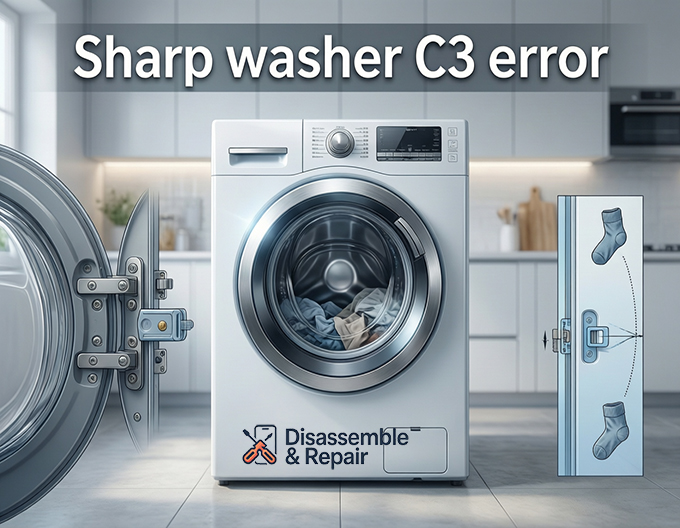
1. Faulty Lid Switch or Door Lock Assembly
The most frequent cause of the Sharp washer C3 error is a defective lid switch (on top-loaders) or washing machine door latch (on front-loaders). Over time, the plastic components of the latch can wear out, or the electrical contacts inside the switch can corrode, breaking the circuit that tells the machine it is safe to operate.
2. Physical Obstructions
A physical obstruction preventing the door from closing fully will trigger this safety code. Small items like socks, coins, or lint buildup around the seal can stop the door lock assembly from engaging properly.
3. Unbalanced Load
While usually signaled by a “UE” or “E4” code, a severe unbalanced load can sometimes trigger safety lock errors if the tub bangs violently against the chassis, causing the lock sensor to disengage momentarily. This is particularly common in top-load models during the spin cycle.
Step-by-Step Troubleshooting Guide
Follow these steps to diagnose and clear the Sharp washer C3 error.
Step 1: Perform an Error Code Reset
Before attempting any physical repairs, try to reset the electronic control board. Glitches can sometimes cause false alarms.
- Turn off the washing machine and unplug it from the power outlet.
- Wait for at least 5 to 10 minutes to allow the electrical capacitors to discharge.
- Plug the machine back in.
- Open and firmly close the door or lid.
- Select a cycle and press Start.
If the error code reset works, it was likely a temporary system glitch. If the error persists, proceed to the next step.
Step 2: Inspect the Door Latch and Strike
For a front-load washer, inspect the door hook (strike) and the lock mechanism.
- Visual Check: Look for cracks, damage, or loose screws on the door handle.
- Alignment: Ensure the door hook aligns perfectly with the lock slot. If the door sags, you may need to tighten the hinge screws.
- Clean the Area: Wipe down the door seal and lock area to ensure no debris is blocking the closure.
Step 3: Test the Lid Switch (Top-Loaders)
If you have a top-load washing machine, the lid switch is often located under the top deck near the lid hinge.
- Listen for a Click: When you lower the lid, you should hear a distinct “click” as the magnetic or mechanical switch engages.
- Bypass Test (Advanced): If you are comfortable with appliance repair, you can use a multimeter to check the continuity of the lid switch. If the switch shows no continuity when closed, it requires replacement.
Step 4: Check for Wiring Issues
Vibrations from the wash cycle can sometimes loosen internal wiring.
- Unplug the machine and remove the top or rear panel (consult your user manual for instructions).
- Trace the wires from the door lock assembly to the main control board.
- Ensure all connectors are seated firmly and there are no signs of frayed or burnt wires.
When to Replace Parts
If the troubleshooting steps above do not resolve the issue, you likely need replacement parts. The most common part needed for a Sharp washer C3 error is the door lock assembly or the lid switch unit.
- DIY vs. Professional Repair: Replacing a door lock is a moderate-level DIY task. However, if you suspect the issue lies with the main control board or if the machine is still under warranty, it is best to contact a professional appliance repair technician.
Prevention and Maintenance
To prevent future safety sensor errors:
- Avoid Slamming: Close the door or lid gently to prevent damaging the latch.
- Balance Loads: Ensure laundry is distributed evenly to prevent excessive vibration that could damage sensors.
- Clean Regularly: Keep the door seal and lock mechanism free of detergent buildup and lint.
By systematically checking the washing machine door latch and sensors, you can often resolve the Sharp washer C3 error without the need for an expensive service call. Always refer to your specific model’s user manual for precise diagrams and part numbers.
Frequently Asked Questions
What does the C3 error code mean on a Sharp washing machine?
The C3 error indicates a malfunction in the safety interlock system. It signifies that the washing machine’s control board cannot confirm that the lid or door is securely closed and locked, preventing the cycle from starting or continuing.
How can I perform a quick reset to clear the C3 error?
To reset the control board, turn off the machine and unplug it from the power outlet for 5 to 10 minutes. This allows the electrical capacitors to discharge. After plugging it back in, ensure the door is firmly closed before attempting to start a new cycle.
Can a C3 error be caused by something other than a broken part?
Yes. Often, the error is triggered by physical obstructions like small clothing items (socks or lint) caught in the latch, a door that has sagged on its hinges, or even a severe unbalanced load that caused the lock sensor to momentarily disengage during a spin cycle.
What is the difference between a C3 error and an E3 error?
While they look similar, they indicate different problems. A C3 error is related to the door lock or lid switch assembly, whereas an E3 error typically points to a drainage issue. If your machine is refusing to start or spin, C3 is the most likely code for a lock failure.
Is it possible to fix a C3 error without calling a technician?
Many C3 errors can be resolved with DIY troubleshooting, such as cleaning the lock area, tightening door hinges, or resetting the machine. However, if the lid switch or door lock assembly has failed electronically, you will need to purchase replacement parts or contact a professional if the machine is still under warranty.


