

If your laundry routine has been interrupted by a Sharp washer C4 error, you are likely dealing with an issue during the spin cycle that is preventing the machine from operating smoothly. This specific error code typically indicates that the washing machine has detected an unbalanced load or a mechanical discrepancy affecting the drum’s ability to reach high speeds safely. Addressing this promptly is essential to prevent damage to the appliance and ensure your clothes are properly spun dry.
When the Sharp washer C4 error appears on your display, it is often a protective measure triggered by the electronic control board to stop the drum from banging against the cabinet. While it can be frustrating, this error is usually resolvable with some targeted troubleshooting. Below, we explore the primary causes and step-by-step solutions to clear this code and get your washer back to peak performance.
Understanding the Sharp Washer C4 Error
The C4 code is generally associated with stability and rotation issues. Unlike water supply errors, which stop the cycle at the beginning, a C4 error usually halts the machine mid-cycle, specifically when it attempts to ramp up the RPM for the spin cycle. The machine’s sensors detect excessive drum vibration or an inability to balance the weight of the wet laundry, triggering the system to shut down for safety.
Common Symptoms
- The washer stops with wet clothes still inside.
- Loud banging or thumping noises occur before the error displays.
- The drum wobbles violently during the spin attempt.
- The cycle timer pauses or resets repeatedly.
Primary Causes and Solutions
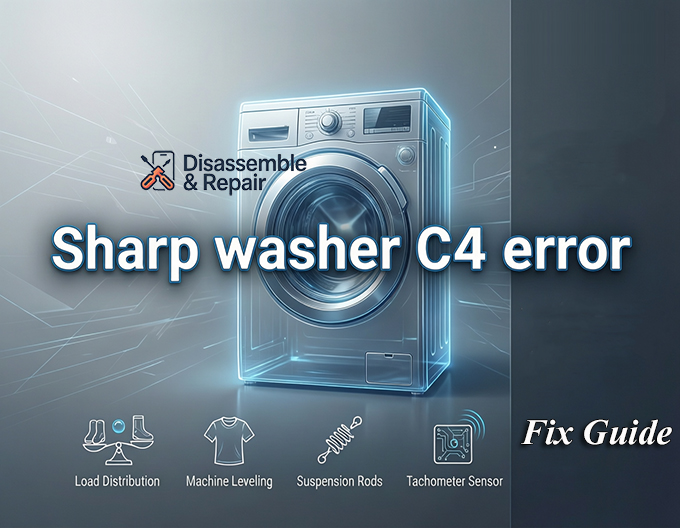
1. Improper Laundry Distribution
The most frequent culprit behind a Sharp washer C4 error is simply how the clothes are loaded. If a heavy item, like a wet towel or a pair of jeans, sticks to one side of the drum, it creates a significant weight imbalance.
- The Fix: Pause the cycle and open the lid. Manually redistribute the wet laundry so it is spread evenly around the center agitator or the drum’s perimeter. Avoid washing single heavy items; instead, add a few towels to balance the load.
2. Machine Not Level
For the spin cycle to function correctly, the machine must be perfectly horizontal. If your leveling legs are not adjusted properly, the washer will rock back and forth, amplifying vibrations and triggering the error sensors.
- The Fix: Place a bubble level on top of the washing machine. Adjust the leveling legs at the bottom corners by twisting them clockwise or counter-clockwise until the bubble is centered. Once level, tighten the locking nuts against the washer base to secure them in place.
3. Worn Suspension Rods
In top-loading Sharp washers, suspension rods act as shock absorbers, dampening the movement of the tub. Over time, these rods can lose their tension or springiness, causing the tub to bounce uncontrollably even with a balanced load.
- The Fix: To test this, push down on the tub and release it. If it bounces up and down multiple times like a pogo stick, the suspension rods are likely worn out. Replacing all four rods is the recommended repair to permanently resolve the Sharp washer C4 error.
4. Faulty Tachometer Sensor
The tachometer sensor (or Hall effect sensor) is responsible for monitoring the speed of the motor. If this sensor fails or becomes dirty, the electronic control board cannot verify how fast the drum is spinning. The board may misinterpret this lack of data as a mechanical failure or imbalance, throwing the C4 code.
- The Fix: This requires a more technical inspection. You may need to access the motor assembly to check the wiring harness connecting the sensor. If the wiring is intact, the sensor itself may need to be replaced by a professional technician.
5. Lid Switch Malfunction
The lid switch is a safety device that ensures the washer does not spin while the lid is open. If this switch is defective or misaligned, the vibration from a spin cycle might momentarily break the circuit, confusing the control board and causing it to halt the process with an error.
- The Fix: Inspect the small plastic tab on the lid that engages the switch. If it is broken or bent, the switch won’t engage. You can test the switch for continuity using a multimeter. If it fails the test, replace the lid switch assembly.
How to Perform an Error Code Reset
Sometimes, the Sharp washer C4 error is a momentary glitch stored in the memory. A hard reset can clear the system.
- Power Down: Turn off the washer and unplug it from the wall outlet.
- Discharge Power: Press and hold the “Start/Pause” button for 5-10 seconds while the machine is unplugged to discharge any residual electricity in the capacitors.
- Wait: Leave the machine unplugged for at least 3 to 5 minutes.
- Restart: Plug the washer back in and turn it on. Run a “Spin Only” cycle with an empty drum to see if the error persists.
Washing Machine Maintenance Tips to Prevent C4 Errors
Preventative maintenance is key to avoiding future interruptions. Incorporate these habits into your routine:
- Check Pockets: Coins and keys can get stuck between the drum and the tub, causing noise and unbalancing issues.
- Load Correctly: Never overload the washer. A packed drum cannot distribute weight effectively, leading to inevitable drum vibration.
- Regular Cleaning: Run a monthly cleaning cycle to remove detergent buildup that might affect sensor sensitivity.
- Inspect Feet: Every few months, check that the leveling legs haven’t shifted due to vibration.
By systematically checking the laundry distribution, ensuring the machine is level, and inspecting mechanical components like suspension rods, you can effectively diagnose and fix the Sharp washer C4 error. If the problem persists after these steps, the issue may lie deeper within the electronic control board, requiring professional service.
Frequently Asked Questions
What does the C4 error code mean on a Sharp washing machine?
The C4 error code indicates that the washing machine has detected an unbalanced load or a mechanical issue that prevents the drum from spinning safely. It is a protective measure triggered by the electronic control board to prevent the drum from vibrating excessively or hitting the outer cabinet.
How can I quickly fix a C4 error caused by an unbalanced load?
If the error is caused by poorly distributed laundry, pause the cycle and open the lid. Manually rearrange the wet clothes so they are spread evenly around the perimeter of the drum or the center agitator. Avoid washing single heavy items, such as one large towel or a heavy pair of jeans, as these are difficult for the machine to balance on its own.
How do I know if my washer’s suspension rods are worn out?
You can test the suspension rods by performing a “bounce test.” Open the lid and firmly push down on the wash tub, then release it. If the tub settles quickly, the rods are likely fine. If the tub bounces up and down multiple times like a pogo stick, the suspension rods have lost their tension and should be replaced to resolve the C4 error.
How do I perform a hard reset to clear the C4 error code?
To reset the system, turn off the washer and unplug it from the wall. Press and hold the “Start/Pause” button for 5 to 10 seconds to discharge any remaining electricity. Leave the machine unplugged for about 3 to 5 minutes before plugging it back in and attempting to run a “Spin Only” cycle.
Can a faulty lid switch cause a C4 error?
Yes. The lid switch is a safety component that prevents the machine from spinning while the lid is open. If the switch is defective or misaligned, the vibrations from the spin cycle might cause the electrical circuit to break momentarily. This can confuse the control board, leading it to stop the cycle and display the C4 code.


