

If you are seeing the Sharp washer C6 error on your display, it generally signals a critical issue with the machine’s water level detection system. This fault prevents the appliance from accurately measuring water levels, often causing it to stop mid-cycle or refuse to fill altogether.
What Does the Sharp Washer C6 Error Mean?
The Sharp washer C6 error typically indicates a malfunction related to the Pressure sensor or Water level switch. These components are responsible for monitoring the amount of water inside the drum. When the Electronic controller receives erratic signals—or no signal at all—from this sensor, it triggers the C6 code to prevent potential overflowing or dry running.
While specific codes can vary slightly between a Front load washer and top-load models depending on the region, the C6 code is almost exclusively a communication or hardware failure within the water level monitoring circuit.
Common Causes of the C6 Error
Understanding the root cause is the first step in Washing machine repair. The error is usually triggered by one of the following issues:
- Blocked Air Tube: The small tube connecting the drum to the sensor may be clogged with lint or soap scum.
- Faulty Pressure Sensor: The sensor itself may have failed electronically.
- Damaged Wiring Harness: Wires connecting the sensor to the PCB (Printed Circuit Board) may be broken or corroded.
- Control Board Glitch: The main computer may need a hard reset to clear a temporary logic error.
Step-by-Step Troubleshooting Guide
Follow this Troubleshooting guide to diagnose and fix the issue. Always unplug your machine before attempting any repairs.
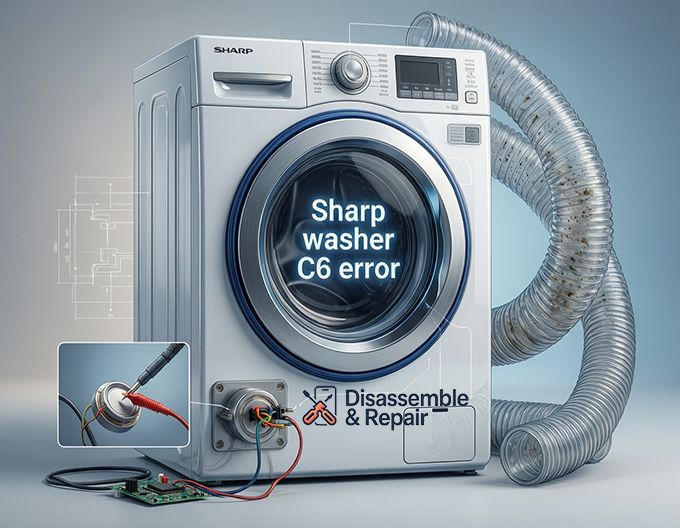
1. Perform a Master Reset Procedure
Before opening the machine, try to clear the error logically. A simple Reset procedure can sometimes resolve temporary communication glitches.
- Turn off the washing machine and unplug it from the power outlet.
- Wait for at least 5 minutes to allow the electrical charge to dissipate from the Control board.
- Plug the machine back in and run a short “Rinse & Spin” cycle to see if the error clears.
2. Inspect the Air Tube
The Air tube is a clear rubber hose that transfers air pressure from the water in the drum to the Water level switch.
- Locate the Sensor: Remove the top panel of your washer. The pressure sensor is usually a round, disc-shaped component near the top corner.
- Check for Blockages: Disconnect the tube from the sensor end. Blow gently into the tube. You should hear a bubbling sound in the drum, indicating the path is clear. If you feel resistance, the tube is likely clogged with debris.
- Check for Damage: Inspect the tube for kinks, holes, or cracks. Even a tiny pinhole can cause a loss of pressure, leading to inaccurate Water level detection.
3. Check the Wiring Harness
Vibration during the spin cycle can sometimes cause connections to loosen.
- Inspect the Wiring harness connecting the pressure sensor to the main PCB.
- Look for any signs of wear, corrosion, or disconnected plugs.
- Disconnect and reconnect the plug at the sensor to ensure a firm electrical contact.
4. Test and Replace the Pressure Sensor
If the air tube is clear and the wiring looks good, the Pressure sensor itself is likely the culprit.
- You can test the switch for continuity using a multimeter if you have technical experience.
- If the sensor gives no reading or shows an “open” circuit when it should be closed, it requires replacement. Ensure you source a genuine Sharp OEM part compatible with your specific model.
5. Inspect the Electronic Controller (PCB)
If you have replaced the sensor and checked the wiring but the Sharp washer C6 error persists, the issue may lie with the main Control board.
- Visually inspect the board for any burn marks or swollen capacitors.
- A faulty Electronic controller may fail to interpret the frequency signal from the water level switch correctly. In this case, the entire board may need to be repaired or replaced by a professional.
Summary
The Sharp washer C6 error is a safety mechanism designed to protect your home from water damage. By systematically checking the Air tube, securing the Wiring harness, and verifying the health of the Pressure sensor, you can often resolve this issue without an expensive service call. However, if the fault points to the main PCB, consulting a professional technician is recommended to avoid further damage to the appliance.
Frequently Asked Questions
What does the C6 error code specifically mean on a Sharp washer?
The C6 error indicates a problem with the water level detection system. This means the machine’s main computer is not receiving a correct signal from the pressure sensor, preventing it from knowing how much water is inside the drum.
Can a simple reset fix the C6 error?
Yes, in some cases. If the error is caused by a temporary communication glitch between the electronic controller and the sensor, unplugging the machine for five minutes and then performing a “Rinse & Spin” cycle can clear the code.
How do I know if the air tube is the problem?
You can test the air tube by disconnecting it from the pressure sensor and blowing gently into it. If you hear a bubbling sound in the drum, the tube is clear. If you feel resistance or the error persists despite the tube being clear, the tube may have a small hole or the sensor itself may be faulty.
Is it safe to continue using the washer if the C6 error appears intermittently?
It is not recommended. The C6 error is a safety feature designed to prevent the machine from overflowing or running while dry. Continuing to use the machine without addressing the sensor issue could lead to water damage in your home or damage to the washer’s internal components.
When should I call a professional technician?
If you have already checked the air tube, wiring, and pressure sensor but the error remains, the problem likely lies with the main PCB (Printed Circuit Board). Since the control board is a complex electronic component, it is best to have a professional diagnose and repair it to avoid further electrical issues.


