

Dealing with a Sharp washer E4 error can be frustrating, especially when your laundry pile is growing, and your automatic washing machine refuses to spin or drain. This specific error code typically indicates a disturbance in the machine’s balance or an issue with the water level sensing system, halting the cycle to prevent internal damage.
Whether you are using a top-loading or front-loading model, resolving this issue often requires a systematic check of the laundry load, the machine’s physical stability, and its internal sensors. This guide will walk you through the diagnostic process using professional troubleshooting steps.
Understanding the Sharp Washer E4 Error
In most Sharp automatic washing machine models, the E4 code is a safety trigger. It activates when the machine detects an abnormality during the wash or spin cycle.
The primary triggers generally fall into two categories:
- Physical Imbalance: The drum is banging against the sides, or the machine is tilted.
- Water Level irregularities: The pressure sensor detects that water is not draining or filling correctly within a set timeframe.
By identifying which of these is occurring, you can apply the correct fix without needing an immediate service call.
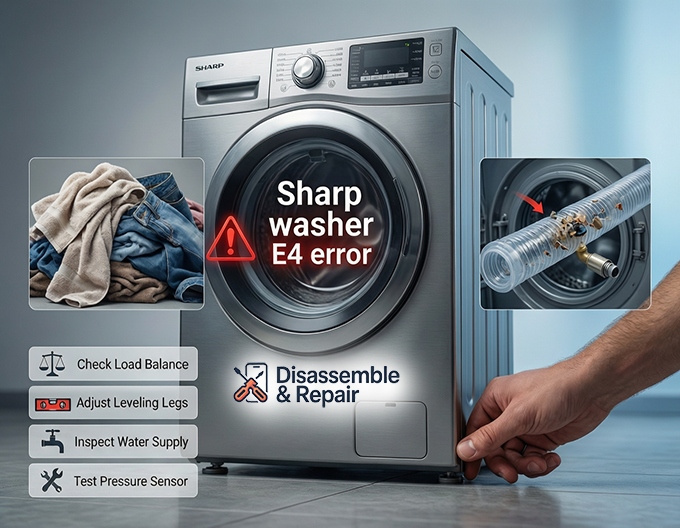
Immediate Fixes: Load and Leveling
The most common cause of a Sharp washer E4 error is a simple user error related to how the laundry is packed or how the machine sits on the floor.
Correcting an Unbalanced Load
If the error appears during the spin cycle, the likely culprit is an unbalanced load. When heavy items like wet towels or jeans clump together on one side of the drum, the centrifugal force creates violent shaking.
- Action: Pause the machine and open the lid. Manually adjust the laundry distribution by spreading items loosely and evenly around the agitator or drum.
- Prevention: Avoid washing single heavy items. Instead, wash a mix of large and small items to maintain drum balance.
Adjusting Leveling Legs
For the sensors to function correctly, your washer must be perfectly horizontal. If the machine rocks when you push on a corner, it is not stable.
- Action: Check the leveling legs at the bottom of the unit. Rotate them clockwise or counter-clockwise until all four feet are firmly touching the floor and the machine is level. Use a bubble level tool if available to ensure precision.
Advanced Mechanical Checks
If the load is balanced and the floor is level, but the error persists, you may be dealing with mechanical wear.
Inspecting Suspension Springs
The tub of your washer hangs from suspension springs that act as shock absorbers. Over time, these springs can stretch or detach.
- symptom: If the tub leans significantly to one side even when empty, or if the machine bounces excessively during a light spin cycle, a spring may be faulty.
- Fix: A damaged spring usually requires replacement. Consult your user manual for the specific part number compatible with your model.
Water System and Sensor Troubleshooting
Sometimes the Sharp washer E4 error is actually a “timeout” error related to the water system. If the machine cannot sense the water level accurately, it will trigger the code to prevent overflowing or dry running.
Checking the Water Supply Valve
Ensure that water is entering the machine at the correct pressure. A clogged filter screen in the water supply valve can restrict flow, causing the washer to “time out” and display an error.
- Action: Turn off the tap, disconnect the inlet hose, and clean the mesh filter inside the valve.
Inspecting the Drainage System
If the washer cannot empty the tub, the pressure sensor will fail to reset, triggering the E4 code.
- Action: Inspect the drainage system for kinks in the hose or blockages in the drain filter. Ensure the drain hose is installed at the correct height as specified in your troubleshooting guide; if it is too high or too low, siphoning issues can occur.
Testing the Pressure Sensor
The pressure sensor (or water level switch) monitors the amount of water in the drum. If the air tube connected to this sensor is blocked with debris or comes loose, the machine will not know how much water is inside.
- Action: Locate the clear plastic tube connecting the drum to the sensor. clear any blow through it to clear any obstructions. If the sensor itself is faulty, it will need to be replaced by a professional.
How to Perform an Error Code Reset
After addressing the physical or mechanical issues, you must clear the error from the system memory.
- Power Cycle: Turn off the automatic washing machine and unplug it from the power outlet.
- Wait: Leave the machine unplugged for at least 5 to 10 minutes. This allows the capacitors on the control board to discharge.
- Restart: Plug the machine back in and power it on.
- Test: Run a “Spin Only” or “Rinse + Spin” cycle to verify the error code reset was successful.
Conclusion
The Sharp washer E4 error is usually a manageable issue that stems from load balance or leveling problems. By systematically checking the laundry distribution, adjusting the leveling legs, and ensuring your water supply valve and drainage system are flowing freely, you can often resolve the issue without professional help. However, if the error persists after all these steps, the issue may lie with the suspension springs or the pressure sensor, requiring a technician’s expertise. Always keep your user manual handy for model-specific diagrams and safety instructions.
Frequently Asked Questions
What does the E4 error code mean on a Sharp washing machine?
The E4 error is a safety trigger indicating that the machine has detected an abnormality. This is usually caused by a physical imbalance, such as the drum hitting the sides, or a water level irregularity where the machine fails to fill or drain within a specific timeframe.
How can I fix an E4 error during the spin cycle?
An E4 error during the spin cycle is most often caused by an unbalanced load. To fix this, pause the machine, open the lid, and manually redistribute the laundry evenly around the drum. Avoid washing single heavy items alone; instead, mix large and small items to maintain better balance.
Can my home’s water supply cause the E4 error?
Yes. If the water cannot enter or exit the machine properly, it may trigger a “timeout” error. You should check the water supply valve for clogged mesh filters and ensure the drainage hose is not kinked, blocked, or installed at the wrong height.
How do I perform a reset to clear the E4 code?
To reset the error, turn off the washing machine and unplug it from the power outlet. Wait for 5 to 10 minutes to allow the control board to discharge completely. Plug the machine back in and run a “Spin Only” or “Rinse + Spin” cycle to see if the code has cleared.
What should I check if the load is balanced but the error persists?
If the load is balanced and the machine is level, the issue might be mechanical. Inspect the suspension springs to see if they are stretched or detached, and check the clear plastic tube connected to the pressure sensor for any blockages or debris. If these components are faulty, they may require professional repair.


