

The Sharp washer F2 error is a warning indicator that typically halts the laundry cycle, leaving many users unsure whether the issue lies with the electronics or the water flow. While this specific code often points to a communication fault or user interface issue on modern inverter models, it can also manifest during the drainage cycle if the machine fails to empty water due to a component failure.
To resolve this, you must systematically inspect the machine’s critical components, ranging from the drain filter to the internal electronics. Below is a comprehensive guide to troubleshooting the Sharp washer F2 error, ensuring you cover all potential causes including drainage blockages and sensor malfunctions.
Understanding the Sharp Washer F2 Error
The “F” series of error codes on Sharp home appliances usually designates a fault within the electronic control system or the inverter motor drive. Unlike “E” codes (such as E1 or E2), which commonly signal direct water supply or door lock issues, the Sharp washer F2 error is frequently identified as a User Interface (UI) Error or a communication breakdown between the main control board and the display panel.
However, symptoms often overlap. If the error appears right before the spin cycle, the machine may have locked up because it could not verify that the water was removed. In these cases, a stalled drain pump or a sensor reading conflict can trigger the board to shut down and display F2 to prevent electrical damage.
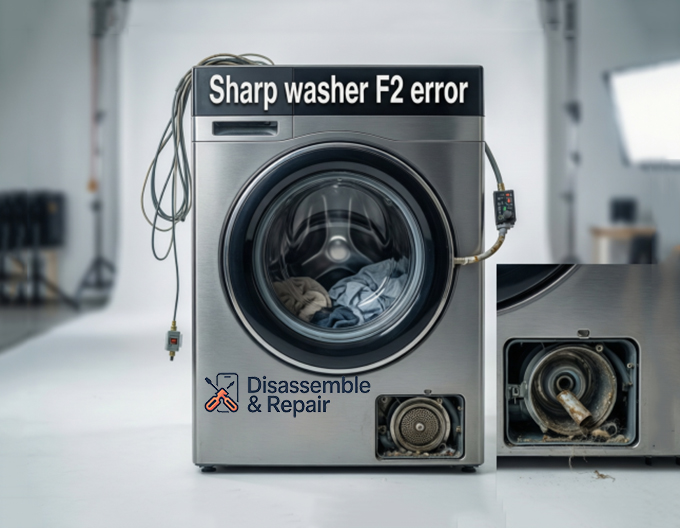
Checking the Drain System
Although F2 is often electronic, you should rule out physical mechanical failures first, especially if the machine is full of water. A physical blockage can overload the system and confuse the electronic feedback loop.
1. Inspect the Drain Filter
The most common culprit for drainage issues is a clogged drain filter. Located at the bottom front of most front-load models (or inside the drum for some top-loaders), this filter catches lint, coins, and debris.
- Action: Open the small access panel and unscrew the filter counter-clockwise. Have a towel ready to catch residual water. Clean it thoroughly under running water.
2. Test the Drain Pump
The drain pump is responsible for expelling water through the drain hose. If the pump is jammed by a foreign object or its motor has burned out, the control board may not receive the “empty” signal it expects.
- Action: Listen for a humming sound during the drain cycle. If it is silent or making a grinding noise, the pump may need replacement.
3. Clear the Drain Hose
Ensure the drain hose is not kinked, crushed, or positioned too high. Water drainage relies on a clear path; any restriction can cause back-pressure that might trigger system errors.
Inspecting Sensors and Electronics
If the drainage system is clear, the Sharp washer F2 error is likely stemming from the internal electronics or the water level detection system.
Pressure Sensor Malfunction
The pressure sensor (or water level switch) monitors how much water is in the drum. If this sensor fails or the small tube connected to it becomes blocked with sludge, it may report incorrect water levels to the main board. If the board thinks the machine is full when it should be empty (or vice versa), it may halt operations and flash F2.
- Troubleshooting: Locate the pressure switch under the top panel. Ensure the hose connecting it to the tub is airtight and free of debris.
Control Board and Wiring
Since F2 is technically a communication or UI error, loose wiring is a prime suspect. The vibration from the washing machine repair history or years of spinning can loosen the harness connecting the display to the main module.
- Troubleshooting: Unplug the machine. Remove the top cover and inspect all wire harnesses on the control board. reseat any loose connectors. Look for signs of burn marks or corrosion.
Resetting the Machine
Before calling for professional help, perform a hard reset to clear any temporary software glitches.
- Turn off the washer and unplug it from the power outlet.
- Wait for at least 5 to 10 minutes to allow the capacitors on the control board to discharge.
- Plug the machine back in.
- Run a short “Spin” or “Drain” cycle to see if the Sharp washer F2 error clears.
When to Contact Professional Repair
If the code persists after cleaning the drain filter, checking the drain pump, and inspecting connections, the issue likely lies with a faulty main board or the user interface panel itself. These are complex components that require specific diagnostic tools.
Consult your user manual for the specific warranty terms of your model. If the appliance is out of warranty, contact a certified washing machine repair technician who specializes in Sharp home appliances. They can use an error code guide specific to your model’s serial number to pinpoint whether the inverter board or the display module requires replacement.
By following these steps, you can often diagnose whether the F2 error is a simple maintenance issue or a repair requiring professional intervention.
Frequently Asked Questions
What exactly does the F2 error code mean on a Sharp washing machine?
The F2 code typically indicates a communication fault or a “User Interface (UI) Error” between the main control board and the display panel. However, it can also be triggered by a failure in the drainage system or a malfunctioning pressure sensor that prevents the machine from confirming it is empty.
How can I perform a hard reset to clear the F2 code?
To perform a hard reset, turn off the washer and unplug it from the power outlet for 5 to 10 minutes. This allows the capacitors on the control board to discharge fully. After plugging it back in, run a short “Spin” or “Drain” cycle to see if the electronic glitch has been resolved.
Can a clogged drain filter cause an electronic F2 error?
Yes. If the drain filter is blocked by debris, the machine cannot expel water. This may cause the electronic sensors to send conflicting data to the control board, which responds by shutting down the system and displaying the F2 error to prevent electrical damage.
What should I check if the reset doesn’t work?
If a reset fails, you should inspect the drain pump for blockages, ensure the drain hose isn’t kinked, and check the pressure sensor tube for sludge. If those are clear, the issue may be a loose wiring harness between the control board and the display panel or a faulty electronic module.
Is the F2 error covered under my warranty?
Electronic faults like the F2 error are often covered under the manufacturer’s warranty, provided the machine hasn’t been tampered with. You should consult your user manual or contact a certified Sharp technician to verify your coverage before attempting complex electronic repairs.


